
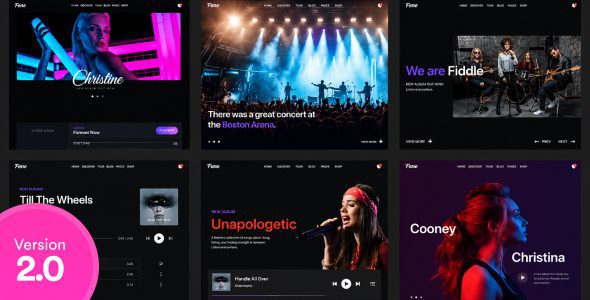
Melodica v2.0 is a WordPress theme built specifically for music bands, independent musicians, and music labels. This musician WordPress theme is optimized for SEO from the ground up, helping your music gain better exposure in search engines and attracting more genuine fan traffic. Whether you're releasing a new album, sharing tour schedules, or introducing your band, Melodica provides a professional and efficient way to showcase it all.
The Core Design Philosophy of the Melodica WordPress Theme
Melodica places search engine optimization at the forefront of its development process. The theme includes a user-friendly URL structure, giving every music article and album page a clear, keyword-rich address. At the same time, the code has been streamlined to remove redundant scripts and styles, significantly improving page load speed—which directly helps reduce bounce rates and improve search rankings.
Responsive design is another highlight of Melodica. Whether fans visit from a phone, tablet, or desktop device, the theme automatically adapts to the screen size, ensuring a consistent browsing experience. Under a mobile-first indexing strategy, this is especially critical for SEO performance.
Feature Modules Tailored for Musicians
Melodica offers a rich set of features designed specifically for the music industry. You can easily create album showcase pages, embed audio players, manage tour dates and venue information, and even integrate ticketing links. For bands and musicians, these features save a tremendous amount of time that would otherwise go into custom development.
The theme is also compatible with mainstream page builders, allowing you to adjust layouts via drag and drop without writing any code. Additionally, Melodica is compatible with WooCommerce, making it easy to sell merchandise, digital albums, or concert tickets directly. If you're building a complete official website for a musician, you can check out more theme recommendations on WordPress resource sites to compare the feature differences between different options.
Furthermore, Melodica officially provides detailed documentation and video tutorials to help users quickly complete installation and configuration. For users who want to further extend functionality, the theme also supports child theme customization, making it easy for developers to do in-depth secondary development.
SEO Optimization Details and Performance
Melodica's investment in SEO is reflected on multiple levels. First, the HTML structure generated by the theme is semantically clear with a logical heading hierarchy, making it easy for search engine crawlers to understand page content. Second, the theme has optimized image lazy loading and cache plugin compatibility, further reducing above-the-fold load time.
The theme also includes built-in structured data support, which helps search engines better display your music, events, and band information. Combined with plugins like Yoast SEO or Rank Math, you can fine-tune the meta titles and descriptions for each page.
If you'd like to check out the official latest feature list and demos, you can visit the Melodica official page for detailed information.
Frequently Asked Questions
How do I install the Melodica theme?
In your WordPress admin, go to "Appearance" -> "Themes" -> "Add New Theme," upload the theme zip file, and activate it. After installation, it's recommended to import the official demo content to quickly understand the theme layout. For detailed steps, please refer to the official documentation.
What use cases is Melodica suitable for?
Melodica is primarily designed for music bands, independent musicians, music producers, and music labels. It's suitable for showcasing music, publishing tour information, selling merchandise, and can also serve as a personal music portfolio website.
Is Melodica compatible with the latest WordPress version?
Melodica v2.0 has been tested and adapted for current mainstream WordPress versions. However, since WordPress updates frequently, it's recommended to check the theme's changelog or official compatibility notes before updating. For details, please refer to the official documentation.
How often is the Melodica theme updated?
The theme developer releases updates regularly to fix known issues and add new features. Updates are typically pushed through the ThemeForest platform, and you'll receive update notifications in your admin panel. For the specific update schedule, please refer to the official page.
Does Melodica support multiple languages and a Chinese version?
Melodica is translation-ready and compatible with plugins like WPML and Polylang, making it easy to build a multilingual website. The theme itself doesn't restrict language, and you can localize it into Chinese or any other language as needed.


Comments (0)