
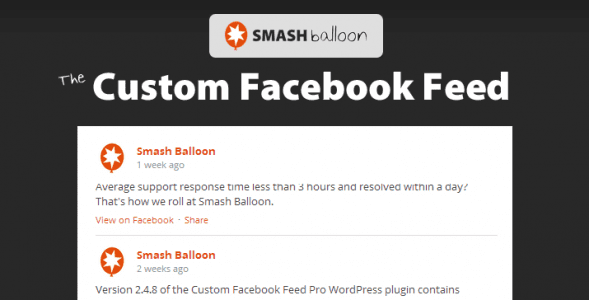
Custom Facebook Feed Pro Plugin Introduction
Custom Facebook Feed Pro is a Facebook content synchronization plugin designed specifically for WordPress. It can automatically sync your Facebook page updates to your website, saving you time on manual content updates. Whether you're a site owner who doesn't have time to write blog posts or a business looking to add dynamic content to your website, this plugin can help you easily achieve content automation.
With Custom Facebook Feed Pro, you can automatically display Facebook updates on your WordPress website, including posts, photos, videos, albums, and events. The plugin supports deep customization, giving you complete control over how content is displayed.
Custom Facebook Feed Pro Core Features
Content Synchronization and Display
Custom Facebook Feed Pro supports automatic synchronization of Facebook page content and displays it on your website in a highly customizable way. You can choose to display specific parts of posts, filter posts by words or hashtags, and even display Facebook group content. The plugin also supports displaying comments and reactions to enhance interactivity.
Performance and Compatibility
The plugin uses back-end caching technology to ensure fast loading times and reliability. It supports HD, 360-degree, and live videos, and features a fully responsive design that adapts to all devices. International language support lets your website reach a global audience.
Ease of Use and Support
Setup is super simple and requires no technical knowledge to get started. The plugin offers exciting customer support and is always kept up to date to ensure compatibility with the latest versions of WordPress and the Facebook API.
If you need more WordPress resources, you can visit bobohello.com to get related plugins and themes.
Custom Facebook Feed Pro Installation and Usage Tutorial
Installing Custom Facebook Feed Pro is very simple. You can install the plugin through the plugin upload feature in the WordPress admin panel and start using it once activated. According to the official documentation, you need to connect your Facebook page and obtain an access token, then configure the display options. Please refer to the official documentation for specific steps.
The activated version of the plugin can be used directly, but please note that using a cracked version may pose security risks. It is recommended to purchase from official channels to get full support.
Official purchase link: Custom Facebook Feed Pro
Frequently Asked Questions
How do I install the Custom Facebook Feed Pro plugin?
In the WordPress admin panel, go to "Plugins" -> "Add New", upload the plugin ZIP file, install, and activate it. Then follow the setup wizard to connect your Facebook page.
What Facebook content types does Custom Facebook Feed Pro support?
It supports posts, photos, videos, albums, events, and Facebook group content. You can also display comments and reactions.
Is the plugin compatible with the latest WordPress version?
The plugin is regularly updated to ensure compatibility. Please refer to the official documentation for specific compatible versions.
How do I update Custom Facebook Feed Pro?
If you are using a legitimate license, you can update automatically through the WordPress admin panel. Cracked versions may require manually downloading the new version. Please refer to the official documentation for details.

