
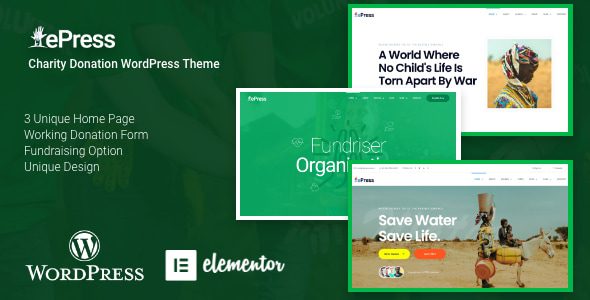
ePress Theme In-Depth Review: A Complete Solution for Nonprofit Charity WordPress Themes
ePress is a nonprofit charity WordPress theme launched by QuomodoTheme, designed specifically for charitable organizations, nonprofit institutions, churches, and fundraising campaigns. This ePress WordPress theme is built around the Elementor page builder, bundled with Revolution Slider, a custom icon font, and complete demo content to help organizations quickly build professional fundraising websites. This article provides a comprehensive analysis of the practical value of the ePress theme, covering page structure, builder components, donation modules, compatibility, and usage tips.
Page Composition and Content Organization of the ePress Theme
The ePress theme organizes its page structure around the core goal of "clearly presenting projects and receiving donations." The homepage serves the dual role of introducing the organization and providing entry points to ongoing projects, while inner pages cover key pages such as About Us, project details, event calendar, volunteer recruitment, news blog, and contact forms. The project detail page integrates fundraising goals, amounts raised, image and text descriptions, and donation buttons into a single reading flow, allowing visitors to clearly understand project progress and quickly complete donations. The events page works in conjunction with the calendar component to list event times and locations, making it ideal for organization sites that require long-term operation.
Detailed Explanation of ePress's Builder and Bundled Components
The ePress WordPress theme uses Elementor's drag-and-drop layout, with the header, footer, and body sections all completed within the same component system, so redesigns don't require digging into template files. Revolution Slider is bundled for homepage carousel displays, along with a custom icon font that effectively prevents missing icon characters across different devices. Demo content supports one-click import, and after import, the page structure and sample copy are fully presented—simply replace them with your own project materials to launch quickly. For nonprofit teams unfamiliar with code, this visual building approach significantly lowers the barrier to website creation.
Practical Applications of ePress's Donation and Event Modules
The ePress theme deeply integrates with the Give donation plugin, allowing donation forms and progress bars to be placed on project pages, with donations processed through the plugin's built-in payment channels. The events section relies on event calendar plugins, with list pages and detail pages already reserved. E-commerce capabilities are handled by WooCommerce, suitable for selling merchandise, tickets, or charity sale items, with product pages and project pages sharing the same header and footer to maintain brand consistency. If you need more WordPress theme resources and website building tutorials, you can visit our resource library for more nonprofit theme recommendations.
Compatibility and Technical Details of ePress
The ePress theme is developed based on the Bootstrap 3 series and the Underscores framework, with responsive page structure—content displayed in four or more columns on desktop will stack sequentially on narrow-screen devices. The code passes W3C validation, and browser compatibility covers common desktop and mobile browsers. Note that the Gutenberg block editor has not been specifically adapted, and body content editing still primarily relies on Elementor and the classic editor. For users accustomed to block editing, it's recommended to evaluate this limitation before use.
ePress Specifications Overview and Use Cases
| Item | Description |
|---|---|
| Resource Type | Charity and nonprofit WordPress theme |
| File Contents | Theme package, demo content, bundled plugins, documentation |
| Dependencies | WordPress site, Elementor, Give donation plugin, and event calendar plugins |
| Use Cases | Charitable organizations, nonprofits, churches, crowdfunding and fundraising campaign sites |
Usage Reminders and Best Practices for ePress
Demo images are for preview purposes only; be sure to replace them with your own materials or properly licensed images on your live site to avoid copyright issues. Donation pages involve amounts and payment collection, so be sure to verify payment channels and currency units at the plugin level. Project progress bar figures are entered in the backend—remember to clear the sample amounts after importing the demo to avoid discrepancies between front-end displays and actual fundraising.
- Install Elementor and the donation plugin before importing demo content; reversing the order will cause missing pages.
- Crop project page images to a consistent aspect ratio; mixing landscape and portrait images will make the list look uneven.
- Keep the event calendar's time fields consistent with the site timezone; events spanning timezones should be labeled separately.
- After modifying the header structure, recheck the mobile collapsed menu and donation button positions.
For more nonprofit and institutional themes, browse our theme list and related topics. With its deep optimization for nonprofit scenarios, the ePress theme is a practical choice for charity organizations building their websites.
Frequently Asked Questions
How do I install the ePress theme?
Installing the ePress theme requires ensuring that the Elementor page builder and Give donation plugin are already installed on your WordPress site. In the WordPress admin, go to "Appearance - Themes - Add New Theme," upload the theme package and activate it, then import the demo content. Please refer to the official documentation for specific steps.
What use cases is the ePress theme suitable for?
ePress is designed for charitable organizations, nonprofits, churches, crowdfunding and fundraising campaign sites, and is suitable for organization websites that need to showcase project progress, receive online donations, and publish event calendars.
Which plugins is the ePress theme compatible with?
The ePress theme is well compatible with Elementor, the Give donation plugin, event calendar plugins, and the WooCommerce e-commerce plugin. The Gutenberg block editor has not been specifically adapted, so it's recommended to use Elementor or the classic editor for content editing.
How often is the ePress theme updated?
The ePress theme is maintained and updated by QuomodoTheme. Please refer to the official documentation or theme page description for specific update frequency and version history.

