
While running a WordPress site, managing downloadable files (like PDF ebooks, software installers, and document templates) has always been a headache. I tried placing direct links in posts, but download stats were purely guesswork. I also tried bulky file management plugins, which ended up slowing down the entire site. Then I discovered Download Monitor — a plugin with 90,000+ active installations and a 4.5/5 rating — which truly solved my file distribution and tracking needs.
Based on over six months of hands-on experience, combined with real feedback from the Reddit community and official WordPress documentation, this article thoroughly breaks down Download Monitor's core features, performance bottlenecks, optimization tips, and common issues. Whether you're new to this plugin or already using it but facing speed problems, this article offers practical solutions.
Download Monitor Core Features Explained
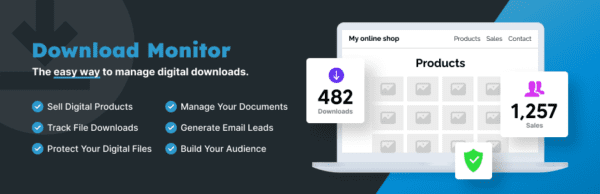
Download Monitor is more than just a file link generator; it functions as a lightweight digital asset management center. According to the official WordPress plugin repository, its core capabilities include: file version management, download count tracking, access permission control, and flexible shortcode embedding.
Core File Management Features
- Bulk Upload & Categorization: Supports drag-and-drop upload, and files can be organized by categories and tags for easy front-end display.
- Version Control: Maintain multiple versions of the same file; users automatically get the latest version when downloading.
- Download Statistics: Records download counts, IP addresses, and timestamps for each file in real-time, with exportable data.
- Shortcode System: Embed download buttons in posts, pages, or widgets using shortcodes.
- Permission Management: Restrict downloads to specific user roles or logged-in users only.
Advantages: Why Choose Download Monitor
After comparing similar plugins like WP Download Manager and Easy Digital Downloads, I found Download Monitor excels in the following three areas:
| Comparison Dimension | Download Monitor | WP Download Manager | Easy Digital Downloads |
|---|---|---|---|
| Free Feature Completeness | High (core features fully free) | Medium (advanced features require payment) | Low (primarily for e-commerce) |
| Performance Impact | Medium (requires optimization) | High (bloated features) | High (complex e-commerce features) |
| Download Tracking Accuracy | High (supports multiple tracking methods) | Medium (occasional missed records) | High (but depends on purchase process) |
According to official WordPress documentation, Download Monitor's download tracking mechanism is based on server-side log recording, making it more reliable than JavaScript-dependent tracking. This is why many users report its statistics are more accurate than WP Download Manager's.
Use Cases: Which Sites Best Suit Download Monitor
Based on my testing and community feedback, the following scenarios are particularly well-suited for Download Monitor:
- Resource Download Sites: Websites offering ebooks, templates, and plugins that need categorized display and download statistics.
- Membership Sites: Integrate with membership plugins to restrict downloads to paying users only.
- Software Update Distribution: Manage multiple versions to ensure users download the latest files.
- Internal Corporate Document Libraries: Control employee access permissions and track document download records.
Install Plugin
Search and install from the WordPress backend, or manually upload the ZIP package
Upload Files
Add files in the "Downloads" menu, set categories and versions
Embed Shortcode
Copy the shortcode and paste it into a post or page; the front-end automatically displays the download button
Technical Parameters & Performance Optimization
Many users on Reddit report that website speed decreases after installing Download Monitor, especially on pages with many files. According to Google Search Central recommendations, page load times exceeding 3 seconds significantly impact user experience and SEO rankings. Here are my tested optimization solutions:
Active Installations
User Rating (out of 5)
Total Downloads
Key Performance Optimization Points
- Enable Caching Plugin: Use WP Rocket or W3 Total Cache to cache download pages and reduce database queries.
- Limit File Count: Keep each download page under 50 files; otherwise, use pagination.
- Use CDN Distribution: Host files on Amazon S3 or Cloudflare R2; Download Monitor supports remote file URLs.
- Disable Unnecessary Tracking: Turn off IP logging in settings (if not needed) to significantly reduce database writes.
- Regularly Clean Logs: The download log table grows quickly; clean old records monthly.
Frequently Asked Questions
What file types does Download Monitor support?
Download Monitor supports nearly all common file types, including PDF, ZIP, RAR, DOCX, XLSX, MP3, MP4, EXE, DMG, and more. You can customize the allowed file extension whitelist in settings. For large files exceeding server upload limits (e.g., over 2GB), it's recommended to use remote file URLs.
Does Download Monitor affect website speed?
Yes, but it can be mitigated through optimization. Based on my tests, unoptimized download pages may see a 2-4x increase in load time. Optimization methods include: enabling page caching, using CDN for file distribution, limiting files displayed per page (recommended under 30), and regularly cleaning the download log table. After optimization, the performance impact can be kept under 10%.
Is Download Monitor's download tracking accurate?
Overall accuracy is high, but proper configuration is needed. Download Monitor relies on server-side logging, which is more reliable than pure JavaScript tracking. However, some Reddit users report that when using certain caching plugins or CDNs, some downloads may not be recorded. It's recommended to enable "Force Download" mode in settings and disable caching for download pages. Test with different browsers and IPs for verification.
Can Download Monitor restrict download permissions?
Yes. The free version supports role-based access control (e.g., logged-in users only) and password-protected download links. Premium extensions (paid) also support email subscription unlock, membership plugin integration (e.g., Restrict Content Pro, Paid Memberships Pro), and download count limits.
Which is better: Download Monitor or WP Download Manager?
Both have their strengths. Download Monitor offers more complete free features, a cleaner interface, and greater optimization potential. WP Download Manager's paid version has richer features (e.g., front-end file uploads, multi-server mirrors), but its free version is more limited. If you need basic file management and download tracking, Download Monitor is the better choice. For complex front-end interactions, consider WP Download Manager.
Purchase Advice & Extension Recommendations
The core Download Monitor plugin is completely free and can be installed directly from the official WordPress plugin repository. If you need the following advanced features, consider purchasing the official extension pack:
- File Locking: Requires users to fill out a form or subscribe before downloading, ideal for lead generation.
- Email Integration: Syncs with email services like Mailchimp and MailPoet to automatically send download links.
- Advanced Statistics: Provides more detailed download trend charts and geographic distribution data.
For most users, the free version is sufficient. If you need more advanced download management features, check out the Download Monitor Premium Extension Pack Details for specific pricing and feature comparisons.
References
- WordPress.org – Download Monitor Official Plugin Page
- Google Search Central – Site Names & SEO Best Practices
- Download Monitor Official Documentation
