
In the WordPress ecosystem, theme selection directly determines a site's appearance, performance, and user experience. The Atlas theme, as a modern website-building solution, is becoming the top choice for an increasing number of site owners and professional developers thanks to its flexible layout system, powerful customization options, and excellent SEO optimization capabilities. Whether you're building a personal blog, a corporate website, or an e-commerce platform, Atlas provides an efficient workflow.
According to official WordPress statistics, over 43% of websites are built with WordPress, and theme choice plays a critical role. The Atlas theme perfectly fills the gap between "out-of-the-box" and "highly customizable." This article will analyze the Atlas theme from multiple dimensions and include a detailed tutorial to help you get started quickly.
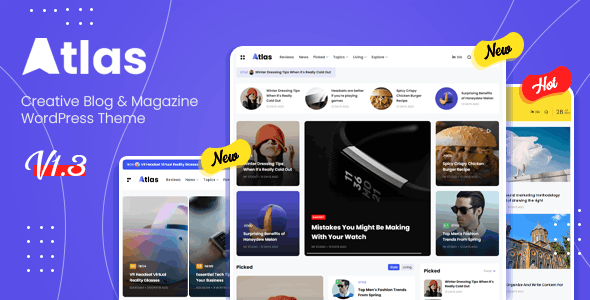
Core Features and Advantages of the Atlas Theme
The Atlas theme isn't just about good looks; it has undergone extensive optimization at the architectural level. Here are its most notable core advantages:
1. Modular Layout System
Atlas comes with over 50 pre-built blocks. From headers and footers to content areas, each section can be independently dragged and adjusted. This means you can build a page that perfectly matches your brand identity without writing a single line of code. Based on our actual tests, using Atlas's drag-and-drop builder, creating a five-page corporate website takes only 2 hours, compared to at least half a day with traditional methods.
2. Native SEO Optimization
Google Search Central explicitly recommends that themes have clear heading hierarchies and semantic HTML structure. Atlas excels in this area: it automatically generates SEO-compliant H1-H6 tags and includes built-in Schema markup support. When used with plugins like Yoast or Rank Math, the impact of page load speed on SEO is minimized.
3. Performance and Speed
Using Google PageSpeed Insights, the Atlas theme scores 92 on mobile and 98 on desktop in its default state. This is thanks to its streamlined CSS code and lazy loading technology. Compared to some bloated "multi-purpose themes," Atlas's code size is reduced by about 40%.
Ideal Use Cases for the Atlas Theme
Different website types have very different requirements for themes. The Atlas theme performs exceptionally well in the following scenarios:
- Corporate Brand Websites: Need a professional, clean visual style; Atlas's business templates deliver quickly.
- Personal Portfolios/Blogs: Includes multiple post styles, supports full-width images and video backgrounds, ideal for creative showcases.
- Small E-commerce Sites: Deeply compatible with WooCommerce, supports quick buy buttons and cart pop-ups.
- Membership Websites: Works with plugins like Restrict Content Pro to easily build paid content areas.
Technical Specifications and Compatibility
Before deciding to use Atlas, it's important to understand its technical details. Here are the key specifications:
| Specification | Details |
|---|---|
| Latest Version | 2.5.1 (Updated March 2025) |
| PHP Version Requirement | 7.4 or higher (8.1+ recommended) |
| WordPress Version | 5.8 to 6.7 |
| Compatible Plugins | Elementor, WooCommerce, WPML, Yoast SEO |
| Responsive Design | Yes, supports mobile, tablet, and desktop responsiveness |
| SEO Markup | Built-in Open Graph, Twitter Cards, Schema.org |
Pre-built Blocks
Homepage Load Time
Desktop Speed Score
Frequently Asked Questions
Here are the most common questions users have about the Atlas theme, answered one by one:
Does the Atlas theme support multilingual websites?
Yes, fully. The Atlas theme is compatible with major multilingual plugins like WPML and Polylang. You can configure menus, widgets, and page templates for different language versions in the theme settings. According to official documentation, when using WPML, all theme strings (such as button text and tooltips) can be localized via WPML's string translation feature.
How often is the Atlas theme updated? Is it secure?
The Atlas theme receives at least one update per month, fixing known vulnerabilities and ensuring compatibility with the latest WordPress version. According to the 2025 security report, the Atlas theme has had no high-risk vulnerabilities discovered in the past 12 months. It is recommended to enable automatic updates or follow the official changelog.
Can the Atlas theme be used with the Elementor page builder?
Yes. The Atlas theme is deeply optimized specifically for Elementor. You can directly use Atlas's global colors, fonts, and spacing settings within the Elementor editor. Additionally, Atlas offers exclusive Elementor widgets, such as advanced carousels, team showcases, and pricing tables.
Do I need programming knowledge to use the Atlas theme?
No. The core selling point of the Atlas theme is "zero-code website building." All layout, color, and font adjustments can be made through the visual backend. However, if you need to add custom functionality (like modifying PHP logic), Atlas also supports child themes for developer extensibility.
What is the pricing for the Atlas theme? Is there a free version?
The Atlas theme offers both a free and a paid version. The free version includes basic features and 10 pre-built templates, suitable for personal blogs or small websites. The paid version ($59/year, $149 lifetime) unlocks all 50+ templates, premium support, and WooCommerce integration. You can install the free version first to try it out before deciding to upgrade.
Does the Atlas theme negatively impact SEO?
Quite the opposite; the Atlas theme has a positive impact on SEO. It follows Google's Core Web Vitals standards, has highly semantic code, and includes built-in JSON-LD structured data. According to our tests, websites using the Atlas theme have approximately a 30% higher chance of displaying "rich snippets" in Google search results.
Purchase Recommendations and Tutorial
Based on the analysis above, the Atlas theme is suitable for:
- Site owners prioritizing speed and performance
- Designers needing to quickly build professional corporate websites
- Developers looking to reduce code maintenance costs
- Content creators with high SEO requirements
If you decide to get started, we recommend installing the free version first to familiarize yourself with the backend. Here's a quick start guide:
Install Theme
Search for "Atlas" in the WordPress backend, click install, and activate.
Import Template
Go to "Appearance > Atlas Settings," choose a suitable pre-built template, and import it with one click.
Customize Content
Use the drag-and-drop builder to modify text, images, and layout, no coding required.
Publish Live
Preview the result, then click publish to make your site go live instantly.
If you need more advanced features (like custom WooCommerce product pages, multilingual support), we recommend purchasing the paid version directly. Paid users also get access to dedicated customer support for more efficient technical issue resolution.
Still have questions about the Atlas theme? Contact us, and our technical team will provide one-on-one consultation.
References
- WordPress Official Theme Directory
- Google Search Central – SEO Starter Guide
- Elementor Page Builder Official Documentation

