
What Is SchedulePress Pro? A Complete Breakdown of the WordPress Post Scheduling Plugin
SchedulePress Pro is a post scheduling and automatic social sharing plugin built specifically for WordPress, formerly known as WP Scheduled Posts. It offers a one-stop content management solution with a visual calendar, automatic scheduling, and automatic social sharing, freeing you from the tedious process of publishing posts manually one by one. Whether you run a personal blog or a multi-author team, this WordPress plugin can significantly boost your content operation efficiency.
SchedulePress Pro Core Features Explained
Visual Calendar and Drag-and-Drop Scheduling
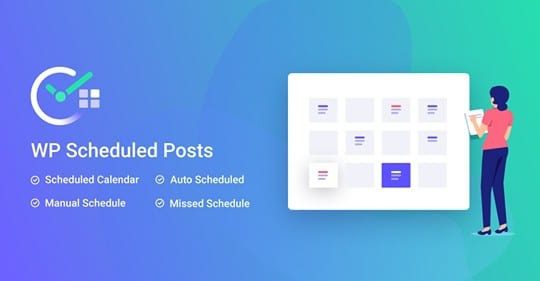
The plugin comes with an intuitive visual calendar interface that supports drag-and-drop operations to reschedule post publication times. You can create new posts and adjust publication dates directly in the calendar, with all schedules visible at a glance. For sites that need to plan their content rhythm in advance, this feature greatly simplifies the editing workflow.
Auto Scheduler and Smart Reminders
SchedulePress Pro's auto scheduler can automatically arrange post publication according to preset rules, reducing manual intervention. Combined with email notifications and Slack reminders, team members can stay informed about content status and avoid missing or duplicate publications.
Automatic Social Sharing
After a post is published, the plugin can automatically share the content to social platforms such as Facebook, Twitter, and LinkedIn. You can preview the sharing result before publishing and customize the share copy, giving every post more exposure. For more WordPress resources and tutorials, visit bobohello.com.
SchedulePress Pro Installation and Use Cases
This plugin is suitable for news sites, blogs, multi-author collaboration platforms, and other scenarios that require regular content publishing. Installation is the same as for regular WordPress plugins—upload and activate it, then follow the setup wizard to complete the basic configuration. Official documentation: WPDeveloper Official Page.
Frequently Asked Questions
How do I install SchedulePress Pro?
In the WordPress admin, go to "Plugins > Add New," upload the plugin zip file, and activate it. After activation, follow the setup wizard to configure the calendar and social accounts. For details, please refer to the official documentation.
Which social platforms does SchedulePress Pro support?
It supports major platforms such as Facebook, Twitter, and LinkedIn. For the specific supported list, please refer to the latest official documentation.
Is SchedulePress Pro compatible with the latest version of WordPress?
Version v5.3.3 has been adapted for the current WordPress core. It is recommended to confirm that your server's PHP version meets the requirements before use. For details, please refer to the official documentation.
How often is SchedulePress Pro updated?
It is continuously maintained by the WPDeveloper team, and the update frequency depends on feature iterations and security fixes. We recommend following the official changelog.

