
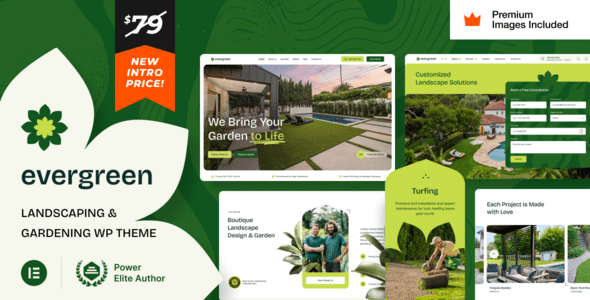
EverGreen v18.0 is a WordPress theme built specifically for the landscaping and gardening industry, suitable for residential and commercial landscaping companies, garden design studios, lawn care services, hardscaping specialists, and outdoor maintenance service providers. With its modern design language and professional feature layout, this theme helps horticultural businesses establish a trustworthy brand image online and efficiently showcase their services and portfolio projects.
Core Features and Design Highlights of the EverGreen WordPress Theme
The EverGreen theme is built around real business scenarios in the landscaping and gardening industry, offering multiple pre-built page templates and block combinations for quickly setting up homepages, service pages, portfolio pages, and contact pages. The theme emphasizes visual presentation, using large background images, soft green tones, and clear typographic hierarchy to give visitors a natural, professional brand experience while browsing.
On the functionality side, EverGreen is compatible with mainstream page builders and supports responsive layouts, ensuring excellent display across mobile, tablet, and desktop devices. The theme also includes built-in modules for service showcases, project portfolios, and customer testimonials, making it easy for landscaping companies to highlight their strengths. If you need more WordPress theme resources, you can visit WordPress Theme Resource Library for more options.
What Landscaping and Gardening Business Scenarios Is the EverGreen Theme Suited For
EverGreen is suitable for a variety of landscaping and gardening-related businesses, including residential landscaping, commercial landscape design, lawn maintenance, hardscape construction, outdoor lighting installation, and garden maintenance services. The theme's page structure can be flexibly adjusted to display both service lists and project portfolios with customer feedback, helping horticultural businesses of different sizes build a professional online presence.
EverGreen v18.0 Updates and Compatibility
EverGreen v18.0 builds on previous versions with feature optimizations and compatibility improvements, adapting to newer versions of the WordPress core and maintaining good collaboration with commonly used plugins. The theme supports custom logos, menus, color schemes, and footer information, making it easy to personalize according to brand needs. For landscaping businesses that require multilingual display, the theme also provides corresponding localization support.
In terms of performance, EverGreen focuses on clean code and loading speed, reducing unnecessary resource requests to help improve website performance in search engines. The theme's official page provides detailed documentation and changelogs. It is recommended to consult the official instructions before use to obtain the latest information.
Official link: EverGreen Theme Official Page
How to Install and Configure the EverGreen WordPress Theme
Installing the EverGreen theme follows the same steps as other WordPress themes: go to "Appearance" -> "Themes" -> "Add New Theme" in the WordPress admin panel, upload the theme zip file, and activate it. After activation, you can import demo content based on the theme prompts, or manually create pages and apply the templates provided by the theme. It is recommended to complete configuration and content population in a testing environment before going live to ensure the display meets expectations.
During configuration, you can focus on setting up the homepage layout, service items, portfolio showcase, and contact information modules. The theme options panel typically provides color, font, and layout adjustment features. Please refer to the official documentation for specific operations. If you encounter compatibility issues, you can check your WordPress version and installed plugins, and deactivate conflicting plugins for troubleshooting if necessary.
Frequently Asked Questions
How do I install the EverGreen theme?
Go to "Appearance" -> "Themes" -> "Add New Theme" in the WordPress admin panel, upload the EverGreen theme zip file, and activate it. Please refer to the official documentation for detailed steps.
What types of websites is the EverGreen theme suitable for?
EverGreen is suitable for landscaping companies, garden design studios, lawn care services, hardscaping specialists, and outdoor maintenance service providers, as well as other landscaping and gardening-related business websites.
Which WordPress versions is EverGreen v18.0 compatible with?
EverGreen v18.0 is compatible with newer versions of the WordPress core and maintains compatibility with commonly used plugins. Please refer to the official documentation for specific compatible versions.
Does the EverGreen theme support responsive layouts?
Yes, the EverGreen theme supports responsive layouts and displays properly on mobile, tablet, and desktop devices.
How often is the EverGreen theme updated?
The EverGreen theme is maintained and optimized based on WordPress version updates and user feedback. Please refer to the official changelog for specific update frequency.


Comments (0)