
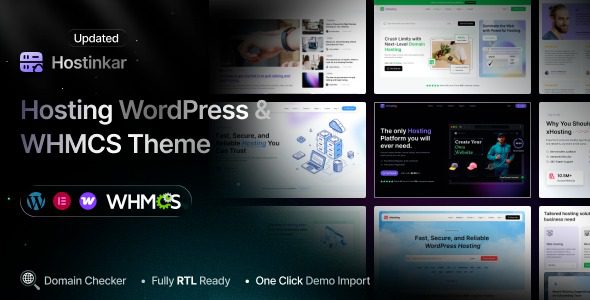
Hostinkar – WordPress and WHMCS Theme is a modern, high-performance solution designed for web hosting companies, domain registrars, cloud service providers, and tech businesses. Built with speed, flexibility, and conversion rates in mind, it combines a clean, professional interface with powerful features to help you showcase your services and grow your business. Whether you are a startup hosting provider or an established enterprise, Hostinkar offers a professional and reliable online presence.
Core Features of the Hostinkar WordPress Theme
The Hostinkar theme integrates a wealth of features tailored to the specific needs of the hosting industry. It supports seamless integration with WordPress and WHMCS, allowing you to easily manage domain registration, cloud services, VPS, and more. The theme includes multiple pre-built demos, such as shared hosting, cloud hosting, and domain registration pages, which can be imported with one click for quick deployment. Additionally, Hostinkar is optimized for speed, using lightweight code and modern technologies to ensure fast page loading, enhancing user experience and search engine rankings.
Deep Integration with WHMCS
The deep integration of Hostinkar with WHMCS is a standout feature. You can embed WHMCS ordering, billing, and support functions directly into your WordPress site without redirecting to external pages, thereby boosting customer conversion rates. The theme also offers custom WHMCS templates to maintain brand consistency and supports multiple languages and currencies, making it easy to expand into international markets.
Why Choose the Hostinkar Hosting Theme?
In the competitive hosting market, a professional and feature-rich website is key to attracting customers. Hostinkar not only boasts a modern appearance but also prioritizes user experience. It features a responsive design that perfectly adapts to desktops, tablets, and mobile phones. Additionally, the theme integrates SEO optimization features to help your site achieve better rankings on search engines like Google. Furthermore, Hostinkar is compatible with popular page builders such as Elementor, allowing you to customize page layouts without coding.
If you are looking for an efficient and flexible hosting theme, give the Hostinkar theme a try—it can bring more possibilities to your business.
Installing and Using the Hostinkar Theme
Installing the Hostinkar theme is very simple. You can upload the theme package via the theme installation feature in the WordPress admin panel, or upload the theme files to the /wp-content/themes/ directory via FTP. After activation, follow the wizard to import demo data, and within minutes, you will have a complete hosting website. The theme also offers a rich options panel, allowing you to easily adjust visual elements such as colors, fonts, and layouts without any programming knowledge.
Frequently Asked Questions
Does the Hostinkar theme support Chinese localization?
Yes, the Hostinkar theme supports Chinese localization. You can use the Loco Translate plugin or directly edit .po/.mo files for translation; please refer to the official documentation for details.
Which page builders is the Hostinkar theme compatible with?
The Hostinkar theme is compatible with mainstream page builders such as Elementor and WPBakery, making it easy to customize page layouts.
Is the Hostinkar theme regularly updated?
Yes, the developer regularly updates the theme to fix bugs, add new features, and maintain compatibility with the latest versions of WordPress and WHMCS.
Does the Hostinkar theme support multisite?
Yes, the Hostinkar theme can be used in a WordPress multisite network.
How can I get technical support for the Hostinkar theme?
You can get help through the theme's official support forum or by contacting the developer; please refer to the official documentation for details.


Comments (0)