
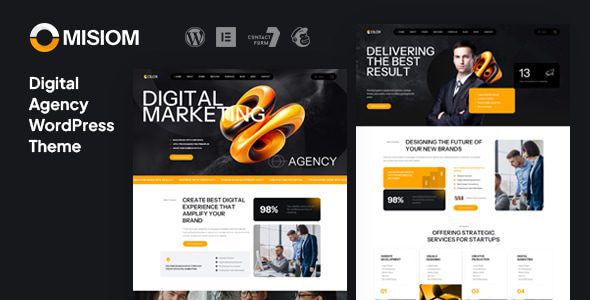
Misiom WordPress Theme: A Professional Website Solution for Digital Agencies
Misiom is a versatile WordPress theme built specifically for digital agency service companies. Version 1.0.0 brings more stable performance and richer customization options. Whether you provide web design, website development, internet marketing, SEO services, or run a comprehensive digital agency, Misiom can help you quickly build a professional corporate website with strong visual impact. The theme includes a powerful admin panel that makes adjusting colors, typography, and layouts intuitive and efficient. It also adapts exceptionally well to mobile devices, ensuring visitors enjoy a smooth browsing experience on any device. If you are looking for a digital agency theme that balances aesthetics and practicality, Misiom is worth exploring in depth. For more quality WordPress resources, visit bobohello.com to explore.
Misiom Theme Core Features and Use Cases
Misiom was designed to serve digital agencies, creative studios, and internet service providers. It offers multiple pre-built page templates covering the homepage, service showcase, case studies, team introduction, blog, and contact page, essentially ready to use out of the box. The theme integrates compatibility with popular page builders, allowing you to create unique page structures by dragging and dropping modules without writing code. For SEO friendliness, Misiom's code structure is clean with well-structured semantic tags, helping search engines crawl and rank your site. Additionally, the theme takes loading speed into account, optimizing images and scripts so your website performs well in performance tests.
Misiom Theme Installation and Basic Configuration
Installing the Misiom theme is very simple. In the WordPress admin panel, go to "Appearance" -> "Themes" -> "Add New Theme," upload the theme zip file, and activate it. After activation, the system will prompt you to install recommended plugins such as page builders and contact form tools. Following the guidance for one-click installation will quickly give you full functionality. Then, you can adjust the site identity, color scheme, fonts, and homepage layout in "Appearance" -> "Customize." The theme options panel provides a wealth of toggles and input fields, allowing you to complete most visual customization without touching any code. For developers who need more fine-grained control, Misiom also offers child theme support and detailed documentation. Official link: Misiom Official Page.
Why Digital Agencies Choose the Misiom WordPress Theme
Competition in the digital agency industry is fierce, and a professional, fast, and easy-to-update website is the first step to winning client trust. The Misiom theme excels in the following areas: First, its modern design style with color schemes and typography that align with current aesthetic trends effectively enhances brand image; Second, it is highly customizable, with an admin panel that lets non-technical users easily adjust the website's appearance; Third, its responsive layout ensures excellent performance on mobile phones, tablets, and desktops; Fourth, it is compatible with mainstream plugins such as WooCommerce, Contact Form 7, Yoast SEO, and more, offering strong extensibility. Overall, Misiom is a highly cost-effective digital agency theme, ideal for small and medium-sized agencies looking to quickly launch their own website.
Frequently Asked Questions
How do I install the Misiom theme?
In the WordPress admin panel, click "Appearance" -> "Themes" -> "Add New Theme" -> "Upload Theme," select the Misiom zip file, install, and activate it. After activation, follow the prompts to install the recommended plugins. For detailed steps, please refer to the official documentation.
What types of websites is the Misiom theme suitable for?
Misiom is designed specifically for digital agencies, web design companies, SEO service providers, internet marketing teams, and is also suitable for creative studios and freelancers showcasing their work and services.
Is the Misiom theme compatible with the latest version of WordPress?
Misiom version 1.0.0 has been tested against relatively recent WordPress versions, but for specific compatibility, please refer to the official release notes. It is recommended to back up your website before updating WordPress.
How often is the Misiom theme updated?
The theme update frequency depends on the developer's maintenance schedule. Update logs and patches are typically published through official channels. You can follow the project page on ThemeForest to get the latest version information.

