
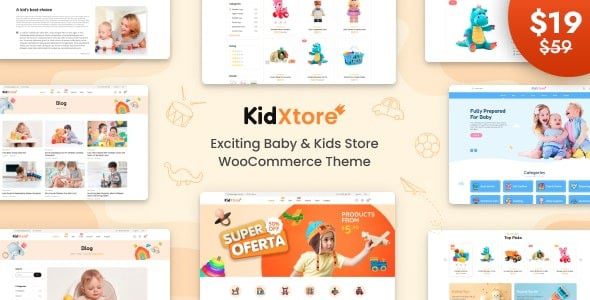
Introduction to KidXtore v3.1 Baby Shop and Kids Store WooCommerce Theme
KidXtore v3.1 Baby Shop and Kids Store WooCommerce Theme is a beautifully designed WordPress theme built specifically for online children's stores. This theme offers numerous pre-designed homepage, product page, and blog page layouts for your online shop, allowing you to showcase children's products in an adorable and engaging way. Whether you sell baby clothing, toys, or other kids' products, KidXtore has everything you need.
With the built-in WooCommerce plugin, KidXtore lets you build an online store quickly and effortlessly. The theme comes equipped with a variety of practical plugins, including common e-commerce tools as well as specialized plugins tailored to children's education, childcare centers, preschools, kindergartens, and other child-related businesses. This makes KidXtore suitable not only for pure e-commerce websites but also for building official websites for children's service organizations.
KidXtore features a lively design style with soft colors that perfectly match the children's market positioning. Its responsive layout ensures your website displays flawlessly across all devices, delivering a pleasant browsing experience for visitors. Additionally, the theme supports multiple currencies and languages, making it easy to expand your business internationally.
Key Features of KidXtore v3.1 Kids Store WooCommerce Theme
KidXtore offers a rich set of features and functionalities that make your online store more attractive and competitive. Here are some core highlights:
1. Diverse Homepage Layouts
The theme includes multiple carefully designed homepage templates that you can import with one click based on your brand style, allowing you to quickly build a professional store.
2. Powerful WooCommerce Integration
Seamlessly integrated with WooCommerce, supporting the complete e-commerce flow including product display, shopping cart, and checkout, making it easy to manage products and orders.
3. Child-Related Plugin Support
Plugins specially developed for scenarios like children's education and daycare, such as course display and event calendars, expand the theme's range of applications.
4. Visual Customizer
Through the WordPress Customizer, you can adjust colors, fonts, and layouts in real time without writing a single line of code to personalize your website.
5. SEO-Friendly
The theme code follows best SEO practices, ensuring better performance for your website in search engines.
How to Install and Use KidXtore v3.1 Baby Shop Theme
Installing the KidXtore theme is very simple and can be completed in just a few steps:
- In the WordPress admin panel, go to "Appearance" -> "Themes" -> "Add New Theme," upload the KidXtore theme zip file, and activate it.
- After activation, the system will prompt you to install the required plugins. Follow the instructions to install and activate them online.
- Once installation is complete, go to "Appearance" -> "Import Demo Data," choose your preferred homepage template, and import it.
- After importing, you can modify page content, menus, and settings as needed.
Please note that before importing demo data, make sure your server environment meets the theme requirements. Refer to the official documentation for details.
When building a kids' products store, you may also want to learn some marketing tips, such as how to optimize product pages to boost conversion rates. You can check out related WordPress website building tutorials for more advice.
Use Cases and Compatibility of the KidXtore Theme
The KidXtore theme is suitable for a variety of scenarios, including but not limited to:
- Baby clothing stores
- Children's toy stores
- Mother and baby product malls
- Children's education institutions (such as early learning centers and kindergartens)
- Children's service booking platforms
The theme is compatible with major browsers and supports WordPress multisite, popular page builders (such as Elementor), as well as commonly used caching and SEO plugins. Additionally, KidXtore is continuously updated to maintain compatibility with the latest versions of WordPress and WooCommerce.
For more information, visit the official theme page.
Frequently Asked Questions
Q: How do I install the KidXtore theme?
A: Upload the theme zip file in the WordPress admin panel and activate it, then install the required plugins as prompted, and finally import the demo data.
Q: What scenarios is the KidXtore theme suitable for?
A: It is suitable for baby stores, kids' product shops, children's education institutions, and especially e-commerce websites centered around children.
Q: Which WordPress versions is the KidXtore theme compatible with?
A: The theme is regularly updated to stay compatible with the latest versions of WordPress and WooCommerce. We recommend using the latest stable version for the best experience. Refer to the official documentation for specific compatible versions.
Q: How often is the KidXtore theme updated?
A: Updates are not released on a fixed schedule; new versions are typically published when there are feature improvements or security fixes. We recommend keeping an eye on the official changelog.
Q: Can I customize the theme's colors and fonts?
A: Yes, the theme supports real-time adjustments through the Customizer, with no coding knowledge required.


Comments (0)