
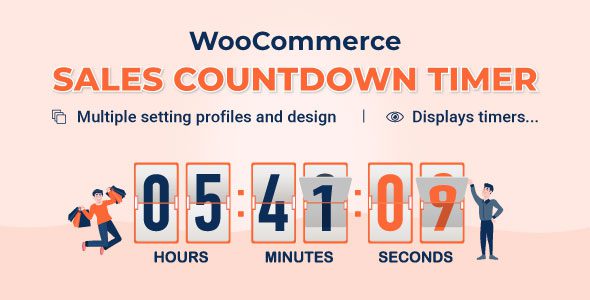
What Is the Countix 1.1.12 Countdown Marketing Plugin?
Countix is a countdown marketing plugin designed specifically for WordPress and WooCommerce. By displaying limited-time countdowns on product pages, product listings, and the checkout page, it creates a sense of urgency and effectively boosts conversion rates. The latest version 1.1.12 further optimizes stability and compatibility, making it one of the essential marketing tools for e-commerce websites.
If you're looking for a lightweight, easy-to-use, and feature-rich countdown plugin, Countix is worth a closer look. For more WordPress resources and tutorials, visit bobohello.com.
Countix Core Features in Detail
Product Promotion Countdown
Countix can automatically read the promotion start and end times of WooCommerce products and display the remaining time on the product page or product listing. You can also manually set an independent countdown for each product or category, with flexible control over the display position (above/below the product image, below the price, etc.). The plugin offers multiple styles such as digital clocks, progress bars, and minimalist labels, supports custom colors, text, and animations, and can even display low-stock alerts to further create a sense of scarcity.
Checkout Countdown (Session Countdown)
This is the core feature of the Pro version: when a customer enters the checkout page, a session countdown starts (e.g., a 10–30 minute limited-time offer), and the corresponding discount is automatically canceled when time runs out. It supports progress bar visualization, a pause button, and custom behavior after the countdown ends (notification, coupon removal, popup, etc.). Note: the session countdown is based on the browser session, so clearing the cache or opening a new tab will reset the timer.
Conditional Display Rules and Page Exclusion
You can control whether the countdown is displayed based on product, category, user role, customer country, or page. Notably, Countix supports page exclusion—for example, you can disable the countdown on the BuildKit configurator page to avoid interfering with the component selection process. Shortcodes let you embed the countdown in any page, popup, Elementor module, or CartSuite side drawer.
Countix Compatibility with the VillaTheme Suite
Countix is highly compatible with the VillaTheme product line, including HPOS high-performance order storage, WPML/Polylang multilingual support, as well as the CartSuite side cart and Salevo upsell popup. For the BuildKit product configurator, the countdown displays normally on standard product pages, but can be disabled entirely on the configuration page. Note that Countix cannot set separate countdowns for individual BuildKit dynamic configuration combinations—it only works with standard Woo products.
Free Version vs. Pro Paid Version Comparison
The free version offers product page countdowns, reading Woo promotion times, basic styles, and shortcodes, but lacks the checkout session countdown, low-stock scarcity alerts, advanced conditional rules, and page exclusion—making it suitable only for simple testing. The Pro version (sold on CodeCanyon) includes the checkout countdown, low-stock alerts, full conditional rules, page exclusion, and all style templates, making it the must-have version for production environments. It's a one-time payment, not a SaaS subscription, with low risk of conflicts.
Official link: Countix Official Page
Summary of Countix's Advantages
- A member of the VillaTheme suite, one-time payment with no subscription burden.
- Automatically reads WooCommerce native promotion times, eliminating the need to maintain campaign times separately.
- Supports page exclusion—the countdown can be disabled on the BuildKit configurator page without interfering with the selection process.
- Checkout session countdown, ideal for limited-time B2B bulk promotions.
- Lightweight JS with minimal impact on page load speed.
Frequently Asked Questions
How do I install Countix?
In the WordPress admin, go to "Plugins" -> "Add New" -> "Upload Plugin," select the Countix zip file, upload it, and activate it. For details, please refer to the official documentation.
Which page builders does Countix support?
Countix provides shortcodes that can be embedded in Elementor, popups, the CartSuite side drawer, and any other location. For specific compatibility, please refer to the official documentation.
How often is Countix updated?
Countix is maintained by the VillaTheme team, with regular updates to stay compatible with the latest versions of WordPress and WooCommerce. For the specific changelog, please refer to the official documentation.
Can Countix be used on the BuildKit configurator page?
You can use the countdown on standard product pages, but the countdown can be disabled entirely on the BuildKit configuration page, and it cannot be embedded within the configurator's internal modules. For details, please refer to the official documentation.


Comments (0)