
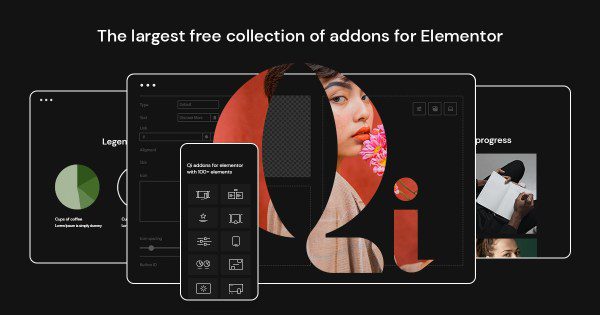
Qi Addons For Elementor Premium Chinese Version: Build High-Performance WordPress Pages
In the WordPress website building process, the Elementor page builder has become the top choice for many site owners thanks to its powerful features and flexibility. As an extension plugin for Elementor, Qi Addons For Elementor Premium opens up endless possibilities for page design. This article will provide a detailed introduction to the Qi Addons For Elementor Premium Chinese version (along with the companion Qode Essential Addons Premium), covering its key features, installation methods, and usage tips to help you effortlessly build professional-grade websites.
Qi Addons For Elementor Premium, developed by Qode Interactive, is an Elementor extension library featuring over 60 custom widgets. These widgets are beautifully designed, flexible, and easy to use, meeting a wide range of web design needs. Whether it's a corporate website, personal blog, or e-commerce platform, Qi Addons helps you quickly create stunning pages.
It's worth noting that Qi Addons For Elementor Premium becomes even more powerful when paired with Qode Essential Addons Premium. Qode Essential Addons provides more practical foundational widgets, and the two complement each other to boost your website building efficiency. If you're looking for a comprehensive Elementor widget plugin, the Qi Addons For Elementor Premium Chinese version is undoubtedly the best choice.
Core Features: 60+ Widgets, Unlocking New Design Horizons
Qi Addons For Elementor Premium comes with over 60 widgets covering content display, interactive effects, media processing, and more. Here are some of the most popular feature modules:
1. Advanced Content Widgets
Includes advanced headings, text blocks, icon lists, and more, allowing you to easily format content and highlight important information. These widgets support extensive style customization, so you can adjust fonts, colors, spacing, and more to match your brand style.
2. Enhanced Interactive Effects
Qi Addons offers a variety of interactive effects such as hover animations, parallax scrolling, and scroll-triggered animations to bring your pages to life. These effects are not only visually appealing but also enhance user experience and increase time spent on your site.
3. Layouts & Grids
Flexible grid layouts and list displays help you organize content efficiently. Whether it's product showcases, team introductions, or portfolios, you'll find the right layout solution.
4. Media & Galleries
Supports image galleries, video popups, carousels, and more, making your visual content more engaging. Combined with Elementor's drag-and-drop editing, you can easily create professional-grade media display areas.
Additionally, Qi Addons For Elementor Premium is compatible with popular WordPress themes and plugins such as WooCommerce and WPML, ensuring peace of mind when building complex websites. If you need more WordPress website building tips, feel free to visit related resource sites for more information.
Installation & Activation: Three Simple Steps, Ready to Use
Installing the Qi Addons For Elementor Premium Chinese version is very simple. Just follow these steps:
1. In your WordPress admin panel, go to "Plugins" -> "Add New Plugin," search for "Qi Addons For Elementor," find it, and click "Install Now."
2. After installation, click "Activate." The plugin will then prompt you to enter your license key. Enter the license key (such as the example "cb0e057f-a05d-4758-b314-024db98eff85") to complete activation.
3. Once activated, you'll see the new Qi Addons widgets in the Elementor editor. We also recommend installing Qode Essential Addons Premium alongside it for more comprehensive functionality.
If you encounter an error during installation, such as "call_user_func_array() expects parameter 1 to be a valid callback," this is usually caused by a function not being properly defined. You can add the following code to the bottom of your wp-config.php file:
add_filter( 'init', 'ui_disable_plugin_updates' );
function ui_disable_plugin_updates() {
    // Function implementation...
}
After saving the file, the issue should be resolved. For more detailed installation tutorials, please refer to the official documentation.
Usage Tips: Maximizing Qi Addons' Potential
To help you make the most of Qi Addons For Elementor Premium, here are some practical tips:
1. Utilize the Template Library: Qi Addons offers a large collection of pre-designed templates that you can import directly to quickly build pages. These templates cover various industries and scenarios, saving you time and effort.
2. Customize Styles: Every widget supports custom CSS, allowing you to adjust styles as needed to achieve unique designs.
3. Combine with Qode Essential Addons: Using both plugins together provides complementary features. We recommend installing both to get a more comprehensive widget library.
4. Performance Optimization: Although Qi Addons is powerful, to maintain website loading speed, we recommend using only the necessary widgets and regularly cleaning up unused elements.
With these tips, you'll be able to fully unleash the potential of Qi Addons For Elementor Premium and create high-performance, visually stunning WordPress websites.
FAQ
How do I install the Qi Addons For Elementor Premium Chinese version?
The installation method is simple: search for "Qi Addons For Elementor" in your WordPress admin panel, install and activate it, then enter your license key to activate. For specific steps, please refer to the "Installation & Activation" section of this article.
What scenarios is Qi Addons For Elementor Premium suitable for?
It's suitable for any WordPress website built with Elementor, including corporate websites, blogs, e-commerce sites, portfolios, and more. Whether you're a designer or a site owner, you'll benefit from it.
Is Qi Addons For Elementor Premium compatible with other plugins?
Qi Addons For Elementor Premium is compatible with mainstream WordPress plugins such as WooCommerce, WPML, and Yoast SEO. If you encounter compatibility issues, we recommend checking plugin versions or contacting official support.
How often is Qi Addons For Elementor Premium updated?
Qode Interactive regularly releases updates to fix bugs, add new features, and ensure compatibility. We recommend enabling automatic updates to receive the latest versions promptly. For specific update frequency, please refer to official announcements.


Comments (0)