
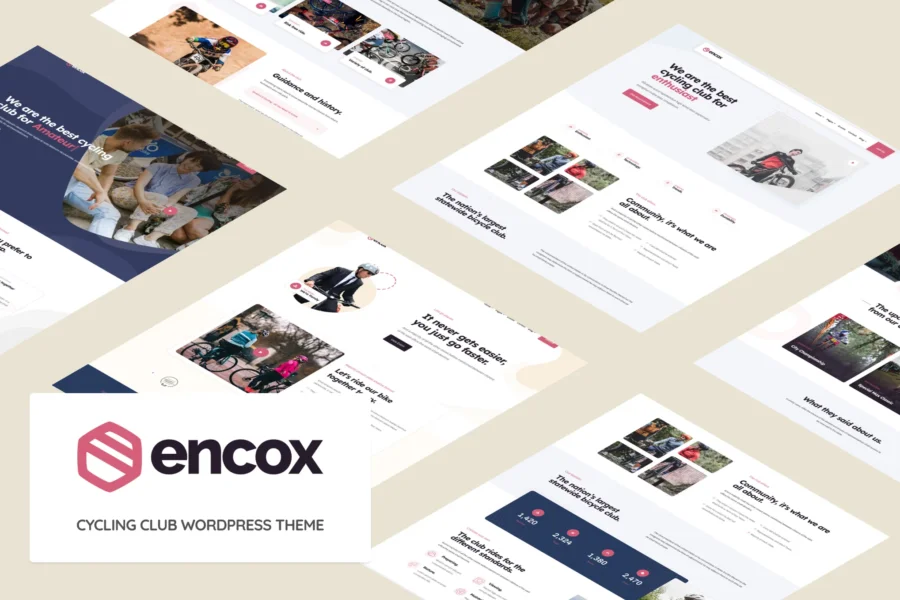
Encox is a WordPress theme specifically designed for cycling clubs and communities, helping you quickly build a professional and stylish website. Whether you want to showcase club events, promote cycling culture, or offer membership services, Encox meets your needs with its bold, modern design.
The Encox WordPress theme is highly customizable, featuring multiple page layouts and modules that let you easily highlight your club's unique charm. From the dynamic homepage banner to the event calendar, every detail is meticulously crafted to ensure your website stands out in search engines.
Core Features of the Encox Theme
Encox offers a rich set of features to support cycling club operations. It includes custom post types, event management, a membership system, and is compatible with the popular WooCommerce plugin, making it easy to sell products or memberships online. Additionally, the theme supports responsive design, ensuring excellent performance on mobile devices.
Page Builder Integration in the Encox WordPress Theme
Encox integrates popular page builders like Elementor, allowing you to design pages by dragging and dropping without any coding. You can easily create event pages, team member introductions, blog posts, and more, all optimized for SEO. For more tips on WordPress optimization, refer to the WordPress Optimization Guide.
The Ideal Choice for Cycling Clubs
Encox's design is inspired by cycling culture, with vibrant color schemes and font choices. The theme includes multiple pre-built demo sites that can be imported with one click for quick launch. Whether for a mountain bike club or a road cycling association, Encox adapts perfectly.
Installing and Localizing the Encox Theme
Installing the Encox theme is straightforward: download the theme package, then upload it via the WordPress admin panel under "Appearance" -> "Themes" -> "Add New." For the localized version, we provide .po and .mo files; simply place the language files in the /wp-content/languages/themes/ directory to enable the Chinese interface. For the latest updates, visit the official page for more information.
Frequently Asked Questions
How do I install the Encox theme?
In the WordPress admin panel, go to "Appearance" -> "Themes" -> "Add New," click "Upload Theme," select the downloaded .zip file, and install and activate it.
Which browsers does Encox support?
Encox is compatible with all modern browsers, including Chrome, Firefox, Safari, and Edge, and is optimized for mobile devices.
Is there a localized version of Encox?
Yes, we provide a Chinese language pack. Once installed, the interface will display in Chinese. Please refer to the official documentation or localization instructions for details.
How often is Encox updated?
The theme is regularly updated to ensure compatibility with the latest WordPress version and to fix vulnerabilities. It is recommended to enable automatic updates or follow official notifications.
Can Encox be used with WooCommerce?
Yes, Encox fully supports WooCommerce, allowing you to easily create an online store to sell cycling gear or membership services.


Comments (0)