
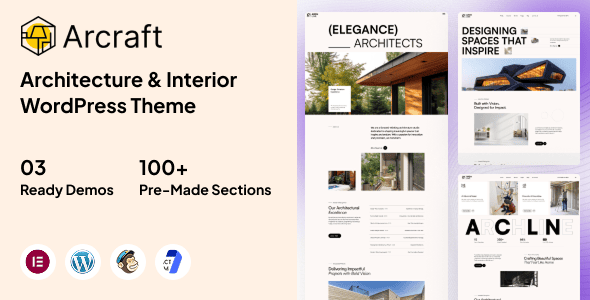
Arcraft is a modern and elegant WordPress theme specifically designed for architecture firms, interior design studios, construction companies, creative agencies, and portfolio websites. With its clean visual style and professional layout design, Arcraft helps you showcase your projects, services, and achievements perfectly through stunning visuals and an exceptional user experience. The theme offers flexible customization options, a responsive layout, and powerful Elementor page builder integration, allowing you to create a unique website without any coding knowledge.
Whether you're showcasing architectural projects, interior design portfolios, commercial development case studies, or residential designs, Arcraft provides all the tools you need to build a professional online presence that attracts clients and highlights your expertise. The theme is deeply optimized for speed, SEO (search engine optimization), and mobile devices, ensuring outstanding performance across all platforms.
Core Features of the Arcraft WordPress Theme
Arcraft offers a comprehensive range of powerful features to meet all the needs of architecture and design industry websites. Here are its core highlights:
- 3 beautifully designed demo sites covering different styles
- One-click demo content import for quick website setup
- Integrated Elementor page builder with drag-and-drop editing
- Redux theme options for flexible configuration
- Pre-built inner pages to save time and effort
- Retina screen optimization for high-definition display
- WordPress Multisite support
- SEO optimized to improve search rankings
- Ultra-fast loading for enhanced user experience
- Footer widget areas to boost engagement
- Clean, well-commented code for easy secondary development
- Advanced typography features for better visuals
- Support for 600+ Google Fonts and custom fonts
- Custom page templates for flexible layouts
- Pixel-perfect design with guaranteed quality
- Quick and easy installation and setup, beginner-friendly
- Custom CSS support for deep customization
- Includes child theme for safe updates
- HTML5 and CSS3 technologies with modern standards
- Flexible and customizable content blocks
- Custom theme and page options
- Localization support (including .pot translation file) for multilingual use
- Support for multiple post formats for diverse content presentation
- Unlimited page count for worry-free scaling
- Custom widgets and smart admin panel
- Customizable contact forms (supports Contact Form 7)
- Full-screen background carousel for strong visual impact
- Cross-browser compatibility for broad user coverage
- Comprehensive documentation and more features
Design and User Experience of the Arcraft Theme
Arcraft's visual design focuses on simplicity and modernity, highlighting architectural and design works themselves. Its layout is well-structured with harmonious image-text pairing, effectively guiding visitors to focus on key projects. The responsive design ensures perfect display on mobile phones, tablets, and desktop devices, enhancing user satisfaction. Additionally, the theme prioritizes loading speed with optimized images and code, providing users with a smooth browsing experience. These design details align with Google EEAT principles, helping to strengthen the website's professionalism and credibility.
Installation and Usage of the Arcraft Theme
Installing the Arcraft theme is very simple: upload the theme file in the WordPress admin panel, activate it, and follow the import wizard to import demo content with one click, quickly generating a professional architecture website. The theme's built-in Elementor integration makes page customization intuitive without writing code. For sites requiring multilingual support, its .pot translation file facilitates localization. If you want to learn more WordPress optimization tips, you can visit related resources.
Frequently Asked Questions
How do I install the Arcraft theme?
The installation method is the same as other WordPress themes: upload the theme zip file under "Appearance" -> "Themes" in the admin panel, activate it, and follow the import wizard to import demo data. For detailed steps, please refer to the official documentation.
What scenarios is Arcraft suitable for?
Arcraft is designed for architecture firms, interior design studios, construction companies, creative agencies, and portfolio websites, making it suitable for showcasing architectural projects, interior design case studies, commercial developments, and more.
Is Arcraft compatible with popular page builders?
Yes, Arcraft includes built-in Elementor page builder integration and supports Redux theme options, allowing users to easily customize layouts and styles.
How often is the Arcraft theme updated?
The update frequency depends on the developer's release schedule, with regular updates typically provided to fix issues and add new features. We recommend keeping an eye on the official changelog; please refer to the official documentation for specifics.
Does Arcraft support multiple languages?
Yes, the theme includes a .pot translation file and can be used with translation plugins to achieve multilingual support, making it convenient for international use.


Comments (0)