
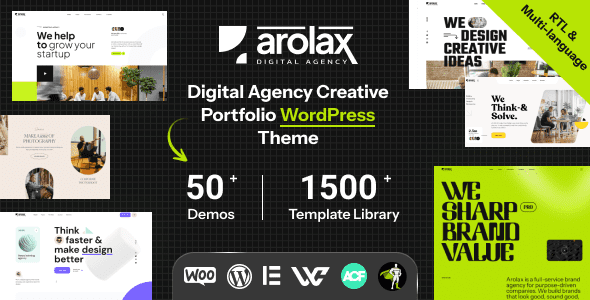
Arolax WordPress Theme: The Ultimate Choice for Creative Digital Agencies
Arolax is a versatile WordPress theme designed specifically for creative digital agencies and portfolio websites. It is fully responsive, supports RTL layouts, is compatible with WooCommerce, and offers extensive customizability. Whether you're a freelance designer, a creative studio, or a digital marketing team, Arolax helps you quickly build a professional and eye-catching online presence. The latest v5.0.0 release brings more optimizations and feature enhancements, making it an essential tool for creative industry professionals.
Why Choose the Arolax WordPress Theme?
Arolax offers over 50 unique homepage templates, including dark and light versions, along with a rich variety of inner page designs. These templates cover agencies, portfolios, blogs, e-commerce, and more, so you don't have to design from scratch. The theme's built-in page builder is compatible with Elementor, making customization simple and intuitive with drag-and-drop functionality. Additionally, Arolax's RTL language support makes it suitable for users worldwide.
If you're looking for more high-quality WordPress resources, visit BobohHello Resource Site, where you'll find a wealth of themes and plugins to choose from.
Core Features and Advantages of the Arolax Theme
Arolax is more than just a theme—it's a complete website solution. It integrates WooCommerce support, allowing you to easily set up an online store. The responsive design ensures the website displays perfectly on any device. The theme also provides multiple pre-built demo content options, enabling you to quickly set up your website framework with one-click import. For websites requiring multilingual support, Arolax's RTL compatibility is a huge bonus.
Compatibility and Performance
Arolax stays up to date with the latest WordPress versions and is compatible with major browsers. The theme code is optimized for fast loading speeds, which benefits SEO. It also works seamlessly with popular plugins such as Contact Form 7 and Yoast SEO. The official team continuously updates the theme, fixing bugs and adding new features to ensure users always get the best experience.
How to Install and Configure the Arolax Theme
Installing Arolax is very simple. In your WordPress dashboard, go to "Appearance" -> "Themes" -> "Add New Theme," upload the theme ZIP package, and activate it. Then follow the prompts to install the recommended plugins. After importing the demo content, you can customize your website's appearance through the theme options panel or Elementor. For detailed steps, please refer to the official documentation.
Frequently Asked Questions
Does the Arolax theme support Chinese display?
Yes, Arolax supports RTL and multiple languages, including Chinese. You can achieve Chinese localization through WordPress language settings or by using a translation plugin.
What plugins does the Arolax theme require?
It is recommended to install the Elementor page builder, WooCommerce (if you need e-commerce functionality), and Contact Form 7, among others. For details, please refer to the official documentation.
How often is the Arolax theme updated?
The official team releases updates regularly to maintain compatibility with the latest WordPress versions and fix issues. It is recommended to keep the theme up to date.
Is the Arolax theme compatible with WooCommerce?
Yes, Arolax is fully compatible with WooCommerce, allowing you to easily create an online store.
Does the Arolax theme provide technical support?
The official team provides documentation and support services. For details, please refer to the official documentation.


Comments (0)