
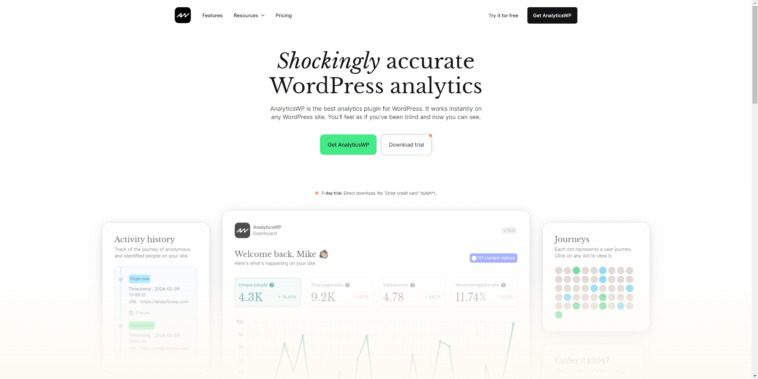
AnalyticsWP WordPress Data Monitoring & Analytics Plugin: Make Your Website Data Clear at a Glance
AnalyticsWP WordPress Data Monitoring & Analytics Plugin is a powerful analytics tool designed specifically for WordPress websites. It helps site owners track key metrics such as website traffic, user behavior, and e-commerce conversions in real time. Whether you're a personal blogger or a business operator, AnalyticsWP frees you from complex data and helps you make informed decisions quickly. This article will detail AnalyticsWP's core features, installation methods, and frequently asked questions to help you make the most of this excellent plugin.
AnalyticsWP Core Features Explained
AnalyticsWP offers a rich and comprehensive set of data analytics features. Here are its main highlights:
- Website Traffic Statistics: Monitor visitor counts, page views, bounce rates, average visit duration, and other essential metrics in real time, giving you complete visibility into your website traffic.
- User Behavior Analysis: Gain deep insights into user interests and browsing habits through navigation paths, click heatmaps, dwell time, and other data to optimize your content layout.
- E-commerce Data Analytics: For WooCommerce stores, track key e-commerce metrics such as orders, revenue, cart abandonment rates, and conversion rates to boost sales performance.
- SEO Performance Monitoring: Access search engine performance data including keyword rankings, click-through rates, and impressions to help you craft effective SEO strategies.
- Custom Reports: Create personalized analytics reports based on specific needs to quickly surface the data you care about most.
- Real-Time Statistics: View your website's current traffic at any moment, so you never miss important activity.
- Data Integration: Supports integration with third-party tools like Google Analytics for a more comprehensive analytics perspective.
These features work together to help you fully understand your website's performance, improve user experience, and ultimately boost traffic and conversions. With the AnalyticsWP plugin, you can monitor and analyze data more precisely, enabling more effective operational decisions.
AnalyticsWP Installation & Usage Guide
Installing the AnalyticsWP plugin is simple and can be done in just a few steps:
- In your WordPress admin dashboard, go to "Plugins" > "Add New" and search for "AnalyticsWP".
- Click "Install Now," then activate the plugin.
- After activation, find the AnalyticsWP menu in the sidebar and enter the settings page for basic configuration.
- Connect Google Analytics or other data sources according to your needs, and you're ready to go.
It's worth noting that AnalyticsWP v2.3.0 has been tested — simply upload, install, and activate it for immediate use without additional configuration. For more advanced features, refer to the related plugin usage guide.
AnalyticsWP vs. Other Analytics Tools
Compared to traditional analytics tools like Google Analytics, AnalyticsWP's advantage lies in its seamless WordPress integration and clean, intuitive dashboard. It's designed specifically for WordPress with a user-friendly interface that even beginners can master quickly. Additionally, it provides deep data insights tailored to WooCommerce — something general-purpose analytics tools lack.
For more information, visit the AnalyticsWP official website.
Frequently Asked Questions
How do I install AnalyticsWP?
Installing AnalyticsWP is very straightforward: search for "AnalyticsWP" in the WordPress plugin repository, click install, and activate. Alternatively, you can download the plugin ZIP file and install it via the "Upload Plugin" feature.
What scenarios is AnalyticsWP suitable for?
AnalyticsWP is suitable for all WordPress websites, especially those needing deeper insights into user behavior, SEO optimization, or WooCommerce e-commerce data management. Whether it's a personal blog, corporate website, or online store, everyone can benefit from it.
Which themes or plugins is AnalyticsWP compatible with?
AnalyticsWP is designed to be compatible with most WordPress themes and plugins, particularly WooCommerce. For specific compatibility details, please refer to the official documentation or test it in your actual environment.
How often is AnalyticsWP updated?
AnalyticsWP is updated regularly to fix bugs, add new features, and maintain compatibility with the WordPress core. We recommend enabling automatic updates or checking for updates periodically.


Comments (0)