
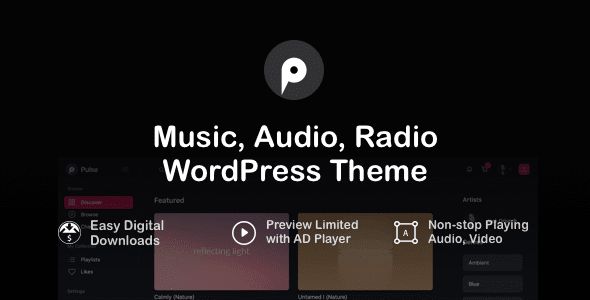
What Is the Pulse WordPress Theme? Build a Professional Online Radio and Music Streaming Website
Pulse is a WordPress theme built specifically for online audio radio stations, podcast platforms, and digital music streaming. It solves the problems of discontinuous audio playback and lack of radio feel found in traditional templates. Through a globally persistent bottom player, real-time program schedules, and streaming protocol support, it lets music lovers enjoy a seamless listening experience while browsing the website. Whether you run a 24-hour internet radio station, publish podcast episodes, or showcase DJ mixes, Pulse delivers professional audiovisual presentation at BBC Radio level.
Pulse Core Features Breakdown: From Streaming Playback to Program Management
1. Industrial-Grade Multi-Channel and Program Schedule Workbench
Pulse includes a complete audio asset management matrix, supporting live radio, featured podcasts, music charts, and host directories. You can view listener online popularity dashboards through dynamic time filter controls, tracking daily listener counts and peak time slots in real time. The theme natively supports Icecast, Shoutcast, and local MP3 live stream protocols, connecting to streaming server addresses with one click for instant playback.
2. Big-Tech-Level Sound Art Visuals and Micro-Animations
The theme offers two visual presets: deep business dark and high-tech pure white, with refined typographic scales that deliver the quality of multinational tech giants. The currently playing station features smooth dynamic audio spectrum micro-animations, and the playback bar drag comes with soft elastic feedback, with a touch experience rivaling first-tier native apps.
3. Full-Device Responsiveness and Gesture Optimization
From desktop 4K monitors to iPad tablets to mobile portrait screens, the playback hall automatically adapts and scales, eliminating horizontal overflow. The mobile version is tuned for one-handed operation—listeners can swipe to switch channels and listen with one tap on their commute, with large touch hotspots to prevent accidental taps.
4. Lightweight Execution and Core Web Vitals Optimization
The underlying code is optimized through extreme engineering, with a streamlined DOM tree and no heavy render-blocking on the first screen. It fully follows official standards with zero negative impact on Core Web Vitals, ensuring millisecond-level loading for large-image long pages and maintaining high-performance green scores.
Why Audio Teams Choose the Pulse WordPress Theme
When evaluating solutions for large internet radio stations or digital audio streaming portals, many technical leads search for Pulse theme downloads to quickly verify development feasibility. Under GPL protection, developers can dive into PHP template controllers to freely customize streaming parsing algorithms and localized multilingual translations. Before going live, it's recommended to import the official demo data as a skeleton with one click in the backend, and prepare program schedule outlines and high-definition radio station photos. Combine with professional audio player plugins like AudioIgniter PRO to complete playlists, ensuring millisecond-level loading for image-heavy pages. If you need more WordPress themes and plugin resources, you can visit our resource library.
Standard Configuration vs. Deep Operations Comparison
| Audio Radio Display Dimension | Traditional Generic Templates | Pulse Professional Audio Streaming System |
|---|---|---|
| Radio Broadcast Presence | Stiff layout, lacking professionalism | Large-area deep carbon black + audio spectrum, national radio station aura |
| Online Streaming Experience | Audio interrupts when opening new pages | Persistent floating bottom playback bar, smooth navigation without interruption |
| Program Schedule Control | Manual updates, low efficiency | Dynamic time filtering and popularity dashboard, clear at a glance |
Frequently Asked Questions
How to install the Pulse theme?
In the WordPress backend, go to Appearance - Themes - Add New Theme, upload the Pulse theme zip package and activate it. It's recommended to also install the recommended Elementor page builder and necessary plugins, then import the official demo data to quickly build your site.
Which audio streaming protocols does Pulse support?
The theme natively supports Icecast, Shoutcast, and local MP3 live streams. You can enter the streaming server address in the theme settings for real-time radio playback. For specific configuration methods, please refer to the official documentation.
Is the Pulse theme compatible with the latest WordPress version?
Pulse v4.4 is compatible with WordPress 5.8 and above, and tested up to the latest stable version. It also requires PHP 7.4 to 8.2 and depends on the Elementor builder. It's recommended to use the latest versions of WordPress and PHP for optimal performance.
How often is the Pulse theme updated?
The theme developer releases updates regularly, fixing known issues and adding new features. You can get update notifications through the WordPress backend or official channels. For specific changelogs, please refer to the official documentation.


Comments (0)