
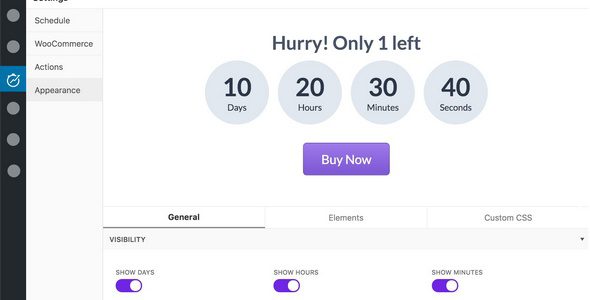
HurryTimer Pro is a powerful multi-purpose countdown timer plugin for WordPress, specifically designed for marketers to drive clicks, increase sales, and highlight upcoming events or deadlines by creating a sense of urgency and scarcity. Whether you run an e-commerce website, membership site, or blog, HurryTimer Pro helps you maximize conversion rates.
Core Features of the HurryTimer Pro WordPress Plugin
Personalized Countdown Experience
HurryTimer Pro displays a unique countdown timer for each visitor, regardless of their time zone or visit time. This means you can provide a customized urgency experience for global users.
Recurring Campaigns & Fixed Deadlines
The plugin supports recurring campaigns that automatically repeat, ideal for informing customers about shipping cutoffs to encourage faster checkout. Meanwhile, fixed deadline campaigns allow unified countdowns between two dates, suitable for limited-time promotions.
Deep Integration with WooCommerce
HurryTimer Pro seamlessly integrates with WooCommerce, displaying countdown timers on product pages to drive more "Add to Cart" clicks. You can also set expiration actions such as redirecting pages, hiding the countdown, showing custom messages, expiring coupons, or changing stock status.
Sticky Notification Bar & Custom Design
Keep promotions always visible with a sticky notification bar fixed at the top or bottom of the page. The plugin offers extensive visual customization options, including custom CSS, ensuring the countdown timer perfectly matches your website design.
With HurryTimer Pro, you can easily create urgency and boost user engagement. If you're looking for other optimization tools, check out our related resources.
Installing and Using HurryTimer Pro
Installing HurryTimer Pro is straightforward: download the plugin package, then upload and activate it via the WordPress admin plugin upload feature. According to official documentation, the plugin requires no additional activation steps to use. You can configure countdown timer types, styles, and trigger conditions in the settings.
Official Resources & External Links
For more information, visit the HurryTimer Pro official page.
Frequently Asked Questions
How do I install the HurryTimer Pro plugin?
After downloading the plugin ZIP file, go to "Plugins" > "Add New" in the WordPress admin, click the "Upload Plugin" button, select the file, install it, and then activate it.
What scenarios is HurryTimer Pro suitable for?
It is suitable for limited-time promotions, event countdowns, shipping deadline reminders, member-exclusive offers, and any scenario that requires creating a sense of urgency.
Which WordPress themes are compatible with HurryTimer Pro?
The plugin is designed to be compatible with most modern WordPress themes. For specific compatibility, please refer to the official documentation or conduct testing.
How often is HurryTimer Pro updated?
The official team regularly releases updates to fix bugs and add new features. It is recommended to keep the plugin updated to the latest version.


Comments (0)