
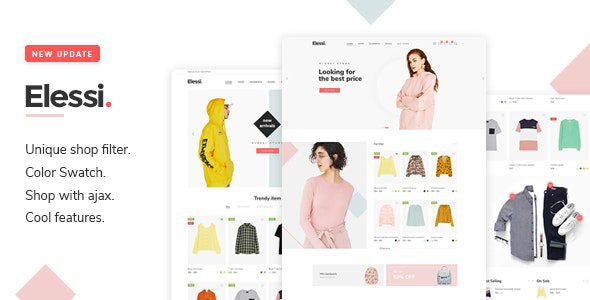
Elessi WordPress Theme: A Minimalist WooCommerce AJAX Store Solution
Elessi WordPress Theme is a minimalist-style WooCommerce theme built specifically for e-commerce projects, featuring built-in AJAX technology that delivers smooth product filtering, quick view, and shopping cart interactions. The Elessi GPL v6.6.4 Chinese version provided here has been tested in practice and supports online Demo template import and online plugin installation, allowing you to quickly set up a store once installed and activated.
For users who want to build a site efficiently, Elessi's AJAX features can significantly improve page load speed and user experience. If you'd like to learn more WordPress resources and tutorials, you can visit Bobo Hello Resource Site for more practical content.
Elessi Theme Core Features and Highlights
Elessi Theme is deeply customized based on WooCommerce and offers the following standout features:
AJAX-Driven Shopping Experience
The theme integrates AJAX product filtering, AJAX sidebar cart, and AJAX quick view (supporting canvas or popup modes), allowing users to browse and add items to cart without refreshing the page, greatly boosting conversion rates.
One-Click Import and Plugin Compatibility
Elessi supports one-click import of demo templates and automatically prompts you to install required plugins. The theme is compatible with mainstream page builders (such as Elementor and WPBakery), making it easy for users to freely design page layouts.
Minimalist Visuals and Responsive Design
The theme adopts a clean, modern UI design, adapts to both mobile and desktop, and offers multiple product display styles and comparison features to help merchants highlight product selling points.
To learn about official updates and detailed documentation for the Elessi theme, please visit the official purchase page.
Elessi Theme Installation and Configuration Guide
The steps to install the Elessi WordPress theme are simple and straightforward:
- In the WordPress admin, go to "Appearance" -> "Themes" -> "Add New", upload the theme ZIP package, and activate it.
- After activation, follow the prompts to install and activate the required plugins (such as WooCommerce, Elessi Core, etc.).
- Go to the Elessi welcome page, choose your preferred Demo template, and click the "Import" button.
- Wait for the import to complete, and the full store pages will be displayed on the front end.
This Chinese version has been tested for online Demo import and plugin installation, and the process is the same as the official original version. If you encounter any issues during installation, please refer to the theme documentation or community support.
Frequently Asked Questions
How do I install the Elessi theme?
Upload the theme ZIP package in the WordPress admin and activate it, then follow the prompts to install the required plugins, and finally import the Demo template. For detailed steps, please refer to the official documentation.
Which page builders does the Elessi theme support?
Elessi is compatible with mainstream page builders such as Elementor and WPBakery. For specific compatible versions, please refer to the official documentation.
Does the Elessi theme support Chinese?
The version provided here already includes a Chinese language pack. After installation, you can switch to the Chinese interface in the settings. For specific language options, please refer to the official documentation.
How often is the Elessi theme updated?
The Elessi theme is regularly updated by the developer to fix vulnerabilities and add new features. It is recommended to follow the official changelog for the latest version information.

