
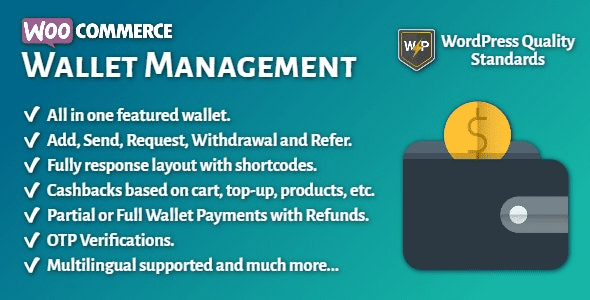
WooCommerce Wallet Management v2.6.0 is a powerful WooCommerce wallet management plugin that provides online store owners with a virtual wallet system, allowing customers to conveniently store, manage, and use funds. This plugin seamlessly integrates with WooCommerce, making it an essential tool for enhancing user shopping experience and loyalty.
Core Features of WooCommerce Wallet Management Plugin
The WooCommerce Wallet Management plugin allows customers to create personal wallets in your store, which can be topped up and used for quick checkout without entering payment information each time. It supports multiple top-up methods, including credit cards, PayPal, etc., and provides transaction records and balance inquiry functions. Additionally, administrators can manually adjust user balances or set up automatic rewards.
Key Features of WooCommerce Wallet Management
- Customers can top up, withdraw, and transfer funds
- Supports partial and full payments
- Administrators can manually adjust balances
- Detailed transaction logs
- Compatible with coupons and discounts
- Multi-currency support
Why Choose the WooCommerce Wallet Management Plugin?
By using the WooCommerce Wallet Management plugin, you can significantly increase customer repurchase rates. The wallet system encourages customers to top up, thereby increasing purchase frequency. At the same time, it reduces payment friction since customers don't need to enter card details each time. The plugin also supports refunds to the wallet, simplifying the return process.
How to Install the WooCommerce Wallet Management Plugin?
The installation process is simple: download the plugin package, upload and activate it via the WordPress backend. After activation, enter any email address to complete activation. The plugin will automatically add wallet functionality to the user account page. For more installation details, please refer to the related tutorial.
Compatibility and Updates
WooCommerce Wallet Management v2.6.0 is compatible with the latest versions of WooCommerce and WordPress. Developers regularly release updates to fix bugs and add new features. For specific compatibility information, please refer to the official documentation.
Frequently Asked Questions
How to install the WooCommerce Wallet Management plugin?
After downloading the plugin, click "Upload Plugin" on the WordPress backend plugins page, select the file, install it, and then activate it. After activation, enter any email address to complete activation.
Which payment gateways does this plugin support?
The plugin supports all payment gateways integrated with WooCommerce, such as PayPal, Stripe, etc. Please refer to the official documentation for details.
Does it support multi-site networks?
Yes, the WooCommerce Wallet Management plugin is compatible with WordPress multi-site networks and can be used independently on each subsite.
Is there a localized version of the plugin?
The current version includes some localization files, but they may not be complete. You can use the Loco Translate plugin to translate it yourself.
How often are updates released?
Developers regularly release updates based on WooCommerce version updates and user feedback. It is recommended to keep the plugin updated to the latest version.


Comments (1)