
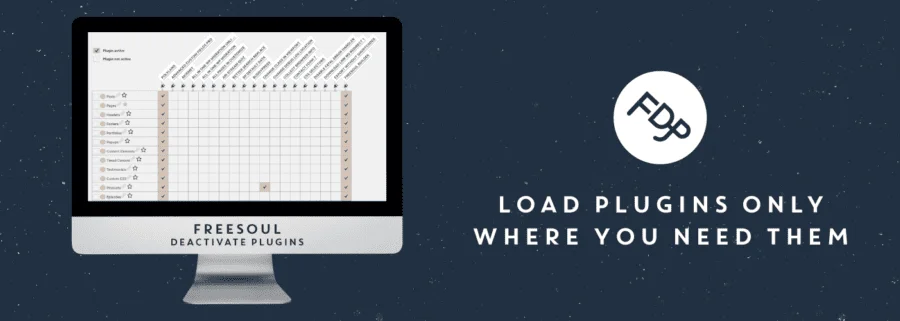
In-Depth Analysis of the Freesoul Deactivate Plugins PRO Plugin
Freesoul Deactivate Plugins PRO (FDP for short) is a professional WordPress plugin that allows you to disable unnecessary plugins on specific pages, significantly improving page load speed, simplifying the debugging process, and resolving plugin conflicts. For site operators pursuing ultimate performance, this plugin provides fine-grained control, enabling you to customize the leanest possible plugin runtime environment for each page without affecting site-wide functionality.
Why Do You Need to Disable Plugins by Page?
WordPress sites typically have a large number of plugins installed, but not every page needs all of them. For example, a contact form plugin is only needed on the contact page, and an e-commerce plugin is only needed on the shop page. With FDP, you can disable irrelevant plugins on these pages, reducing HTTP requests and lowering server load, thereby speeding up page rendering. At the same time, when troubleshooting plugin conflicts, FDP can help you quickly identify the problematic plugin without disabling it site-wide.
Overview of Freesoul Deactivate Plugins PRO Core Features
The FDP PRO version offers more powerful features than the free version, including:
- Disable plugins by page/post: Precisely control which plugins load on each URL.
- Bulk management: Supports bulk configuration of plugin status by post type, category, tag, and more.
- Debug mode: Quickly test plugin compatibility without affecting visitors.
- Performance optimization: Reduce unnecessary script and style loading to improve Core Web Vitals metrics.
- Easy to use: Intuitive interface, no coding required to complete configuration.
If you want to learn more WordPress optimization tips, you can visit bobohello.com for more resources.
How to Install and Configure Freesoul Deactivate Plugins PRO
Installing FDP PRO is very simple: First, upload the plugin zip file in the WordPress admin and activate it. Then, follow the prompts to install and activate the base plugin (Freesoul Deactivate Plugins). Once complete, you can start configuring from the "FDP" menu in the admin. For detailed steps, please refer to the documentation on the official plugin page.
Configuration Example: Disabling Unnecessary Plugins for the Homepage
Go to the FDP settings, select "Homepage," and then check the plugins you need to disable from the plugin list. After saving, the homepage will no longer load resources from these plugins. You can verify the results using browser developer tools or PageSpeed Insights.
Frequently Asked Questions
Is Freesoul Deactivate Plugins PRO compatible with the latest version of WordPress?
The plugin is continuously updated and compatible with current mainstream WordPress versions. For specific compatibility information, please refer to the official documentation.
Will page functionality be affected after disabling plugins?
Only plugins not needed by that page are disabled, so normal page functionality will not be affected. It is recommended to verify in a testing environment first.
How do I update Freesoul Deactivate Plugins PRO?
Update frequency depends on the developer; you can check the latest version on the plugin page. Please back up your site before updating.
Does it support multisite networks?
FDP PRO supports multisite environments. For specific configuration, please refer to the official documentation.

