
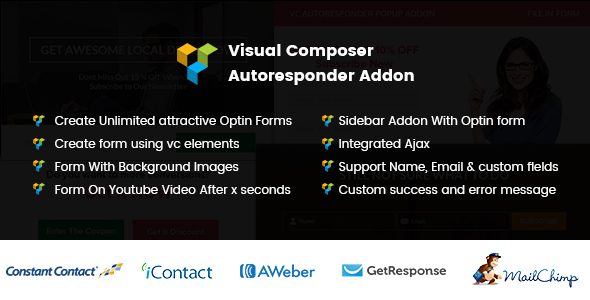
What Is WP Bakery Autoresponder Addon
WP Bakery Autoresponder Addon is a WordPress plugin designed specifically for the WPBakery page builder, used to quickly add subscription forms, sidebar collection spots, or popups to pages. Published on CodeCanyon by developer kamleshyadav, the current version is v1.0.7. If your site already uses WPBakery to build pages and you want to collect user emails through subscription forms, this plugin provides a complete workflow from form design to list integration. The plugin package includes plugin files, templates, language files, and video tutorials, making it easy for operations staff to get started quickly.
Form Design Capabilities of WP Bakery Autoresponder Addon
The basic form fields include name, email, and a submit button, while also supporting the addition of any number of custom fields to collect information such as city, preferences, or industry. You can embed other WPBakery elements inside the form, such as videos, images, maps, charts, and galleries, making it easy to create subscription spots with side-by-side text and images or with video. Field text color, form background color and texture, button alignment, button text color and background color can all be adjusted in the element settings, and the color of the success message text can also be customized.
Custom Fields and Style Adjustments
Through WPBakery's intuitive interface, you can drag and drop to adjust the form layout and preview style changes in real time. Custom fields support multiple input types to meet the collection needs of different subscription lists. All style options are integrated into the element settings panel, allowing visual customization without writing code.
List Integration and Submission Handling of WP Bakery Autoresponder Addon
The plugin automatically pulls the subscription lists under your account; select one as the submission target, and new emails will go directly into that list. It currently integrates with five major email marketing platforms: Aweber, Mailchimp, Getresponse, Icontact, and Constant Contact. API credentials for each platform need to be entered in the plugin settings. Form submission is handled via Ajax, so the page does not refresh after clicking the button, and success or failure messages are displayed at the current page position; you can also set a redirect link after successful submission.
Popup and Sidebar Applications of WP Bakery Autoresponder Addon
Popups offer five trigger methods: on page load, when scrolling to the bottom of the page, after staying for a certain number of seconds, when scrolling to the middle of the page, and popping up over a video. The video popup pauses the video at a specified number of seconds, and the video continues playing after the visitor fills in their information, which is very suitable for course previews or product demo scenarios. The sidebar subscription spot is an independent widget that can be fixed to the side of the page and does not disappear as the content scrolls, continuously guiding visitors to subscribe.
Best Practices for Video Popups and Sidebar Collection Spots
When the video popup is triggered, the video pauses, but if the video source is a third-party embed, the pause behavior may be limited by its player. The sidebar subscription spot is suitable for long-page content sites, keeping the subscription entry always visible. It is recommended to keep only one collection entry per page to avoid multiple popups stacking and interfering with the user experience.
Technical Specifications and Compatibility of WP Bakery Autoresponder Addon
The plugin depends on the WPBakery page builder; if the builder is not installed, the form elements will not appear in the editing interface. The official listing states compatibility with WordPress versions 5.7 to 6.8, and the high-DPI screen adaptation column is marked as No, meaning images can be prepared at 1x size. The package files include JavaScript, HTML, CSS, PHP, and layered PNG, with browser compatibility starting from IE10. In addition, the plugin offers an extended license, allowing developers to embed the form in their own themes for distribution. To learn more about WordPress resources, visit bobohello.com resource site.
Usage Notes for WP Bakery Autoresponder Addon
- All five email platforms require your own account and API credentials; after switching platforms, you need to retest submission and receipts.
- The video popup will pause playback; if the video source is a third-party embed, the pause behavior is limited by its player.
- Do not stack popup triggers with other popups on the site; keep only one collection entry per page.
- Subscription forms need a consent checkbox, and the purpose of the email should be explained on the privacy policy page.
Frequently Asked Questions
How do I install WP Bakery Autoresponder Addon?
In the WordPress admin, go to Plugins > Add New > Upload Plugin, select the plugin ZIP file to upload, and activate it. After activation, make sure the WPBakery page builder is installed and activated, and then you can use the corresponding elements when editing pages. For specific steps, please refer to the official documentation.
Which email platforms does WP Bakery Autoresponder Addon support?
The plugin integrates with five platforms: Aweber, Mailchimp, Getresponse, Icontact, and Constant Contact. You need to enter the API credentials for the corresponding platform in the plugin settings and select the subscription list to submit to.
What popup trigger methods does WP Bakery Autoresponder Addon offer?
Popups support five trigger methods: on page load, when scrolling to the bottom of the page, after staying for a certain number of seconds, when scrolling to the middle of the page, and popping up over a video. The video popup pauses the video at a specified number of seconds, and the video continues playing after the visitor submits.
Is WP Bakery Autoresponder Addon compatible with the latest version of WordPress?
The official listing states compatibility with WordPress versions 5.7 to 6.8. Since the plugin version is v1.0.7, it is recommended to verify compatibility with your current WordPress version in a test environment; please refer to the official documentation for details.
How often is WP Bakery Autoresponder Addon updated?
The plugin update frequency depends on the developer; please refer to the official documentation or the CodeCanyon page for the latest version information.


Comments (0)