
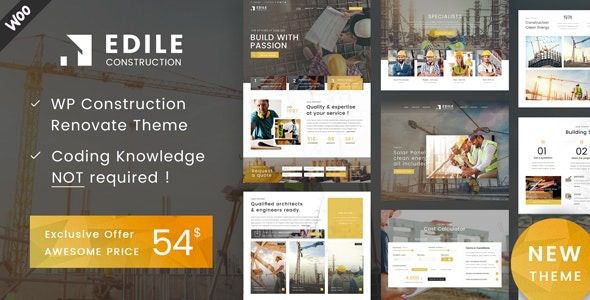
Edile v2.0 WordPress Theme: A Professional Website Building Solution for the Construction Industry
Edile v2.0 is a WordPress theme built specifically for the construction industry, suitable for construction companies, contractors, renovation teams, architects, and project showcases. If you're looking for a tool that can quickly build a professional construction website, the Edile theme provides complete page templates and functional modules to help you launch a trustworthy business showcase platform in a short time.
Unlike simple promotional copy found elsewhere, this article combines real-world WordPress usage scenarios, pre-installation checklist items, and source code analysis to provide a practical reference for using the Edile theme.
Edile Theme Use Cases and Core Features
The Edile theme covers common website needs in the construction industry:
- Construction company websites: Display company qualifications, service scope, team introductions, and contact information
- Contractors and renovation service providers: Present past project cases, client testimonials, and quote forms
- Architectural design teams: Showcase design work and architectural proposals through project galleries
- Building material suppliers: Display product categories, specification parameters, and procurement inquiry entry points
The theme includes built-in project pages, quote forms, map integration, mobile click-to-call, and other functional modules, meeting the core needs of construction websites: building trust, demonstrating capability, and providing convenient inquiry channels.
Key Items to Check Before Installation
Before officially using the Edile theme, it's recommended that you focus on testing the following:
Page Templates and Project Showcases
Check whether the project page layout is flexible and whether it can clearly display project scope, location, materials, timeline, service type, and final results. The complete presentation of this information makes a portfolio more persuasive than simple photo displays.
Form Functionality and File Uploads
If the quote form involves project file uploads, test the upload limits and notification delivery before the site goes live. Make sure form submissions properly trigger email notifications to avoid missing client inquiries.
Mobile Responsiveness and Performance
Test mobile spacing, navigation settings, gallery loading speed, and overall page load performance. Visitors to construction websites often access them via mobile, and mobile experience directly affects conversion rates.
Edile Theme Usage Tips and Best Practices
Treat the theme demo as a starting point for layout, not a finished product. Be sure to replace demo projects, promotional copy, client testimonials, pricing information, and generic section content with real business materials. This is not only a basic SEO requirement but also key to building user trust.
If you need more WordPress theme tips and resources, you can visit Bobohollo Resource Site for related tutorials and tool recommendations.
For the Edile theme, official documentation support is available. You can visit the Edile official page to view the latest version information and feature demos.
Frequently Asked Questions
How do I install the Edile theme?
In the WordPress admin panel, go to "Appearance" -> "Themes" -> "Add New Theme" -> "Upload Theme," select the theme ZIP file to install and activate. After installation, it's recommended to import the demo content to quickly understand the page structure. For specific steps, please refer to the official documentation.
Which page builders does the Edile theme support?
The Edile theme is typically compatible with mainstream page builders such as Elementor, WPBakery, etc. For specific compatibility details, please refer to the official documentation or theme description.
Is the Edile theme compatible with the latest version of WordPress?
It's recommended to confirm the compatibility between the theme version and your current WordPress version before use. Theme developers typically release regular updates to adapt to the latest WordPress versions. For details, please refer to the official changelog.
How often is the Edile theme updated?
The update frequency depends on the developer's maintenance schedule. It's recommended to follow official channels for the latest version information and update promptly to receive security patches and feature improvements.
Can the Edile theme be used for multilingual websites?
The Edile theme typically supports multilingual plugins such as WPML or Polylang. For specific compatibility details, please refer to the official documentation. If you need a Chinese version, you can configure localization through language files.

