
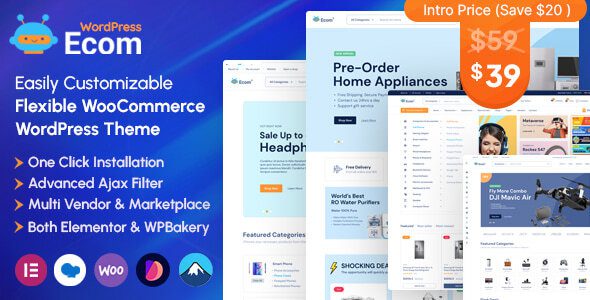
Ecom v1.3.2: Professional Multipurpose WooCommerce WordPress Theme
Ecom is a WooCommerce WordPress theme built specifically for modern online stores with a focus on boosting conversions. Whether you're building a fashion apparel shop, an electronics store, or running a handmade crafts or digital downloads business, Ecom helps you quickly launch a professional, beautiful, and high-converting online store with its flexible page-building system and native e-commerce features. The theme is fully compatible with Elementor and WPBakery, and delivers complete e-commerce functionality without relying on third-party plugins—featuring built-in AJAX filtering, variation swatches, wishlist, product comparison, quick view, and many other practical features that work right out of the box.
Why Choose Ecom as Your WooCommerce Theme
Among the many WooCommerce themes available, Ecom stands out for its deep attention to conversion-focused details. It comes with multiple carefully designed homepage and inner page templates covering mainstream e-commerce scenarios such as fashion, electronics, home goods, and beauty. You can freely adjust layouts, color schemes, and fonts through a visual editor without writing any code. The theme's natively integrated AJAX filtering lets customers instantly filter products by price, attributes, and categories, significantly reducing drop-offs caused by page reloads; variation swatches display options like color and size as intuitive color blocks or buttons, improving selection efficiency.
Core Features at a Glance: Built for High Conversions
Ecom's built-in wishlist allows customers to save favorite products, the product comparison feature helps buyers make quick decisions between similar items, and quick view lets users check product details without leaving the current page. These features typically require additional plugins to implement, but Ecom has seamlessly integrated them—reducing the risk of plugin conflicts while ensuring page load speed. If you're looking for more quality WordPress resources, you can visit BoboHello Resource Site to find curated themes and plugins.
Ecom Theme Compatibility and Performance
Ecom is deeply compatible with the two major page builders, Elementor and WPBakery, so you can choose either one for visual editing. The theme's code follows WordPress coding standards, is SEO-friendly, and has a clear structure that makes it easy for search engines to crawl. It's also fully optimized for mobile, with responsive layouts ensuring a consistent shopping experience across phones, tablets, and desktop devices. The official team provides continuous updates, and version v1.3.2 brings improvements in both stability and functionality. You can check the complete changelog and feature demos on the official page.
Frequently Asked Questions
How do I install the Ecom theme?
In your WordPress admin panel, go to "Appearance → Themes → Upload Theme," select the Ecom theme installation package, upload it, and activate it. After activation, it's recommended to install the recommended plugins as prompted to enable all e-commerce features. For detailed steps, please refer to the official documentation.
What types of online stores is Ecom suitable for?
Ecom is a multipurpose WooCommerce theme suitable for various e-commerce types including fashion apparel, electronics, home goods, beauty and skincare, and handmade crafts. Its flexible template system can adapt to the visual styles and product display needs of different industries.
Is Ecom compatible with Elementor and WPBakery?
Yes, Ecom is fully compatible with both Elementor and WPBakery page builders. You can choose whichever one you prefer for page design without needing to purchase or install additional builder plugins.
How often is the Ecom theme updated?
Ecom is continuously maintained by the official team, with compatibility upgrades and feature improvements released in line with WordPress core version and WooCommerce plugin updates. It's recommended to keep the theme updated to the latest version for optimal performance and security. For specific update records, please refer to the official documentation.


Comments (0)