
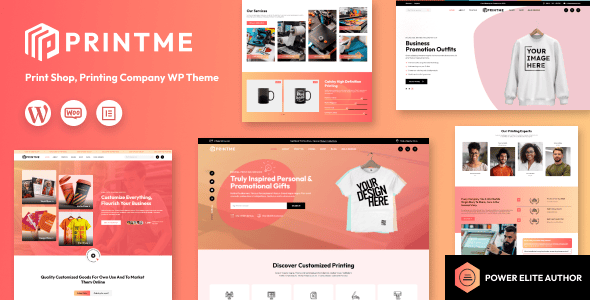
Printme 1.0.9 is a WordPress theme designed specifically for printing companies and print service providers, helping you quickly build a professional Print-on-Demand business website. Whether you run a physical print shop, an online printing e-commerce store, or offer design services, the Printme theme delivers powerful features and flexible layouts to meet the needs of various printing businesses.
Core Features and Use Cases of the Printme Theme
The Printme theme stands out among WordPress themes for printing companies, integrating a rich set of functional modules suitable for print shops, printing companies, design studios, art printing, business cards/books/banners/packaging/brochures/coupons/card creation, and more. Its intuitive page builder lets you customize the website's appearance without coding, and with WooCommerce integration, you can easily enable online ordering and payments.
Why Choose Printme to Build Your Printing Business Website?
The Printme theme's responsive design ensures your website displays perfectly on all devices, while its SEO-optimized structure helps improve search engine rankings. The theme includes multiple demo templates that can be imported with one click for quick launch, saving development time. Additionally, the theme supports multilingual and RTL languages, making it easy to expand into international markets.
Printme 1.0.9 Version Updates and Compatibility
Printme 1.0.9 fixes known issues, optimizes performance, and enhances compatibility with the latest versions of WordPress and WooCommerce. The theme follows WordPress coding standards to ensure stable operation. It also provides detailed documentation and a professional support team to help you resolve any issues you encounter.
If you're looking for a feature-rich, beautifully designed WordPress theme for printing companies, check out our WordPress theme recommendations for more quality resources.
Installing and Using the Printme Theme
Installing the Printme theme is simple: upload the theme zip file in the WordPress admin panel, activate it, and import the demo data. The theme offers extensive customization options—you can adjust colors, fonts, layouts, and more via the Customizer without writing any code. For users needing advanced functionality, the theme supports extension plugins such as sliders and forms to enhance website interactivity.
Frequently Asked Questions
How do I install the Printme theme?
The installation process is the same as for any standard WordPress theme: go to "Appearance" -> "Themes" in the admin panel, click "Add New Theme," upload the theme zip file, and activate it. Then follow the wizard to import demo content and quickly build your website.
What business scenarios is the Printme theme suitable for?
It is suitable for all types of printing-related businesses, including print shops, printing companies, design studios, art printing, business card creation, online printing e-commerce, and more.
Is the Printme theme compatible with WooCommerce?
Yes. The theme is deeply integrated with WooCommerce, supporting online ordering, payments, shipping tracking, and other features, making it convenient to run your e-commerce business.
How often is the Printme theme updated?
The theme is regularly updated to fix bugs, improve performance, and adapt to the latest WordPress versions. For specific update details, please refer to the official documentation.


Comments (0)