
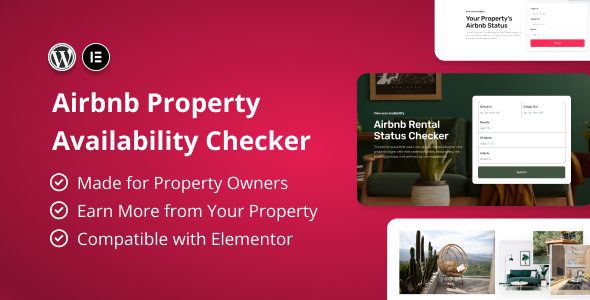
Airbnb Property Availability Checker Plugin: An Essential Elementor Inquiry Form Tool for Hosts
Airbnb Property Availability Checker is a WordPress plugin designed specifically for Airbnb hosts and short-term rental property teams, released by modeltheme on CodeCanyon. It provides Elementor-based form components that help hosts collect guest stay inquiries on their websites and improve communication efficiency. The plugin package includes plugin files, four form designs, demo data, and documentation, suitable for homestay official websites, short-term rental listing pages, and similar scenarios.
Core Features of Airbnb Property Availability Checker
To be clear, this plugin is a form builder, not an inventory interface. Visitors select check-in dates, check-out dates, number of guests, and property in the form, and after submission the inquiry is sent to the host's email or an on-site workflow, where the host manually confirms whether the stay is available. The plugin itself does not read the Airbnb calendar or perform real-time availability validation, so pages should not be labeled "real-time bookable."
Form Design and Field Customization
The plugin includes four built-in designs, corresponding to four layouts: large image background, left-right split columns, card style, and minimalist form. Fields can be added or removed based on property type: date range, number of adults and children, property dropdown, message, and contact information. Forms are built in Elementor via drag and drop, and field order, label text, and placeholder text can all be modified. Success and failure messages after submission can be configured separately, and you can also redirect to a thank-you page.
Embedding Methods and Compatibility
Forms can be placed on any Elementor page, or embedded via shortcode into posts, sidebars, or footers. The plugin is compatible with any theme, with no need to switch themes; however, Elementor Pro must be installed to use its form components, as the free version of Elementor does not provide a form widget. The demo page needs to be imported via the included content.xml, after which the form templates will appear in the template library. The plugin is fully translatable, and with WPML you can build multilingual sites, maintaining form labels and placeholder text separately. The officially stated supported WordPress versions range from 6.5 to 7.0, compatible with Elementor and Elementor Pro.
Specifications at a Glance
| Item | Description |
|---|---|
| Resource Type | Airbnb property inquiry form plugin |
| File Contents | Plugin files, four designs, demo data, documentation |
| Dependencies | WordPress, Elementor Pro, WPML (optional) |
| Use Cases | Homestay official websites, short-term rental listing pages, host inquiry entry points |
Usage Notes
- The form only collects inquiries and does not verify actual availability; please clearly state response times on the page.
- Date ranges should have minimum and maximum stay limits set to avoid receiving requests that cannot be fulfilled.
- Property photos and descriptions must match the listing platform, and pricing and cleaning fee standards should also be consistent.
- When collecting names and contact information, the privacy page must explain the purpose and retention period.
For more form and e-commerce plugins, please refer to related content on the resource site.
Frequently Asked Questions
How do I install the Airbnb Property Availability Checker plugin?
In the WordPress admin, go to "Plugins" -> "Add New" -> "Upload Plugin," select the downloaded zip file, upload it, and activate it. After activation, ensure that Elementor Pro is installed and activated.
What use cases does the plugin support?
It is suitable for homestay official websites, short-term rental listing pages, host inquiry entry points, and similar scenarios, helping hosts collect information such as check-in dates, number of guests, and contact details from potential guests.
Is the plugin compatible with the latest version of WordPress?
The officially stated supported WordPress versions range from 6.5 to 7.0, compatible with Elementor and Elementor Pro. For specific compatibility, please refer to the official documentation.
How often is the plugin updated?
Update frequency depends on the developer. It is recommended to follow the CodeCanyon page or the update notifications in the plugin settings. For details, please refer to the official documentation.


Comments (0)