
What Is WPForms Pro, the WordPress Drag-and-Drop Form Plugin?
WPForms Pro is a commercial form plugin that is extremely popular in the overseas WordPress ecosystem. It focuses on visual drag-and-drop operation, allowing you to build professional forms such as contact forms, order payment forms, surveys, and user registration without writing any code. It comes with a large library of pre-built templates and AI-assisted generation capabilities, and integrates advanced modules such as payment gateways, conditional logic, and marketing automation, making it suitable for individual site owners, corporate websites, and cross-border independent stores.
Compared with the free version, WPForms Pro unlocks advanced features such as multi-page forms, file uploads, repeater fields, signatures, NPS scoring, user registration, and form abandonment tracking, making it an essential tool for building high-converting form pages. If you are looking for a WordPress form plugin that balances ease of use and extensibility, WPForms Pro deserves priority consideration. For more WordPress resources, see the WordPress plugin and theme resource library.
In-Depth Breakdown of WPForms Pro Core Features
Visual Drag-and-Drop Editor and Template Library
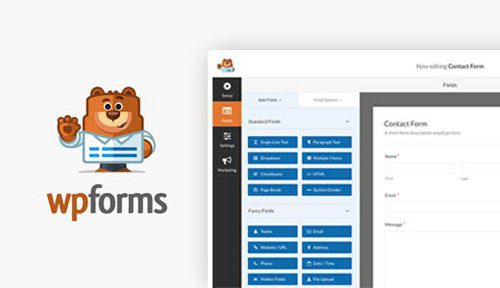
It uses a two-column, real-time preview editing interface where you can drag fields directly to adjust the form structure, with all changes displayed instantly. Built-in templates cover common scenarios such as contact forms, quote requests, appointments, donations, orders, surveys, and registrations, so you can go live after simple modifications once imported. Forms automatically adapt to mobile devices such as phones and tablets, with no extra debugging required.
Advanced Fields and Multi-Page Forms
It supports advanced field types such as file uploads, repeater fields, ratings, Likert scales, NPS (Net Promoter Score), signatures, and date/time. Multi-page forms can split long forms into multiple steps, reducing the pressure on users to fill them out and lowering the abandonment rate. The save-and-resume feature allows users to exit midway and come back later to complete their submission.
Smart Conditional Logic and Dynamic Forms
Through visual rule configuration, you can show or hide fields, switch confirmation message text, adjust form redirects, and conditionally trigger payment flows based on user selections. Dynamic forms display only the content users need to fill in, streamlining the interface and improving conversion rates.
Payment Collection and Recurring Subscription Billing
It natively integrates mainstream payment gateways such as Stripe, PayPal, and Square, so you can collect payments within forms without additional plugins. It supports one-time payments and recurring subscription billing, making it suitable for business scenarios such as donations, order payments, service fee collection, and online registration fees.
Form Submission Data Management and Analytics
All submission data is stored in the website database. In the backend, you can view entries, star them, mark them as read or unread, filter and search them, and export them as CSV. The built-in form analytics feature tracks form views, submission conversion rates, abandonment rates, and field completion times to help optimize form conversion. The survey and poll module automatically generates visual statistical reports after submission, displaying survey results with intuitive charts.
User Registration and Third-Party Tool Integrations
You can create custom front-end registration, login, and password reset forms with custom registration fields, suitable for membership sites and community sites. It integrates with mainstream email marketing tools, CRM systems, and Google Sheets, automatically adding contacts and pushing data after form submission. It is compatible with multilingual plugins such as WPML and Polylang, and fully compatible with mainstream page builders such as Elementor and Divi.
Anti-Spam Protection and Standalone Form Pages
It includes a built-in honeypot anti-spam mechanism and is compatible with verification methods such as reCAPTCHA, Cloudflare Turnstile, and Akismet to block bot spam submissions. You can generate distraction-free standalone form landing pages that remove the site header and footer to focus on form conversion; conversational forms simulate a question-and-answer interaction style to improve the user filling experience.
Overview of WPForms Pro Use Cases
- Corporate websites: contact inquiry forms, quote requests, appointment forms, recruitment applications
- Cross-border independent stores: customer inquiry forms, after-sales feedback, donations, simple order payment collection
- Marketing sites: lead collection, email subscriptions, market research, polls and surveys
- Membership sites: user registration and login, profile submission
- Education and training: event registration, quizzes, student information collection
List of WPForms Pro and Addon Plugins
The WPForms Pro ecosystem includes a large number of official addon plugins covering areas such as payments, marketing, user management, and form enhancements. The following are common addon plugins:
- WPForms Pro
- WPForms Form Locker
- WPForms Custom Captcha
- WPForms Offline Forms
- WPForms Sendinblue
- WPForms User Journey
- WPForms Basic
- WPForms GetResponse
- WPForms Mailchimp
- WPForms Multilingual
- WPForms Stripe
- WPForms Geolocation
- WPForms PayPal Standard
- WPForms Form Abandonment
- WPForms Conversational Forms
- WPForms Surveys and Polls
- WPForms User Registration
- WPForms Signatures
- WPForms Drip
- WPForms Campaign Monitor
- WPForms Form Pages
- WPForms Post Submissions
- WPForms Repeater Field
To learn about the latest official version and licensing information, visit the WPForms official website.
WPForms Pro Installation and Activation Instructions
Before installing WPForms Pro, it is recommended to first install the free WPForms base plugin, then upload the Pro version to overwrite and upgrade. After activation, enter any license string to complete activation. Once activated successfully, you can directly download and install all official addon plugins online from the addons page in the WPForms menu, keeping them in sync with the latest version.
If the latest version cannot import templates online, you can first install an older version to activate, then upload the upgrade package to overwrite with the latest version. If you encounter permission or compatibility issues during installation, it is recommended to check your WordPress version, PHP version, and theme conflicts.
Frequently Asked Questions
How do I install WPForms Pro?
First install the free version of WPForms in the WordPress backend, then upload the Pro version zip package to overwrite the installation. After activation, enter any license string to activate, and then you can install official addon plugins online from the addons page.
Which payment gateways does WPForms Pro support?
It natively integrates mainstream payment gateways such as Stripe, PayPal, and Square, and supports one-time payments and recurring subscription billing. The specific available gateways are subject to the official documentation.
Is WPForms Pro compatible with Elementor and Divi?
Yes, WPForms Pro is fully compatible with mainstream page builders such as Elementor and Divi, and forms can be embedded directly into pages. It is also compatible with multilingual plugins such as WPML and Polylang, making it easy to create multilingual forms.
How do I update WPForms Pro addon plugins?
After activation, you can download and install all official addon plugins online from the addons page in the WPForms menu, always keeping them in sync with the latest version. For specific update frequency, please refer to the official documentation.
How does WPForms Pro prevent spam submissions?
It includes a built-in honeypot anti-spam mechanism and is compatible with verification methods such as reCAPTCHA, Cloudflare Turnstile, and Akismet, effectively blocking bot spam submissions.

