
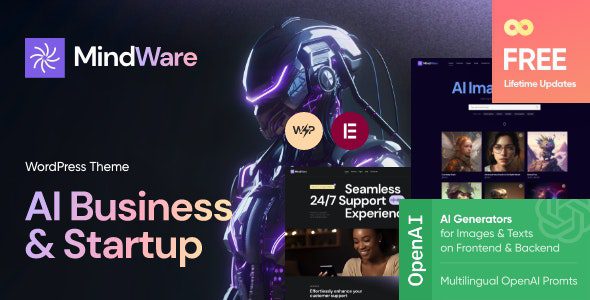
What Is the MindWare WordPress Theme? A Website Framework for AI Startups
MindWare is a WordPress theme built specifically for AI startups, AI applications, and machine learning projects. It offers multiple homepage, portfolio, blog, and Elementor editing layouts to help technical teams present product capabilities, usage examples, and team information in one place. For an AI product website, the biggest challenge is having too many technical terms while failing to clearly explain what users can accomplish. MindWare uses a structured page framework to guide visitors to understand the product starting from specific tasks, rather than only seeing abstract slogans about intelligence.
This theme is suitable for showcasing AI products in areas such as virtual assistants, image generation, and business analytics. When choosing a layout, decide based on how much material you have: if you have clear screenshots, highlight the interface; if you have real cases, explain the process; if you have a service team, explain how to collaborate. The website should accurately reflect what can currently be delivered, and avoid placing complex features shown in demos but not yet available into the official navigation.
Core Features and Page Design Logic of the MindWare Theme
How Case Studies and Process Explanations Work Together
A valuable example should show the original problem, input materials, processing steps, and final results. Rather than just showing a generated image, explain what task it was used for. When involving statistics or performance changes, clarify the scope and source so visitors understand the context. Demo content and real customer cases must be clearly distinguished—do not treat the avatars and testimonials in the template as your own user feedback.
- The first screen explains the product's main purpose and connects to a real demo or trial entry point.
- The features section uses specific tasks and interfaces to explain, reducing repetitive terminology.
- Case study pages explain the background and process so visitors know how the results were formed.
- Contact or get-started entry points correspond to actual services, with no empty buttons left in place.
Elementor Visual Editing and Mobile Responsiveness
MindWare supports modifying pages, headers, and footers through Elementor. You can first unify fonts, colors, and button styles, then edit different business pages. A tech style doesn't mean you must use lots of animations, and dark backgrounds must still ensure text contrast. Long titles, code blocks, charts, or product screenshots should remain readable on mobile, and important explanations should not be entirely embedded in images. If you need to further organize promotional pages, you can refer to Elementor-related tutorials on the WordPress resource site to evaluate editing approaches.
Division of Responsibilities Between the MindWare Theme and AI Services
The official listing mentions compatibility with components such as AI Engine, but actual chat or generation capabilities still require corresponding plugins and model service configuration. The theme itself provides the page appearance and does not mean external interfaces are already connected. Projects should clarify which buttons lead to standalone applications, which features run inside WordPress, and whether user accounts are shared. Clarifying these relationships makes it less likely for development and content teams to operate under different assumptions.
If you plan to add AI interaction to your website, you can learn how the AI Engine plugin works and then arrange it according to actual needs. Don't promise that any model or all tasks can be used directly just because the theme includes a chat demo. Interface availability, costs, and result handling need to be verified separately, and page descriptions should be maintained based on the real configuration. For service-oriented AI companies, a consultation form may be more suitable for initial communication than direct chat. The form only needs to collect business background, tasks, and contact information, and explain the next steps after submission.
Content Updates and Website Maintenance Recommendations
After product adjustments, screenshots, feature descriptions, pricing, and FAQs should be reviewed and updated accordingly. Entry points mentioned in old articles should also be checked to avoid still pointing to features that have been discontinued. The blog can publish content around the specific work of target users, providing methods, examples, and necessary boundaries, then link to related product pages. Portfolio and blog layouts can separately handle product examples and usage methods, while Ajax search helps locate materials as content grows. The theme also lists compatibility with Contact Form 7, Mailchimp, and WooCommerce, which handle inquiries, subscriptions, and product sales respectively. These should be configured according to actual business needs and the results explained.
Before launch, check from the perspective of a first-time visitor: can they understand the purpose, find examples, access actual services, and know how to get help? If a step requires a long explanation, prioritize adjusting the copy and entry points rather than continuing to add decorative blocks. Let each piece of content serve a clear purpose, and the entire website will be easier to read and maintain.
Frequently Asked Questions
How do I install the MindWare theme?
In the WordPress admin, go to Appearance - Themes - Add New Theme, upload the MindWare theme zip file, and activate it. After installation, it is recommended to first import the official demo content, then replace the copy and images according to your actual business. Please refer to the official documentation for specific steps.
What use cases is the MindWare theme suitable for?
It is suitable for AI startup websites, AI application introduction pages, machine learning service showcases, tech startup landing pages, and similar scenarios. The theme offers multiple homepage and portfolio layouts, so you can choose the appropriate template based on your product materials.
Which plugins is the MindWare theme compatible with?
The official listing states compatibility with plugins such as Elementor, AI Engine, Contact Form 7, Mailchimp, and WooCommerce. Actual compatibility may change with version updates. It is recommended to verify in a testing environment before deploying to your live site.
How often is the MindWare theme updated?
The theme update frequency depends on the development team's release schedule. Please refer to the official documentation or changelog for details. It is recommended to regularly check the theme version and back up your website before performing updates.


Comments (0)