
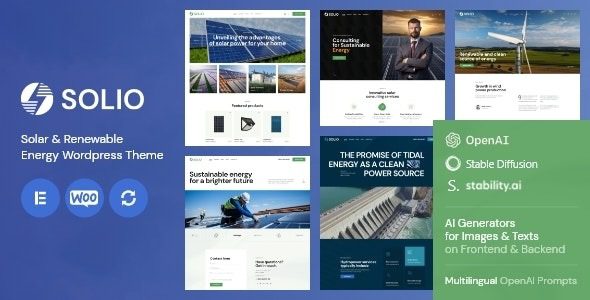
Solio Solar and Renewable Energy WordPress Theme: A Modern Industrial Design Choice
Solio Solar and Renewable Energy WordPress Theme is a stylish, responsive theme built specifically for the renewable energy industry. Its modern industrial design makes it an ideal choice for solar panel companies, renewable energy suppliers, and related maintenance businesses. Whether you're running a corporate website or an online store, Solio delivers a professional and efficient presentation solution.
Developed by the ThemeREX team, the official version receives continuous updates to ensure compatibility with the latest WordPress releases. This page offers version v1.7, which has been fully tested and is feature-complete, ready for direct deployment. If you're looking to quickly build a professional solar industry website, the Solio theme is definitely an option worth considering.
Core Features and Highlights of the Solio Theme
The Solio theme comes with multiple demo templates tailored to the renewable energy sector, covering common modules such as company introductions, project showcases, service listings, and product catalogs. Its responsive design ensures flawless display across mobile, tablet, and desktop devices, enhancing the user experience. Additionally, the theme supports popular page builders like Elementor and WPBakery, allowing you to easily drag and drop custom page layouts without writing a single line of code.
The theme also integrates the WooCommerce plugin, making it convenient to set up an online store to sell solar panels, inverters, and other products. Combined with a powerful theme options panel, you can customize colors, fonts, layouts, and other details to create a unique brand identity. For SEO optimization, Solio has been carefully considered—its clean code structure and fast loading speed help search engines crawl and rank your site effectively.
Solio Theme Installation and Configuration Guide
Installing the Solio theme is very straightforward. First, upload the theme zip file via "Appearance" > "Themes" in the WordPress admin panel and activate it. Then, follow the prompts to install the required plugins, including ThemeREX Addons, Slider Revolution, and others. These plugins provide extensive feature extensions such as sliders, shortcodes, and custom post types. After installation, import the demo data to quickly achieve a website appearance identical to the demo site.
If you encounter any issues during installation, check whether your server environment meets the requirements or refer to the official documentation. This theme is already activated and requires no additional license, so all features can be used normally. When importing demo data, ensure a stable network connection to avoid interruptions. For beginners, it's recommended to familiarize yourself with basic WordPress operations before configuring the theme.
Why Choose the Solio Theme? Use Case Analysis
The Solio theme is purpose-built for the solar and renewable energy industry, with its industrial style perfectly aligned with the sector's characteristics. Whether you need to showcase solar project case studies, provide energy consulting services, or sell related equipment, Solio offers suitable page templates. For example, you can use the project showcase module to display completed photovoltaic power station cases, building customer trust; clearly list installation, maintenance, and other services through the service listing module; and display hot-selling equipment with an online transaction capability using the product grid.
Beyond the solar industry, businesses in other new energy sectors such as wind power and energy storage can also adopt this theme by simply replacing the relevant images and content. The theme's versatility makes it a preferred solution for energy-related website development. Compared to generic themes, Solio's vertical design better conveys professionalism, helping to enhance brand image and conversion rates.
Frequently Asked Questions
How do I install the Solio theme?
Upload the theme zip file in the WordPress admin panel and activate it, then install the required plugins (ThemeREX Addons, Slider Revolution, etc.), and finally import the demo data. For detailed steps, please refer to the official documentation.
What scenarios is the Solio theme suitable for?
It is suitable for solar companies, renewable energy suppliers, energy consulting agencies, equipment retail stores, and other new energy-related industries.
Which plugins are compatible with the Solio theme?
It is compatible with mainstream plugins such as WooCommerce, Elementor, and WPBakery, but it's recommended to use the theme's built-in ThemeREX plugins for the best experience.
How often is the Solio theme updated?
The official team regularly releases updates to fix bugs and add new features. We recommend keeping an eye on the official changelog. The version provided on this page is v1.7; for future updates, please watch for official releases.

