
What is the Wiloke Process Elegant for Elementor plugin?
Wiloke Process Elegant is a process card design plugin built specifically for Elementor, and it focuses on just one thing: arranging "process"-type content into neat cards. It's officially positioned as "a simple way to create creative process cards," and it doesn't take on full-site layout tasks. For users who need to display service steps, brand history, or business plans, this plugin can significantly reduce the time spent manually assembling cards—when there are many cards, the numbers need to be sequential, and icons and connecting lines need to align, doing it by hand is very time-consuming; the plugin comes with multiple built-in templates, so you just pick one and fill in the text to finish.
Card Structure and Design of Wiloke Process Elegant
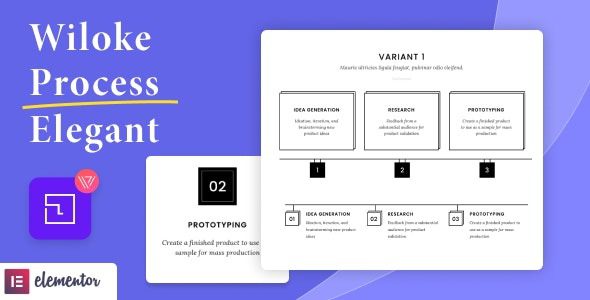
The information structure of each card is fixed into four parts: number, title, description, and details link. The number is automatically assigned by the plugin in order, so there's no need to fill it in manually; the title and description each take up one or two lines; the link can point to the corresponding service page or project page, letting each step of the process guide users to explore further.
The advantage of the fixed structure is consistent alignment across the entire row of cards: icon positions, title baselines, and description line widths all follow the template specifications, and adding or removing steps won't break the overall layout. The plugin offers multiple templates to choose from, with differences in icon style, connection method, and card arrangement direction. Mixing two templates on the same page is entirely feasible—just switch them by content section.
Use Cases and Flexibility of Wiloke Process Elegant
Service processes are the most direct use case: from consultation, on-site visit, construction, to acceptance, arranged in four to six steps, customers can see at a glance what happens in between. Brand history and company milestones can also use the same set of cards, with the year as the number. Business plans, partnership processes, onboarding steps, discount redemption paths, and other step-by-step explanations are equally suitable. The official description summarizes these scenarios as listings, offers, and brand development plans.
Whether you need a horizontal process bar below the hero section or a vertical arrangement on the side of a content page, the templates can cover it. Card spacing and width can be adjusted directly in Elementor without modifying plugin files. If you're building a landing page focused on conversion rates, you can combine it with other tools in WordPress site-building resources for overall optimization.
Compatibility and Customization Space of Wiloke Process Elegant
The official description uses "non-intrusive" to describe its design approach: it only adds one Elementor widget, doesn't modify the theme's header or footer, and doesn't override other plugins' styles. Installed on an existing site, the layout is basically unaffected. The plugin is compatible with Elementor and Elementor Pro, and its files include JS, HTML, CSS, and PHP—when you need to adjust the card structure, just modify the template. The plugin is marked as compatible with the block editor, and high-resolution screens and mainstream browsers are also on the compatibility list.
Customization space centers on color schemes and fonts: colors follow the theme's global settings, fonts are adjusted through Elementor's typography panel, and if you want to keep your existing visual system, there's no need to configure a separate color palette. For more Elementor-related components, refer to the official Elementor page.
Frequently Asked Questions
Do I need to install Elementor first?
Yes. Wiloke Process Elegant is an add-on plugin for Elementor, and installing it standalone gives you no entry point to use it—you must first install and activate Elementor or Elementor Pro.
Can the numbers be customized?
According to the official description, the numbers are automatically generated by the plugin in card order. Skipping numbers or changing the starting number requires checking whether the template provides that setting; it's recommended to try it on a test page before making changes.
Can it be used as a regular card list?
Yes, but this plugin is designed for process displays, and the arrows and connecting lines between cards are fixed elements that would seem redundant in a regular list. It's more recommended for step-by-step explanation content.
How often is the plugin updated?
For the specific update frequency, please refer to the official documentation or the plugin page description. It's recommended to keep the plugin at the latest version for the best compatibility.


Comments (0)