
YOOtheme Pro WordPress Theme In-Depth Analysis
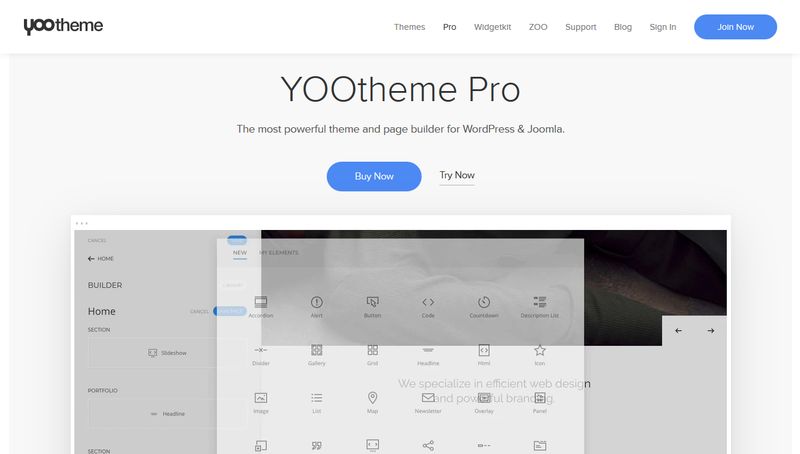
YOOtheme Pro is a powerful WordPress theme known for its visual page builder and rich element library. This article will take an in-depth look at the core features of the YOOtheme Pro WordPress theme and analyze how it works together with the WidgetKit plugin, helping you decide whether you need to install WidgetKit separately to extend functionality.
Feature Comparison Between YOOtheme Pro and WidgetKit
Many users have noticed that YOOtheme Pro already includes some design elements similar to those in WidgetKit. In fact, YOOtheme Pro's page builder already includes commonly used components such as grids, carousels, and accordions, which can meet most website building needs. WidgetKit, on the other hand, provides more specialized standalone widgets such as Teaser Card, Table Pro, Switcher Pro, and more, making it suitable for users who need more precise control over display effects.
Practical Use Cases of the WidgetKit Plugin in YOOtheme Pro
If you are using the YOOtheme Pro WordPress theme, installing WidgetKit can bring the following advantages:
- Richer display components: Components provided by WidgetKit such as Grid Pro and Switcher Pro can achieve more complex layout effects.
- Flexibility independent of the theme: As a standalone plugin, WidgetKit allows you to retain your carefully configured widgets when switching themes.
- Professional-grade data display: FS Table Pro and FS Teaser Card are suitable for displaying structured data such as product comparisons and pricing tables.
However, if your needs are relatively basic, the features built into YOOtheme Pro may already be sufficient. It is recommended to decide whether to install WidgetKit based on actual project requirements. For more WordPress resources and tutorials, visit BobHello Resource Site.
Installation and Compatibility of YOOtheme Pro and WidgetKit
Both YOOtheme Pro and WidgetKit offer WordPress and Joomla versions. In a WordPress environment, you can install them by uploading the plugin ZIP package. The two maintain good compatibility in their latest versions, but it is recommended to back up your website before installation and ensure that your PHP version meets the requirements. For specific installation steps, please refer to the official documentation.
YOOtheme Pro officially provides detailed documentation and a support forum. You can visit the official support page for more technical details.
Frequently Asked Questions
Is WidgetKit required to use YOOtheme Pro?
No, it is not required. YOOtheme Pro itself already includes many commonly used elements, and WidgetKit serves only as a functional extension, suitable for users who need more professional components.
Which platforms does WidgetKit support?
WidgetKit provides both WordPress and Joomla versions. For specific compatibility details, please refer to the official documentation.
How do I install YOOtheme Pro and WidgetKit?
Install them in the WordPress admin by uploading the plugin ZIP package, or upload them to the plugin directory via FTP. It is recommended to back up your website first.
How often are YOOtheme Pro and WidgetKit updated?
The YOOtheme team releases updates regularly to fix vulnerabilities and add new features. It is recommended to follow official announcements to get the latest versions.

