
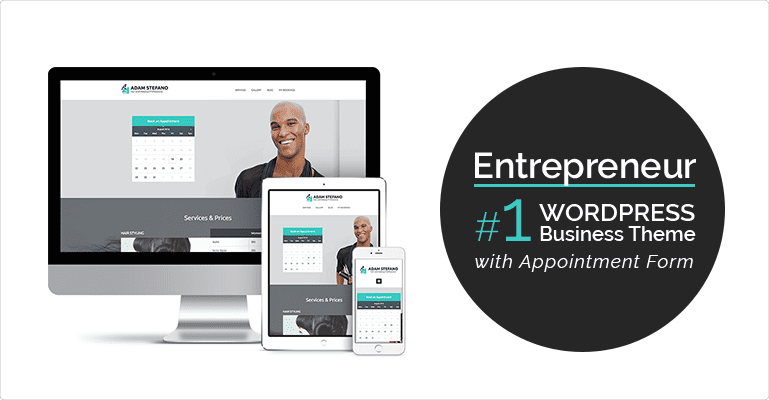
MotoPress Entrepreneur v1.3.3 is a WordPress theme designed for business services, featuring a built-in powerful booking form to help you efficiently manage client appointments. This theme deeply integrates with WordPress customization tools, offering flexible color options and rich modules to easily showcase your services. Additionally, it includes a premium booking plugin to further boost conversion rates. Whether you run a beauty salon, clinic, or consulting firm, the Entrepreneur theme helps you build a professional online presence.
Core Features of the Entrepreneur Theme
The Entrepreneur WordPress theme is known for its user-friendliness and rich functionality. Its built-in booking system operates without the need for additional plugins, supporting online payments, calendar sync, and automatic reminders. Customization tools allow you to adjust colors, fonts, and layouts in real-time without coding knowledge. The theme includes multiple homepage templates suitable for different industries.
Why Choose the Entrepreneur Theme?
Among many business themes, Entrepreneur stands out with its design optimized for booking services. It combines aesthetics and practicality, ensuring your website can both attract clients and efficiently handle bookings. The theme features lightweight code, fast loading speeds, and is SEO-friendly, helping to improve search rankings. It is also compatible with popular page builders like Elementor for further customization.
Installing and Configuring the Entrepreneur Theme
Installing the Entrepreneur theme is simple: upload the theme file in the WordPress backend, activate it, and then configure it via the customization tools. It is recommended to first install the included booking plugin to enable full booking functionality. For more detailed steps, refer to the official documentation.
If you are looking for reliable WordPress resources, you can visit related resource site for more themes and plugins.
For the official product page, please refer to: MotoPress Entrepreneur Official Introduction.
Frequently Asked Questions
How to Install the Entrepreneur Theme?
In the WordPress dashboard, go to "Appearance" > "Themes" > "Add", upload the theme's ZIP file, and activate it. Then, adjust settings via "Appearance" > "Customize".
What Scenarios is the Entrepreneur Theme Suitable For?
It is suitable for any industry that requires online booking, such as beauty salons, dental clinics, consulting firms, photography studios, and more.
Which WordPress Versions is the Theme Compatible With?
Entrepreneur is compatible with WordPress 5.0 and above; it is recommended to use the latest version for optimal performance.
Does the Booking Plugin Require an Additional Purchase?
No, the premium booking plugin included with the theme is completely free, with no extra cost.
How Often is the Theme Updated?
MotoPress regularly releases updates to fix bugs and ensure compatibility with new WordPress versions; please follow official announcements for details.


Comments (0)