
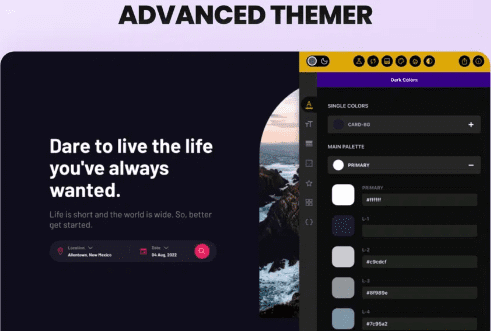
Advanced Themer For Bricks Theme Plugin Chinese Version In-Depth Analysis
If you're building WordPress websites with Bricks, then the Advanced Themer For Bricks Theme plugin is absolutely your ultimate tool for boosting efficiency. Through dozens of productivity-enhancing features, this plugin takes the Bricks website-building experience from excellent to professional level. Whether you're a freelancer or part of a website-building team, Advanced Themer helps you complete projects faster and more easily.
Advanced Themer Core Features Overview
Advanced Themer injects a large number of practical tools into the Bricks editor. The following features are especially worth noting:
- Dynamic Color & Shade Generator: Easily organize colors, generate shade variants with one click, no manual adjustment needed.
- No-Code Dark Mode: Quickly add dark mode to your website, customize any shade and dark variant.
- CSS Variable Management: Dynamically create fluid and static variables, variable selector supports hover preview, auto-complete CSS variables, and you can also import your own variable framework.
- Class Importer & Converter: Extend classes and styles from any element, find and replace style values, copy ID styles to classes, and achieve class conversion.
- Editor Enhancements: Element tab shortcuts, pseudo-element shortcuts, grid guides, structure panel tab manager, X mode, and more, doubling your editing efficiency.
- Client Control: Enable or disable element options for your clients, restrict access to style options, and protect your website structure.
Why Advanced Themer Is a Must-Have Plugin for Bricks Users
Bricks itself is already a powerful page builder, but Advanced Themer fills the gap in workflow optimization. Through the dynamic color and variable system, you can build a complete design system and reuse it across multiple projects. The class importer and style find-and-replace features make global style adjustments incredibly easy. For websites that need to be delivered to clients, X mode and element option controls effectively prevent accidental operations and ensure website stability.
If you want to learn more about WordPress website-building resources and tips, you can visit bobohello.com for more professional content.
Advanced Themer Installation and Usage Instructions
Installing the Advanced Themer plugin is very simple: go to the plugins page in the WordPress admin, upload the plugin zip file, and activate it. According to testing, version v3.5.0 can be used directly after installation and activation, with no additional activation steps required. This plugin is deeply integrated with the Bricks theme, and after activation it automatically adds the relevant feature panels in the Bricks editor.
It's worth noting that this plugin itself does not include a Chinese language pack, but you can localize it through the WordPress translation system or third-party tools. For more detailed configuration, please refer to the Advanced Themer official documentation.
Frequently Asked Questions
How do I install the Advanced Themer plugin?
In the WordPress admin, click "Plugins" -> "Add New" -> "Upload Plugin", select the downloaded zip file to upload and activate. After activation, make sure the Bricks theme is activated.
Which Bricks versions does Advanced Themer support?
Advanced Themer is usually compatible with the latest version of Bricks. For specific compatible versions, please refer to the official documentation or the plugin changelog.
How often is the plugin updated?
The Advanced Themer development team regularly releases updates to fix issues and add new features. It's recommended to follow official channels to get the latest version.
Does it support multisite networks?
Advanced Themer supports WordPress multisite networks, but it needs to be activated separately on each subsite. For details, please refer to the official documentation.
Does the plugin provide Chinese language support?
The plugin itself does not include a Chinese language pack, but it can be localized through the WordPress translation system or third-party tools. For details, please refer to the official documentation.

