
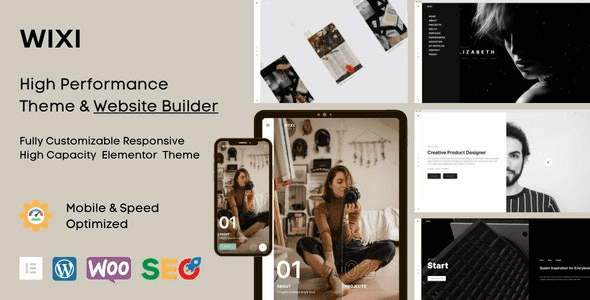
Wixi v1.2.1 WordPress Theme: The Ultimate Elementor-Powered Creative Portfolio Solution
Wixi is a multipurpose WordPress theme built on the Elementor page builder, specifically designed for creative agencies, designer portfolios, freelancer showcases, digital studios, and personal brand websites. It inherits the lightweight DNA of the Lightspeed theme while elevating visual expressiveness and ease of use to a new level. Whether you're building a dark-concept portfolio or need a corporate site to showcase team case studies, Wixi can be quickly implemented through drag-and-drop editing. For creators who pursue both efficiency and design sensibility, this theme is a tool worth exploring in depth.
Core Features and Design Highlights of the Wixi Theme
Wixi fully leverages Elementor's visual editing capabilities. You don't need to write any code to adjust the header, footer, blog layout, portfolio grid, and global color scheme. The theme comes with multiple preset templates covering common scenarios such as creative agency homepages, project detail pages, about us pages, and contact pages. All templates support one-click import, significantly shortening the site-building cycle.
In terms of performance, Wixi follows a lightweight principle, loading only necessary CSS and JavaScript files. Combined with Elementor's on-demand rendering mechanism, page load speeds perform well. For SEO-focused websites, clean code structure and semantic tags help search engines crawl your content. If you want to further optimize your site's technical SEO, you can refer to the relevant practices in the WordPress Performance Optimization Guide.
Wixi's Elementor Compatibility and Customization Capabilities
Wixi deeply integrates with both the free and Pro versions of Elementor. With the Pro version, you can unlock the Theme Builder feature to customize post templates, archive pages, and 404 pages. The theme options panel provides global control over brand colors, typography, social links, and footer copyright information. Additionally, Wixi is compatible with WooCommerce, so if you plan to add small-scale e-commerce functionality beyond your portfolio, it can be smoothly extended.
For multilingual sites, Wixi is ready for WPML and Polylang compatibility, making it easy to build a Chinese version or other localized versions. The official documentation provides detailed child theme usage instructions. It's recommended to make custom modifications through a child theme to ensure the safety of future updates.
Use Cases and Target Users of the Wixi Theme
Wixi's design language leans toward modern, clean, and minimalist, while also offering a dark mode option. It is particularly suitable for the following scenarios:
- Creative agency websites: showcasing case studies, team introductions, and service processes.
- Designer personal portfolios: presenting visual work in grid or masonry layouts.
- Freelancer sites: highlighting skills, client testimonials, and contact information.
- Digital studios: emphasizing project outcomes and brand identity.
- Photography or art showcases: utilizing full-screen slideshows and lightbox effects.
If you're looking for a WordPress theme that doesn't rely on cumbersome setup yet maintains a professional appearance, Wixi is worth adding to your shortlist. For more WordPress theme options and site-building tips, visit the BoboHello Resource Site.
Wixi Theme Installation and Update Guide
The process for installing the Wixi theme is the same as for regular WordPress themes: upload the theme zip file in the admin under Appearance > Themes > Add New, activate it, and follow the prompts to install recommended plugins (such as Elementor). Then import the preset templates to start editing. Theme updates are typically completed through the Envato Market plugin or by manually uploading the new version. It's recommended to back up your database and files before updating.
According to the official page on ThemeForest, Wixi regularly fixes compatibility issues and adds new features. You can view the changelog through the official link: Wixi Official Page.
Frequently Asked Questions
Does the Wixi theme require Elementor Pro?
Wixi can be used with the free version of Elementor, but some advanced features (such as Theme Builder and dynamic content) require Elementor Pro. Please refer to the official documentation for specific feature dependencies.
Is Wixi compatible with the latest WordPress version?
Wixi v1.2.1 has been tested against recent WordPress versions, and the official team continues to release updates to ensure compatibility. It's recommended to check the theme changelog before updating the WordPress core.
Does the Wixi theme support a Chinese version?
Wixi is localization-ready and supports translation files. You can use plugins like Loco Translate to convert it to Chinese. Please refer to the official documentation for details.
How often is the Wixi theme updated?
Wixi maintains regular updates on ThemeForest, typically releasing fixes and new features every few months. Please refer to the official page for the specific update frequency.
Can the Wixi theme be used for e-commerce websites?
Wixi is compatible with WooCommerce and can support small-scale e-commerce functionality, but its primary focus is portfolios and creative showcases. If you need a full e-commerce solution, it's recommended to evaluate dedicated e-commerce themes.


Comments (0)