
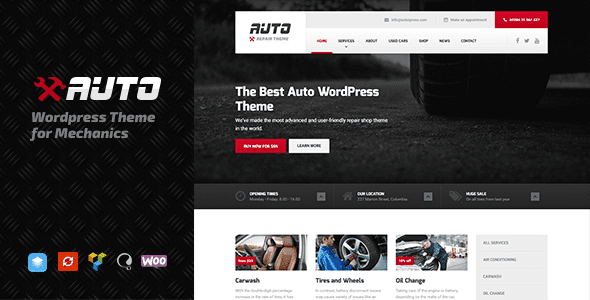
Auto v2.3.9 – WordPress Theme for Mechanics, Car Dealers, and Repair Shops
When a vehicle breaks down unexpectedly, the car owner's most urgent need is to quickly find a reliable and professional repair shop nearby. The Auto WordPress theme is tailor-made for the auto repair industry, integrating repair service listings, price references, online booking, and direct call features on the first screen, making "urgency" the thread throughout the entire user journey. Whether you are an independent mechanic, a car dealer, or a full-service repair shop, Auto helps you quickly build a professional and trustworthy online presence.
Core Sections Built into the Auto Theme
The Auto theme offers a rich set of pre-built sections covering the common needs of automotive service websites, all easily customizable through the block editor:
- Repair Services: Detailed pages for mechanical repair, electrical work, bodywork, maintenance, and more, clearly showcasing your service scope.
- Price Reference: Fixed-price range displays for common repair services, increasing price transparency.
- Online Booking: Integrated vehicle model selection, fault description, photo upload, and appointment time selection, simplifying the booking process.
- Technician Team: Showcasing years of experience, skill certifications, and vehicle specialties to build professional trust.
- Shop Information: Address, phone number, business hours, and map integration for easy customer visits.
- Emergency Rescue: Towing service entry and direct call button to meet urgent needs.
- Customer Reviews and Common Fault Q&A: Enhancing engagement and trust.
Editing Experience and Design Customization
The Auto theme is built on the WordPress block builder, with service cards and booking forms as pre-built patterns—just replace the images and text to go live quickly. Global styles control colors and fonts, and the default dark industrial skin matches the professional tone of the auto repair industry. If you need more design inspiration, you can refer to other industry themes on the WordPress theme resource site.
Quick Launch Process
Building a website with the Auto theme is very simple—just follow these steps to launch quickly:
- Import demo data to get a complete website layout with one click.
- Enter your service items and price references.
- Configure the online booking form and direct call feature.
- Connect your Google Business Profile to improve local search visibility.
For more detailed information about the Auto theme, please visit the Auto official page (please refer to the official documentation for details).
Frequently Asked Questions
How do I install the Auto theme?
In the WordPress admin panel, go to "Appearance" -> "Themes" -> "Add New," upload the theme ZIP package, and activate it. After installation, it is recommended to import the demo data to quickly configure your website.
What use cases is the Auto theme suitable for?
The Auto theme is designed for mechanics, car dealers, repair shops, and automotive service centers, and is also suitable for niche areas such as auto maintenance and body painting.
Is the Auto theme compatible with the latest version of WordPress?
Auto theme v2.3.9 is compatible with the latest version of WordPress. For specific compatibility details, please refer to the official documentation or the theme changelog.
How often is the theme updated?
The Auto theme is updated regularly to fix vulnerabilities and add new features. We recommend following official update notifications or checking the theme page for the latest version information.


Comments (0)