
 Tested User Role Editor Pro WordPress Plugin: The Ultimate Guide to Professional User Role and Permission Management">
What is the User Role Editor Pro WordPress Plugin?
User Role Editor Pro is a professional WordPress user role and permission management plugin that allows site administrators to deeply customize user roles and permission systems. If you're unsatisfied with WordPress's default role list or user capability assignments, this plugin can help you easily make adjustments. Whether you're editing existing roles, creating brand-new roles, or assigning precise permissions to specific users, User Role Editor Pro provides a complete solution. For sites that require fine-grained control over user access permissions, this is an indispensable must-have tool.
User Role Editor Pro Core Features Overview
This plugin offers a rich set of permission management features, covering various scenarios from single sites to multisite:
- Display front-end menu items for everyone, logged-in users, or users with selected roles, not just logged-in visitors.
- Multisite support: Super admins can set independent theme lists for selected individual site administrators.
- Multisite network management: Centrally manage roles and users across all sites from a single point, including editing roles, copying roles to all subsites, assigning roles and capabilities to users, and copying existing users and their permissions to all sites in the network.
- Multisite restrictions: Restrict individual site administrators' access to selected user capabilities, as well as restrict their add/remove role operations in the User Role Editor.
- Export and import user roles for easy migration and backup.
- Block selected widgets and sidebars (via the "Appearance" menu) on a per-role basis.
- Block selected meta boxes (Dashboard, Posts, Pages, Custom Post Types) for roles.
- Manage which roles can display which widgets.
- Implement content viewing access restrictions through selected roles and shortcodes.
- No ad interference, clean experience.
- Block selected navigation menu editing for selected roles.
- Control access to each plugin based on roles and users (with the "activate plugins" capability).
- Block selected admin menu items on a per-role basis.
- Manage Pages Permission Viewer: Display at the bottom of each admin page the list of user capabilities checked by that page and the plugins hooked to it.
- Block access to other roles for selected roles.
If you're looking for more quality WordPress resources, you can visit bobohello.com to get more plugins and themes.
User Role Editor Pro Installation and Usage Tutorial
How to Install the User Role Editor Pro WordPress Plugin
The installation process is very simple: In the WordPress admin, go to "Plugins" -> "Add New", upload the plugin zip file, click install and activate. After activation, you'll see the "User Role Editor" option in the left admin menu. Please refer to the official documentation for details.
How to Configure User Roles and Permissions
Enter the User Role Editor interface, and you can select any role to edit, checking or unchecking the corresponding capabilities. You can also create new roles and assign the required capabilities to the new roles. All changes take effect immediately without additional configuration.
Note: User Role Editor Pro v4.66.3 has been personally tested and can be used directly after installation and activation, with complete functionality.
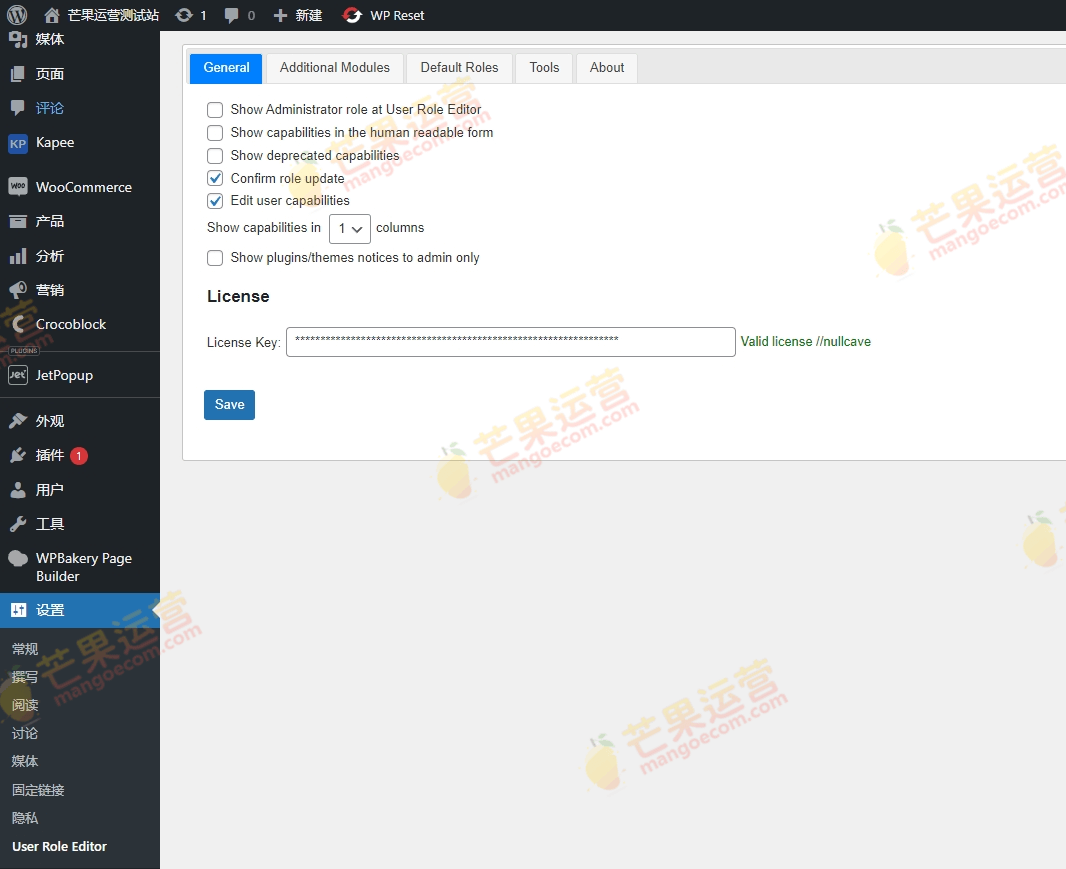
To purchase a genuine license or learn more details, please visit the official purchase link.
Frequently Asked Questions
How do I install User Role Editor Pro?
On the Plugins page in the WordPress admin, click "Add New" -> "Upload Plugin", select the downloaded zip file, install and activate. After activation, you can find the settings entry in the left menu.
Does User Role Editor Pro support multisite networks?
Yes, this plugin fully supports multisite networks. Super admins can centrally manage roles and users across all sites, and can also restrict the permissions of individual site administrators.
Is User Role Editor Pro compatible with the latest version of WordPress?
This plugin is continuously updated and compatible with current mainstream WordPress versions. For specific compatibility information, please refer to the official documentation or plugin page description.
How often is User Role Editor Pro updated?
The development team regularly releases updates to fix issues and add new features. It's recommended to follow official channels to get the latest version.

