
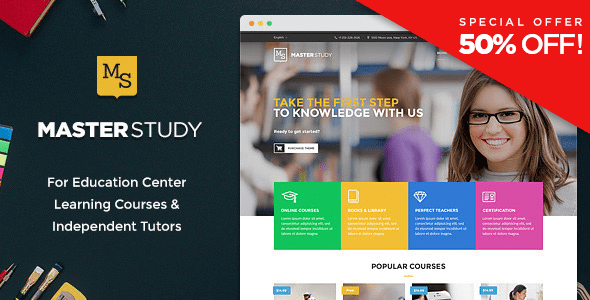
Masterstudy WordPress Theme: The Ultimate Solution for Building a Professional Online Course Education Platform
Masterstudy WordPress Theme is a professional education theme designed specifically for Learning Management Systems (LMS), fully supported by the MasterStudy Pro plugin. Whether you want to build an online course platform, a corporate training system, or a knowledge monetization website, this theme provides a complete out-of-the-box solution. It comes with built-in core features such as course management, quiz systems, payment integration, and certificate generation, giving you a professional-grade online education website without needing to purchase additional plugins.
Compared to other education themes on the market, the biggest advantage of the Masterstudy WordPress Theme lies in its deeply integrated LMS functionality. You can create three types of courses directly in the backend — text, video, and slideshow — set up live Q&A, quiz countdown timers, and retake mechanisms, and provide students with ratings and certificates. For users who want to quickly launch an online education business, this theme greatly lowers the technical barrier.
Key Features of the Masterstudy Theme
The Masterstudy WordPress Theme is built on Vue.js, delivering smooth frontend interactions and an excellent user experience. It supports the WooCommerce offline course system, allowing you to sell courses through PayPal and Stripe, and also supports Paid Memberships Pro integration. The theme includes a 1-Click Demo Import feature, enabling you to import demo content with a single click and give your website a professional appearance quickly.
Course Management and Learning Experience
In terms of course management, Masterstudy offers three course types: text, video, and slideshow, catering to different teaching scenarios. The live Q&A feature within courses makes teacher-student interaction more timely, while the real-time countdown timer in quizzes adds tension and authenticity to exams. Students can view quiz results (correct/incorrect answers), rate courses, and generate completion certificates. The wishlist feature helps students bookmark courses they are interested in.
Payment and Membership System
The Masterstudy WordPress Theme integrates PayPal and Stripe payment gateways, supporting both one-time purchases and recurring subscriptions. Paid Memberships Pro integration allows you to set up different membership tiers, enabling recurring revenue. Additionally, the theme supports paid advertising for free courses, adding more revenue channels for your platform.
Design and Compatibility of the Masterstudy Theme
Masterstudy uses a Bootstrap responsive layout and is cross-browser compatible with mainstream browsers including Firefox, Safari, Chrome, and IE9+. Theme options are based on the Redux framework, offering unlimited color choices and over 880 Google Fonts. The Visual Composer page builder lets you design pages with drag-and-drop functionality without coding, while the Revolution Slider is used to create eye-catching homepage displays.
The theme also supports WPML localization, making it easy to create a multilingual online education platform. Audio and video embedding features enrich your course content. If you need more WordPress resources, you can visit bobohello.com to find related themes and plugins.
The Masterstudy theme is supported by the MasterStudy Pro plugin at no additional cost. Official purchase link: Masterstudy Education Center WordPress Theme.
Frequently Asked Questions
How do I install the Masterstudy theme?
Installing the Masterstudy theme is similar to installing any other WordPress theme: go to "Appearance" -> "Themes" -> "Add New Theme" in the WordPress backend, upload the theme zip file, and activate it. Then follow the prompts to install and activate the MasterStudy Pro plugin, and use 1-Click Demo Import to import demo content. For detailed steps, please refer to the official documentation.
What use cases is the Masterstudy theme suitable for?
Masterstudy is suitable for online course platforms, corporate training systems, school online education, knowledge monetization websites, and more. It supports video courses, text courses, and slideshow courses, making it suitable for various forms of teaching content.
Is the Masterstudy theme compatible with the latest version of WordPress?
The Masterstudy theme is updated regularly to ensure compatibility with the latest version of WordPress. According to official information, the theme is continuously updated to fix bugs and add new features. It is recommended to use the latest version for the best experience.
How often is the Masterstudy theme updated?
The Masterstudy theme provides regular updates. For specific update frequency, please refer to the official changelog. Typically, the developer maintains it based on WordPress core updates and user feedback.

