
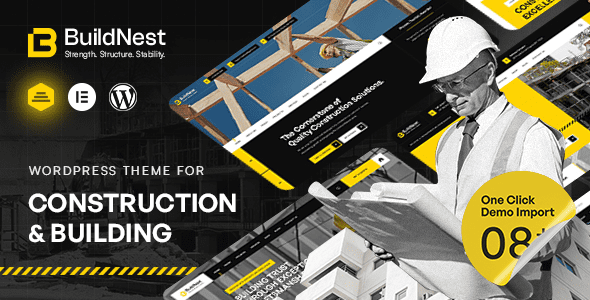
Buildnest is a WordPress theme specifically designed for the architecture, construction, and renovation industries, making it the ultimate choice for building industry websites. It is crafted based on in-depth research into the commercial, construction, and maintenance service sectors, featuring a fully responsive layout, Retina display support, and easy customization. Whether you are a construction company, renovation team, or maintenance service provider, Buildnest helps you quickly build a professional and high-end online presence.
Core Features of the Buildnest WordPress Theme
Buildnest offers a wide range of exquisite styles and elements, allowing you to create stunning websites without coding. Its powerful theme options panel lets you easily adjust colors, fonts, layouts, and more, while pre-built demo content can be imported with one click, saving you significant time. Additionally, the theme integrates popular page builders like Elementor, making drag-and-drop website building possible.
SEO Optimization Features of the Buildnest Theme
In terms of search engine optimization, Buildnest follows best practices by using clean, semantic HTML code and supporting Schema markup, helping your website achieve better visibility in search results. Combined with fast loading speeds and a mobile-friendly design, Buildnest enhances user experience, indirectly boosting search rankings.
Why Choose the Buildnest Construction Theme?
Compared to other construction themes, Buildnest places greater emphasis on professionalism and flexibility. It offers multiple industry-specific features such as project showcases, service lists, team introductions, and client testimonials, fully meeting the needs of construction businesses. Moreover, the theme is compatible with popular WordPress plugins like WooCommerce and Contact Form 7, offering strong extensibility.
During the website building process, you may need additional resources, such as an excellent WordPress website building guide, which can help you complete your site more efficiently.
Installing and Using the Buildnest Theme
Installing the Buildnest theme is very simple: download the theme file, then upload and activate it via the WordPress admin panel under "Appearance" -> "Themes" -> "Add New." It is recommended to install required plugins (such as Elementor, Slider Revolution, etc.) to access full functionality. For detailed installation steps, please refer to the official documentation.
Visit the Buildnest official page: View the official demo.
Frequently Asked Questions
How to install the Buildnest theme?
Upload the theme zip file via the WordPress admin panel under "Appearance" -> "Themes" -> "Add New," activate it, then install and activate the required plugins.
What scenarios is the Buildnest theme suitable for?
It is suitable for construction companies, construction teams, renovation companies, engineering service providers, building materials enterprises, and other websites that need to showcase projects and services.
Which browsers and plugins are compatible with the Buildnest theme?
It is compatible with all modern browsers (Chrome, Firefox, Safari, Edge, etc.) and supports popular plugins like Elementor, WooCommerce, and Contact Form 7.
Is there a Chinese version of Buildnest?
This resource provides a Chinese version, with most front-end and back-end interfaces translated for the convenience of Chinese-speaking users.
How often is the Buildnest theme updated?
The update frequency depends on the developer, typically released alongside WordPress version updates or feature enhancements. Please refer to the official changelog for specifics.


Comments (0)