
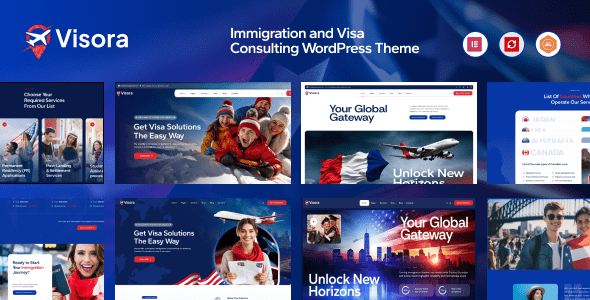
Visora is a WordPress theme specifically designed for immigration and visa consulting services, suitable for a wide range of users. It deeply integrates the Elementor page builder, comes with over 4 pre-built website templates, and includes more than 50 functional elements along with 50 inner page layouts. You can freely choose from various styles to select the homepage design that best fits your website.
Core Features and Advantages of the Visora Theme
The Visora theme is tailored for the immigration and visa consulting industry, offering a professional and easily customizable solution. It is fully compatible with the Elementor page builder, allowing you to drag and drop to create stunning pages without coding. With over 50 built-in functional elements, including service introductions, team showcases, client testimonials, and case studies, it meets all the needs of a consulting website. Additionally, more than 4 pre-built templates enable you to quickly launch your project, saving significant design time.
Why Choose the Visora Immigration and Visa Consulting Theme?
By choosing Visora, you will get a website that is highly targeted and conversion-focused. The theme design emphasizes trust and professionalism, enhancing user trust through clear layouts and visual elements. Moreover, Visora supports multiple languages and RTL layouts, making it suitable for global users. Compared to similar themes, Visora offers deeper integration of features specific to the immigration and visa field, such as visa process displays and country comparison tables.
Installing and Using the Visora Theme
Installing the Visora theme is very simple: upload the theme package, activate it, and import the demo data. All demo content can be imported with one click, and with Elementor's real-time editing, you can build your website in just a few minutes. For detailed instructions, please refer to the official documentation.
If you are looking for reliable WordPress resources, you can visit related anchor text to discover more high-quality themes and plugins.
Frequently Asked Questions
How do I install the Visora theme?
To install the Visora theme, first upload the theme file to WordPress, activate it, and then import the demo data. For specific steps, please refer to the installation guide included with the theme or the official documentation.
Which browsers are compatible with the Visora theme?
The Visora theme is compatible with all modern browsers, including Chrome, Firefox, Safari, and Edge. It also supports responsive design, performing well on mobile devices.
Does the Visora theme support Chinese localization?
Yes, the Visora theme supports Chinese localization. You can use the Loco Translate plugin or directly translate the .po/.mo files. Some demo data may already include Chinese content.
How often is the Visora theme updated?
The Visora theme is regularly updated to ensure compatibility with the latest version of WordPress and to fix known issues. Update notifications are sent via the theme settings page or email.
In what scenarios can the Visora theme be used?
The Visora theme is suitable for immigration consulting firms, visa agencies, study abroad service intermediaries, and individual immigration advisors, among other scenarios.


Comments (0)