
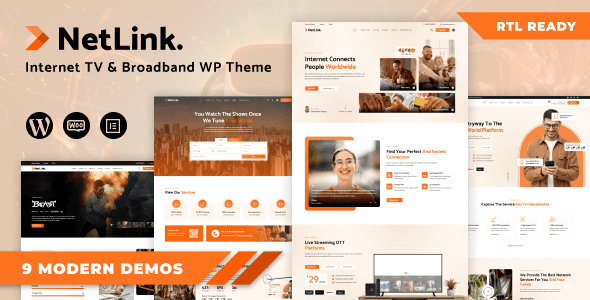
Netlink is a WordPress theme designed for tech businesses such as broadband internet services, satellite TV, online TV, cable TV, online movies, VoIP, Wi-Fi, internet and TV sales, digital television, computer networks, IPTV, telecommunications companies, CCTV, and security surveillance. Its responsive design and polished appearance make it an ideal choice for technology-focused websites. This article provides an in-depth look at the Netlink theme's features, use cases, and installation process to help you quickly build a professional business website.
Core Features and Highlights of the Netlink Theme
The Netlink theme comes with a variety of modules tailored for the tech industry, including service showcases, pricing tables, team introductions, and customer testimonials. It supports customizable homepage layouts, allowing you to easily create unique pages with a drag-and-drop page builder. Additionally, the theme is compatible with popular WordPress plugins such as WooCommerce and Elementor, offering excellent extensibility.
Responsive Design and User Experience
Netlink features a responsive design that ensures perfect display across mobile phones, tablets, and desktop devices. Its optimized loading speed enhances user experience and search engine rankings. The theme also supports multiple languages, making it convenient for expanding into international markets.
Use Cases for the Netlink Theme
Netlink is suitable for a wide range of tech companies, including broadband providers, telecom operators, IPTV service providers, and security surveillance firms. Whether you need to showcase service packages, product catalogs, or publish industry news, Netlink delivers a professional visual presentation. You can also check out related WordPress theme recommendations for more options.
How to Install the Netlink Theme
Installing the Netlink theme is straightforward: in the WordPress admin panel, go to "Appearance" -> "Themes" -> "Add New Theme," upload the theme zip file, and activate it. After installation, you can customize colors, fonts, layouts, and more through the theme options panel. For detailed configuration guidance, please refer to the official theme page.
Frequently Asked Questions
Which browsers does the Netlink theme support?
The Netlink theme is compatible with all modern browsers, including Chrome, Firefox, Safari, Edge, and more.
Does the Netlink theme include a page builder?
The Netlink theme does not include a page builder by default, but it is recommended to use it with free plugins like Elementor for more flexible layout designs.
Does the Netlink theme support WooCommerce?
Yes, the Netlink theme is fully compatible with WooCommerce, allowing you to easily create an online store to sell services or products.
How often is the Netlink theme updated?
The update frequency depends on the developer, typically occurring after new WordPress releases or when security vulnerabilities are discovered. Please regularly check the update notifications in your admin panel.


Comments (0)