
 Tested WooCommerce URL Coupons 2.16.2 Official Version: Essential Plugin for URL Distribution and Coupon Management">
WooCommerce URL Coupons is a WordPress plugin designed specifically for WooCommerce stores, enabling automated discounts and targeted marketing through unique URLs for coupon distribution and management. It dynamically generates coupon codes, tracks campaign effectiveness, and automatically applies discounts without requiring manual input from users, thereby significantly boosting conversion rates and customer loyalty.
The core features of WooCommerce URL Coupons include creating unique URLs to apply discounts, with the option to add one or more products to the customer's cart. Whether for social media promotions, email marketing, or ad campaigns, a single link can handle coupon distribution and tracking.
Primary Uses of WooCommerce URL Coupons
- Dynamic Coupon Generation: Generate coupon codes dynamically based on user visit sources or other parameters.
- Campaign Tracking: Create unique URLs for different campaigns to track efficiency and conversion rates.
- Targeted Offers: Provide customized coupons to specific customer groups to encourage purchases or rewards.
- Automated Discounts: Automatically apply coupon codes when users access via specific URLs.
- Boost Conversion Rates: Increase purchase intent through coupon incentives.
- Customer Loyalty: Offer special deals for repeat customers or subscribers.
- Easy Management: User-friendly interface for effortless coupon creation, distribution, and tracking.
- Analytics and Reporting: Provide analytical tools to understand coupon usage.
- SEO Optimization: Create coupon pages optimized for search engines to attract organic traffic.
- Social Media and Email Marketing: Integrate coupon URLs into social media and email campaigns.
Installation and Usage of WooCommerce URL Coupons
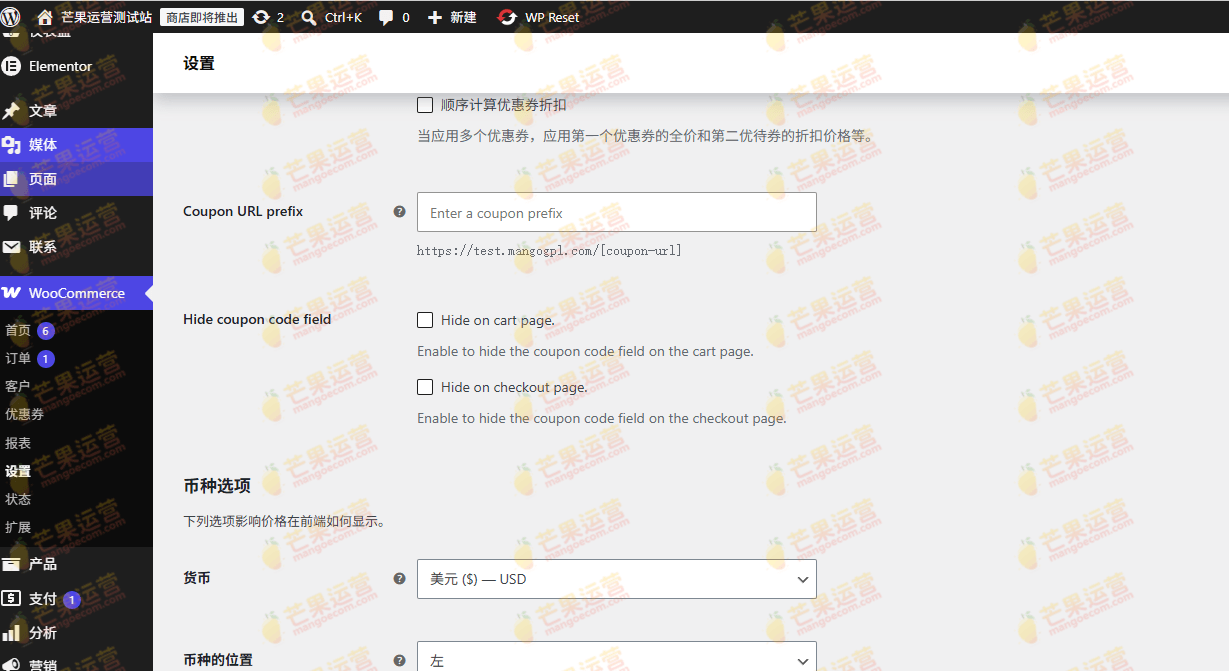
WooCommerce URL Coupons version 2.16.2 has been tested. After installing and enabling the plugin, it works directly without activation. You can search for and install it in the WordPress backend, or download the ZIP file and upload it for installation. For more tips on using WordPress plugins, refer to related articles.
Official link: WooCommerce URL Coupons Official Page
Frequently Asked Questions
How to install WooCommerce URL Coupons?
You can search for "WooCommerce URL Coupons" on the WordPress backend plugins page and install it, or download the ZIP file from the official site and install it via plugin upload. Enable it after installation.
Is WooCommerce URL Coupons compatible with the latest WooCommerce version?
This plugin is typically compatible with mainstream WooCommerce versions. For specific compatibility, refer to the official documentation or plugin changelog.
Is there a Chinese localization version of WooCommerce URL Coupons?
The plugin supports internationalization. You can achieve a Chinese interface through language packs or third-party localization files. Refer to the official documentation for details.
How often is WooCommerce URL Coupons updated?
The plugin is regularly updated to fix bugs and ensure compatibility with new versions. It is recommended to keep automatic updates enabled or monitor official releases.
Does WooCommerce URL Coupons support multisite?
This plugin typically supports WordPress multisite networks, but configuration may be required on each subsite. Refer to the official documentation for details.


Comments (0)