
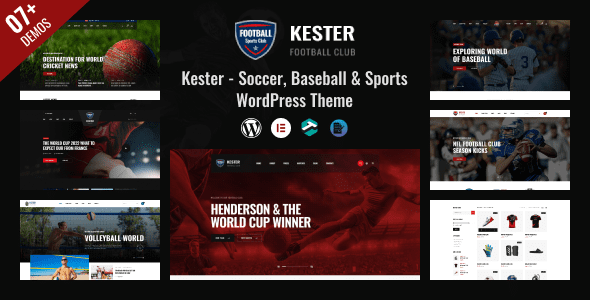
Kester WordPress Theme: A Professional Solution for Sports Websites
Kester is a WordPress theme designed specifically for the sports industry, suitable for football clubs, sports news portals, rugby, baseball, cricket, American football, and personal trainer websites. The theme adopts a clean and modern design language, emphasizing typographic impact and image display effects, helping sports websites quickly establish a professional image. The Kester WordPress theme deeply integrates with the SportsPress plugin, making it easy to manage core data such as match details, league standings, player profiles, points tables, fixtures, and match results—an efficient tool for sports content operators.
If you are looking for a sports theme that combines visual appeal with functionality, Kester is worth checking out. For more WordPress themes and plugin resources, visit Bobohu Resource Site.
Core Features and Use Cases of the Kester Theme
The Kester theme is built around the actual needs of sports websites, with key features including:
- SportsPress Integration: Supports management of match schedules, results, league standings, player profiles, and other sports data.
- News and Blog Modules: Ideal for publishing sports news, match analysis, transfer updates, and more.
- Club Showcase: Create pages for team introductions, player lists, coaching staff, and more.
- Responsive Design: Displays well on desktop, tablet, and mobile devices.
- Customization Options: Offers multiple color schemes, typography, and layout settings for easy brand customization.
The theme is suitable for football club official websites, sports news media, sports training institutions, personal trainer websites, and more. For specific features, please refer to the Kester official page.
Kester Theme Installation and Configuration Guide
Installation Steps
The installation process for the Kester theme is the same as for regular WordPress themes:
- In the WordPress admin panel, go to "Appearance" > "Themes" > "Add New Theme," upload the theme zip file, and activate it.
- Install and activate the required plugins as prompted, typically including SportsPress and other recommended plugins.
- Import the demo content. If you encounter errors, you can ignore them or re-import, as they generally do not affect usage.
- In "Settings" > "Reading," set the homepage to a specific static page.
After installation, you can adjust colors, fonts, layouts, and other options through the WordPress Customizer to match your brand style.
Usage Tips
To fully leverage the sports features of the Kester theme, it is recommended to first familiarize yourself with the basic operations of the SportsPress plugin, such as creating seasons, teams, and matches. The theme's demo content can serve as a configuration reference to help you quickly build your page structure.
Why Choose the Kester WordPress Theme
Sports websites have high demands for data display and visual impact. The Kester theme excels in the following areas:
- Professional Design: Minimalist style paired with striking typography, highlighting match images and key information.
- Data Management: Seamless collaboration with SportsPress, reducing development costs.
- Easy to Customize: Offers rich theme options to adjust styles without writing code.
- Continuous Updates: The theme developer regularly releases new versions, fixing issues and adding features.
For users who want to quickly launch a sports website, Kester is an option worth considering.
Frequently Asked Questions
What plugins does the Kester theme require?
The Kester theme recommends using the SportsPress plugin to manage sports data. When installing the theme, the admin panel will prompt you to install the required plugins—simply follow the instructions. For a specific plugin list, please refer to the official documentation.
Is the Kester theme compatible with the latest version of WordPress?
The Kester theme undergoes compatibility testing with WordPress version updates. It is recommended to use the latest version of WordPress for the best experience. If you encounter compatibility issues, check the theme changelog or contact the developer.
How do I import Kester's demo content?
You can import demo content through the theme settings or the WordPress import tool. Errors may occur during the import process, but they can usually be ignored or retried. After importing, you need to manually set the homepage as a static page.
What languages does the Kester theme support?
The Kester theme supports multiple languages and can be localized through translation files. For specific language support details, please refer to the official documentation.
How often is the Kester theme updated?
The theme developer regularly releases updates to fix bugs and add new features. The update frequency depends on the development schedule. It is recommended to follow official channels for the latest version.

