
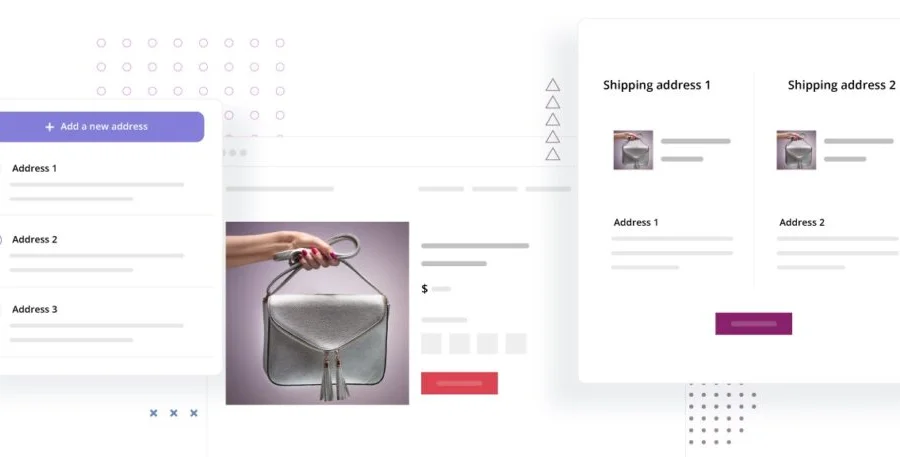
Multiple Shipping Addresses for WooCommerce (Address Book) PRO is a WordPress plugin designed specifically for WooCommerce, allowing customers to ship items to multiple different addresses in a single purchase. This plugin not only simplifies address management but also provides an address book feature, enabling customers to save and quickly select frequently used addresses. For e-commerce websites operating multiple warehouses or requiring batch shipping, this plugin is an essential tool to enhance the user shopping experience.
Core Features of the Multiple Shipping Addresses for WooCommerce Plugin
This plugin supports customers in selecting different shipping addresses for each item at checkout and saving addresses to an address book for future use. Administrators can set the maximum number of addresses allowed per order and view the details of items corresponding to each address. Additionally, the plugin integrates seamlessly with WooCommerce without requiring modifications to core files.
Installation and Localization Instructions
Installing the Multiple Shipping Addresses for WooCommerce plugin is straightforward: upload the plugin file to WordPress, activate it, and it's ready to use. This version includes localization files, allowing Chinese users to experience the full functionality directly. For further assistance, please refer to the related tutorial.
Compatibility and Updates
This plugin is compatible with WooCommerce 6.x and above, and is regularly updated to maintain compatibility. Official documentation is provided to ensure users can get started quickly. View the official page for more information.
Frequently Asked Questions
How do I install this plugin?
After downloading the plugin package, install it via the WordPress admin panel by navigating to "Plugins" -> "Add New" -> "Upload Plugin", then activate it for use.
Which WooCommerce versions does the plugin support?
Please refer to the official documentation for specifics; it typically supports WooCommerce 6.x and above.
Is there a localized version?
Yes, this version includes localization files, so the Chinese interface is ready to use directly.
How do I update the plugin?
Follow official update notifications, or upgrade via the plugin update feature in the WordPress admin panel.
Does it support multiple languages?
The plugin supports multiple languages, and the official .pot file is provided for translation.


Comments (1)