
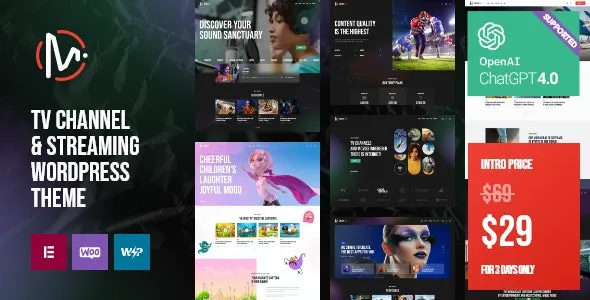
MediaFlex is an official WordPress theme designed for TV channels and streaming websites, featuring vibrant, bright colors and a modern, practical design. It is suitable for websites such as TV channels, video streaming, music channels, news channels, blogs, podcasts, online radio, broadcast stations, bands, DJs, singers, artists, cultural event organizations, and entertainment businesses. The theme includes 8 homepage layouts that can showcase podcasts, video blogs, news, DJ mixes, radio hits, record services, and music event information. With MediaFlex, you can create photo and video galleries to display past or planned events. The theme is fully responsive and retina-ready, compatible with popular plugins like elegro Crypto Payment, WooCommerce, and Contact Form 7. For more resources, visit our WordPress resource site.
Core Features of MediaFlex TV Channel and Streaming WordPress Theme
MediaFlex offers a wealth of features to meet the needs of media websites. These include a drag-and-drop page builder, custom widgets, multiple blog layouts, video player integration, an event calendar, a membership system, and more. The theme supports one-click demo import, making it easy to quickly set up your site. Additionally, MediaFlex is optimized for SEO with fast loading speeds, helping to improve search rankings.
How to Use the MediaFlex WordPress Theme
After installing the MediaFlex theme, you can easily manage content through the WordPress backend. Upload and activate the theme, then install the required plugins. Select "Full Import" to import demo data, giving you the same layout and settings as the demo site. You can customize colors, fonts, layouts, and more as needed, without any coding knowledge.
MediaFlex Theme Compatibility and Performance
MediaFlex is compatible with major browsers and supports WooCommerce e-commerce functionality, making it suitable for selling items like music and tickets. The theme features streamlined code and is optimized for speed to ensure fast loading. It is regularly updated to maintain compatibility with the latest WordPress version.
Official link: MediaFlex on ThemeForest
Frequently Asked Questions
How to install the MediaFlex theme?
In the WordPress backend, go to Appearance > Themes > Add New, upload the MediaFlex theme zip file, and activate it. Then install the recommended plugins and import the demo data.
What scenarios is MediaFlex suitable for?
MediaFlex is ideal for TV channels, streaming services, music radio stations, podcasts, news websites, entertainment blogs, artist and band official sites, and more.
Which plugins is MediaFlex compatible with?
It is compatible with mainstream plugins such as WooCommerce, Contact Form 7, and elegro Crypto Payment. Please refer to the official documentation for specifics.
How often is MediaFlex updated?
The theme is regularly updated to fix bugs and ensure compatibility with the latest WordPress version. Update information can be found on the ThemeForest page.


Comments (0)