
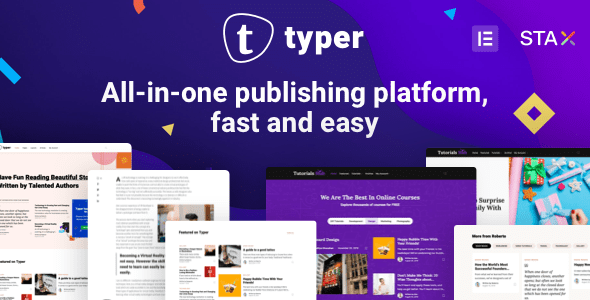
Typer is a WordPress theme built specifically for multi-author blogs and content platforms, integrating author profiles, submission workflows, and reader reading experience into a single system. If you're looking for a WordPress theme that enables multiple authors to collaborate on content creation while providing readers with bookmarking and return-visit entry points, Typer is worth a serious look. It is provided by SeventhQueen with front-end user profile and submission direction support, article editing based on Gutenberg, and landing pages that can be built with Elementor—making it suitable for sites transitioning from a personal blog to a multi-person collaboration platform.
Typer Theme Core Features: Multi-Author Publishing and Reading Experience
Typer's biggest characteristic is placing authors and readers within the same front-end system. Each author has a public profile page, allowing readers to learn about the creator behind an article and browse that author's other content. This design makes the connection between content and people clearer, especially suitable for websites with stable editorial teams that need to build author brands.
Front-End Author Profiles and Submission Management
On multi-author sites, readers often want to know who wrote an article and what other topics the author follows. Typer's front-end profile pages present public information in a centralized way, and the operations team needs to clarify in advance which fields are displayed publicly and which are only used for account management. Bios and avatars should have basic standards—real backgrounds help readers judge content credibility more than uniformly writing "senior expert."
Allowing others to publish articles on your website doesn't mean all accounts should publish directly. It's recommended to set up submission and review workflows based on actual functions, clarifying who can edit, who is responsible for publishing, and how unsuitable content is handled. What Typer provides is multi-author pages and publishing direction; editorial standards still need to be established by the team. Start with a small number of authors to run through the submission, revision, and publishing process before gradually opening up—this makes it easier to form consistent rules.
The Division of Labor Between Gutenberg and Elementor in Typer
Typer officially emphasizes Gutenberg article support and uses Elementor for building landing pages. Long-form content is suitable for following unified paragraph, heading, and media rules, while institutional introductions or feature promotion pages can use visual layouts. Once the division of labor is clear, authors only need to master daily article editing, and designers handle public displays—there's no need to rearrange complex pages for every piece of content.
The theme also provides the Stax header builder and color, font, and article style settings in the Live Customizer, with per-article overrides allowed. Regular articles maintain unified reading standards, and a small number of special features can have different presentations, but it's not recommended that each author use completely different font sizes and navigation. Materials like GIF featured images should also consider reading scenarios—dynamic content can be used purposefully, but not all cards need to keep flashing.
Bookmarks, Reading Time, and Return-Visit Mechanisms
Article bookmarks let readers save content they haven't finished reading or need to reference later to their front-end profiles—suitable for tutorials, long articles, and special resources. Reading time helps visitors estimate their investment, while the bottom sticky article navigation supports continued reading. These features revolve around the same goal: letting readers know how the current content is worth reading and how to come back next time.
- Author profiles connect specific creators with their content, making it easy to continue learning.
- Bookmarks save articles with future reference value, reducing repeated searching.
- Reading time provides clues about reading investment and cannot replace accurate summaries.
- Related articles and article navigation connect content to help extend reading.
Typer also lists an interest-based weekly digest direction, suitable for connecting on-site reading with follow-up content. Actual use requires configuring the corresponding email and sending workflows, and subscription content should clearly let users know the scope. Digests don't need to include all articles—selecting a small amount of useful content around interests and then linking to full articles makes it easier for readers to understand why they received these recommendations. If you want to learn more about similar multi-author content solutions, you can browse the WordPress theme resource library for comparison.
Comment Interaction and Content Community Operations
Typer officially provides AJAX comments with popup or expanded display. Popups can keep pages clean, while expanded comments are better suited for articles that require continuous reading of discussions. When choosing, look at the content communication style—don't decide based on appearance alone. Comments need clear reply relationships and management rules; repetitive spam, irrelevant promotions, and valuable discussions should be handled separately so readers know how to participate here.
If you need more detailed comment interaction, you can compare how comment plugins like wpDiscuz work and verify actual compatibility requirements. Multiple comment systems should not take over the same entry point simultaneously. When Typer already has comment-related designs, first use the existing methods to complete reading and replying, then decide whether additional components are needed.
How to Build a Clear Content Website from an Author Community
Organize homepage content by stable themes, use author pages to connect people, and use tags to aggregate similar topics. Don't let every author create a large number of synonymous categories, otherwise it becomes difficult to form special topics as articles gradually increase. Submission guidelines can require titles, summaries, image captions, and sources to help editors verify. For content that needs revision, maintain clear communication and revision arrangements so authors are more likely to continue participating.
Features like dark mode, sidebars, and image lazy loading can assist reading, but body text still needs clear typography. Long articles, image-free content, and multi-author profiles using the same set of rules means readers won't need to readjust between different pages. By connecting publishing, reading, and return visits into a stable path, Typer's multi-author capabilities will truly become part of website operations.
Frequently Asked Questions
How do I install the Typer theme?
In the WordPress admin, go to Appearance - Themes - Add New Theme, upload the Typer theme zip file, and activate it. After activation, it's recommended to import demo content according to the official documentation and check permalink and menu settings. Please refer to the official documentation for specific steps.
What use cases is Typer suitable for?
Typer is suitable for multi-author blogs, content sites with editorial team collaboration, media websites that need author brand displays, and knowledge-based platforms that want to provide readers with bookmarking and return-visit entry points. It is not suitable for pure e-commerce or corporate showcase websites.
Is Typer compatible with Elementor?
Officially, Elementor is positioned as a landing page building tool, and Gutenberg editing is recommended for article body content. The two can be used together, but it's recommended to maintain unified article content editing standards. Please refer to the official documentation for specific compatibility.
How often is the Typer theme updated?
Typer is maintained by SeventhQueen, and update frequency varies with version iterations. It's recommended to follow the official changelog and verify updates in a test environment before updating the production site. Please refer to the official documentation for details.


Comments (0)