
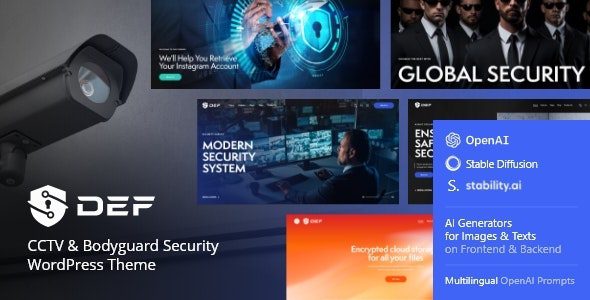
Def v1.13.0 is a WordPress theme specifically designed for the security industry. Its bold, fresh, and clean design makes it an ideal choice for CCTV security companies, security resource centers, cybersecurity firms, and personalized security projects. Whether you are a private bodyguard service provider or a large enterprise security department, the Def theme helps you build a professional and trustworthy online presence. This article provides a comprehensive introduction to the unique features, installation methods, and usage tips of the Def Bodyguard Security WordPress Theme, helping you quickly build a professional security services website.
Core Features of the Def Bodyguard Security WordPress Theme
The Def theme is designed to meet the diverse needs of the security industry. It offers multiple homepage layouts and page templates, allowing you to choose flexibly based on your business type. The theme comes with a rich set of built-in elements, such as service showcase areas, team introductions, case studies, pricing tables, and more, enabling you to build a complete business presentation without additional plugins. Additionally, the Def theme is deeply optimized for responsive design, ensuring a perfect visual experience on mobile, tablet, and desktop devices.
Applicable Scenarios and Business Matching for the Def Theme
The Def theme is not only suitable for traditional physical security companies but also for cybersecurity firms, security consulting agencies, and personal security advisors. Its clean and minimalist design style effectively conveys a professional and rigorous brand image. For companies that need to showcase services such as surveillance systems, alarm systems, and security patrols, the Def theme provides an intuitive presentation method to help you attract potential clients.
Def Theme Installation and Activation Tutorial
Installing the Def theme is very simple. First, you need to download the theme installation package from the official source. In the WordPress admin panel, go to "Appearance" -> "Themes," click "Add New Theme," then upload the downloaded ZIP file and activate it. After activation, the theme will prompt you to install required plugins, such as the Elementor page builder and theme options panel—please install and activate them as well. The Def theme comes with pre-loaded demo data, allowing you to quickly build a website identical to the demo site using the one-click import feature, and then replace it with your own content.
If you encounter any issues during installation, you can refer to the WordPress Theme Installation Guide for more help. Additionally, the official documentation for the Def theme provides detailed video tutorials and FAQs. You can also visit the official product page for the latest information.
Localization and Chinese Support for the Def Theme
For Chinese users, the Def theme provides complete language files, making it easy to localize the theme into Chinese. The theme's interface text, buttons, tooltips, and other elements can all be localized through translation files. Furthermore, the Def theme is compatible with popular Chinese WordPress plugins such as WPML and Polylang, making it convenient to build multilingual websites.
Def Theme Updates and Technical Support
The development team behind the Def theme regularly releases updates to fix bugs, add new features, and ensure compatibility with the latest version of WordPress. After purchasing the theme, you will receive six months of free support services. You can submit tickets through the official support forum to receive timely assistance.
Frequently Asked Questions
How do I install the Def theme?
Installing the Def theme is very simple: In the WordPress admin panel, go to "Appearance" -> "Themes," click "Add New Theme," upload the theme's ZIP file, and activate it. After activation, follow the prompts to install and activate the required plugins, then import the demo data.
What scenarios is the Def theme suitable for?
The Def theme is suitable for CCTV security companies, security resource centers, cybersecurity firms, private bodyguard services, security consulting agencies, and more. Its clean and professional design style makes it suitable for all types of security-related businesses.
Which WordPress versions is the Def theme compatible with?
The Def theme is compatible with the latest version of WordPress and supports major browsers. For specific compatibility requirements, please refer to the official documentation to ensure the best experience.
How often is the Def theme updated?
The development team behind the Def theme regularly releases updates to fix bugs, add new features, and ensure compatibility with the latest version of WordPress. It is recommended that you enable automatic updates to receive updates in a timely manner.


Comments (0)