
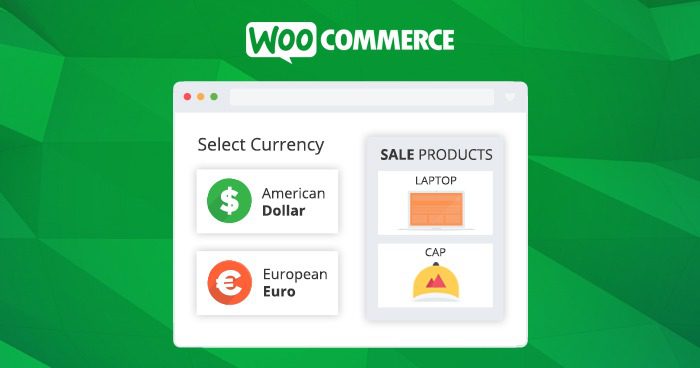
Currency Switcher For WooCommerce is an essential tool for merchants selling globally. Developed by the WpExperts team, this plugin is specifically designed for WooCommerce stores, allowing customers to easily switch currencies and view product prices in their local currency, thereby enhancing the shopping experience for international buyers. If your business aims to expand into overseas markets, this multi-currency plugin will provide you with a comprehensive currency conversion solution.
Core Features of Currency Switcher For WooCommerce
The plugin supports the integration and display of unlimited currencies, automatically converts currencies based on shipping destination, and detects the customer's country to switch currencies automatically. It extends currency conversion to cover various price components including product shipping, discounts, taxes, and more, ensuring all pricing information remains accurate.
Flexible Currency Display and Payment Control
Merchants can control payment gateway visibility, set payment methods based on specific currencies, and allow dynamic currency changes after checkout begins. Users can choose whether to allow checkout in the selected currency, while currency conversion options are provided during the billing process. Additionally, coupon usage restrictions can be flexibly configured, including maximum and minimum spending limits, with support for switching coupon fixed amount options.
Price Optimization and Visual Customization in Currency Switcher For WooCommerce
With the "Price Rounding" feature, merchants can round prices after currency conversion, and use the "Price Charm" option to lower converted prices for greater appeal. The frontend seamlessly displays the default currency symbol and customizes currency display based on language. Country flags can be used as currency symbols for an intuitive visual experience, with options to display currencies by country name or flag, and easily switch between ISO codes and currency symbols.
To enhance user experience, the plugin allows adding custom prefixes before currency symbols and enhances the currency selector by incorporating country flags. For exchange rate updates, the plugin automatically updates rates via the Open Exchange Rates API, supports scheduled rate updates, and also allows manual setting of fixed exchange rates. Merchants receive email notifications with every rate change, keeping them informed of exchange rate fluctuations in real time.
Integration and Installation of Currency Switcher For WooCommerce
The plugin supports seamless integration of multi-functional widgets on store, cart, and checkout pages, and can also display widgets in the website sidebar for increased visibility. Using shortcodes, you can easily implement widgets on any post, page, or custom post type. Additionally, the plugin offers four visually appealing currency switcher style options, allowing merchants to customize the appearance with ease.
The installation process is simple: upload the plugin, activate it, and it's ready to use—no additional activation steps required. The official version has been tested to ensure stable performance. For more information, visit the official page.
Frequently Asked Questions
How do I install the Currency Switcher For WooCommerce plugin?
Installation is straightforward: upload the plugin archive in the WordPress admin panel, activate it, and it's ready to use. The plugin has been tested and requires no activation steps—refer to the official documentation for details.
What use cases is this plugin suitable for?
It is suitable for any online store using WooCommerce, particularly e-commerce websites targeting international customers that require multi-currency display. Whether selling physical or digital products, this plugin enhances the cross-border shopping experience.
Which themes and plugins are compatible with this plugin?
The plugin is specifically designed for WooCommerce and is compatible with most WordPress themes. However, compatibility may vary depending on the theme, so it's recommended to test before official use or consult official support.
How often are exchange rates updated?
The plugin supports automatic exchange rate updates via the Open Exchange Rates API, with configurable update intervals. You can also manually set fixed exchange rates to ensure price stability.
Does the plugin support multiple languages?
Yes, the plugin supports customizing currency display based on language and can be used alongside multilingual plugins to provide a localized experience for users in different languages.


Comments (0)