
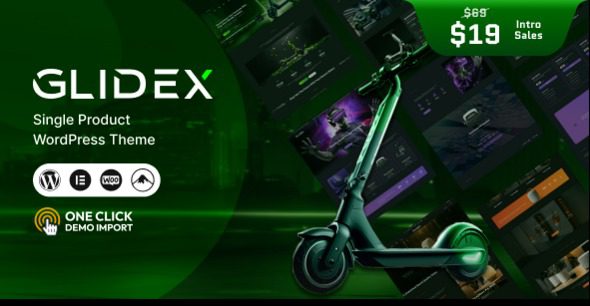
GlideX v1.0.3 Single Product WooCommerce Theme Chinese Version Introduction
GlideX v1.0.3 is a WordPress theme specifically built for single-product e-commerce, suitable for selling a single app, book, course, music, electronic product, scooter, stroller, toy, teddy bear, custom doll, and various other products. Whether you want to build a single-product store, a single product plus blog, or a single-product review showcase site, GlideX provides a complete solution. The theme comes with a built-in single-item homepage and single-list design to help you quickly create high-converting marketing pages.
As a single-product WooCommerce theme, GlideX focuses on balancing simplicity and functionality. It supports single stores, single stores selling a single app, single book, single course, and other scenarios, and can be used to create marketing landing pages for e-books, software, or events. The theme is compatible with multi-purpose stores, including accessories, sporting goods, and more, giving you flexible product display options.
Core Features and Advantages of the GlideX Theme
GlideX offers a rich set of preset layouts and modules, allowing you to build a professional single-product website without writing code. Its main advantages include:
- Single-product focused design: All page elements are optimized around a single product to boost conversion rates.
- Deep WooCommerce integration: Seamlessly connects with WooCommerce, supporting product variations, reviews, ratings, and more.
- Multiple demo templates: Includes demos for single-product stores, single-product blogs, single-product reviews, and more, with one-click import.
- Responsive and performance-optimized: Mobile-friendly, fast loading, and SEO-compliant.
- Highly customizable: Offers rich theme options, with adjustable colors, fonts, and layouts.
If you are looking for more high-quality WordPress resources, you can visit bobohello.com to get more themes and plugins.
Use Cases and Compatibility of the GlideX Theme
Use Cases
GlideX is ideal for the following types of websites:
- Single-product e-commerce websites (such as selling one app, one book, or one course)
- Product pre-sale or crowdfunding pages
- Single product plus content blog (driving traffic through blogging)
- Product review showcase sites for displaying user feedback
- Digital download stores (e-books, software, music)
Compatibility Notes
GlideX is compatible with the latest versions of WordPress and WooCommerce and has been tested across major browsers. It supports page builders such as Elementor and WPBakery, making it easy to customize pages. For specific compatible versions, please refer to the official documentation.
Frequently Asked Questions
How do I install the GlideX theme?
In the WordPress dashboard, go to "Appearance" -> "Themes" -> "Add New Theme" -> "Upload Theme," select the GlideX theme zip file, and install and activate it. After activation, follow the prompts to install the required plugins and import the demo content.
Which page builders does GlideX support?
GlideX is compatible with mainstream page builders such as Elementor and WPBakery Page Builder, so you can choose according to your preference. For specific support details, please refer to the official documentation.
Is the GlideX theme updated regularly?
The GlideX theme releases new versions alongside WordPress and WooCommerce updates, fixing vulnerabilities and adding new features. It is recommended to check for updates regularly to ensure security and compatibility.
Can GlideX be used for multi-product stores?
GlideX is primarily optimized for single products, but technically it can also be used for multi-product stores. However, its design and features are more focused on single-product display and conversion.
Does the GlideX theme provide technical support?
Official documentation and technical support are provided. For specific support scope and response times, please refer to the official documentation or purchase page.

