
Direo WordPress Theme: The Core Logic of Running a Directory Site
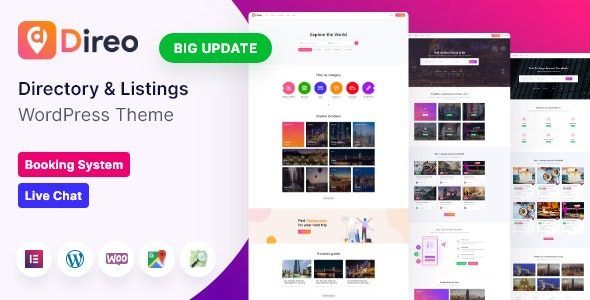
Direo is a WordPress theme focused on information navigation and listings, suitable for building local directories, classified information, or business navigation sites. Many site owners fall into the trap of piling on features in the early stages, obsessing over membership systems, paid featured listings, or standalone apps—but what truly determines the life or death of a directory site is the volume of listings. A city with only thirty records won't retain users no matter how polished the filters are. This article focuses on the practical application of the Direo WordPress theme, outlining the complete path from data population to monetization.
Content Population: First Solve Who Fills It In
Directory site content typically comes from three parallel paths. The first is organizing public information yourself, filling out the main categories first—slowest but most controllable in quality. The second is opening up free submissions so businesses fill in their own information, but a review process must be in place. The third is partnering with local media or communities, trading exposure resources for listings. The second path is most prone to dilution—if you allow arbitrary submissions, three months later the site will be flooded with duplicate entries and fake phone numbers, and the cleanup cost will far exceed what review would have cost upfront.
The review process cannot be skipped. It's recommended to set required fields and a manual review workflow in Direo's submission form to ensure every listing is verified. For more ideas on running directory sites, you can refer to the related topics in the WordPress Site Building Resource Guide.
Listing Field Design: Field Configuration Recommendations for the Direo Theme
A high-quality listing should include the following core fields:
- Name and category. Categories should support multi-level classification—for example, dining split into hot pot and barbecue. Directories that are too coarse cannot filter precisely.
- Address and coordinates. Coordinates must resolve to a clickable location on the map; entries with only a text address are worth half as much.
- Business hours. Broken down by day of the week, with holidays marked separately—this is the most frequently queried information in local search.
- Contact information. One phone number, social account, or reservation link each is enough; piling on too many makes it look like an ad.
- Real photos. Require submitters to upload one storefront photo and one interior photo—more credible than retouched images.
The Direo theme typically provides page templates for listings, details, submission, search, and user center. For specific field configuration, refer to the official documentation. After installation, it's recommended to stress-test the listing page with fifty real data entries first, observing whether loading speed and filtering performance meet standards.
Filtering and Maps: Interaction Essentials for Local Directories
The filtering priorities for local directories are straightforward: distance, category, whether currently open, and whether parking is available. Distance sorting should be calculated based on coordinates, not replaced by administrative districts. Maps are best placed in a corner of the listing page as a supplement—the main view should still be a card-based layout, since pure map browsing offers a poor experience on mobile. Each listing page should be independently indexable by search engines, with titles written as "Name + Category + Area," and the address and business hours written into the text content rather than only placed in map components. Most traffic to directory sites comes from these long-tail pages.
Monetization Rhythm: Don't Charge Too Early
Only consider charging after listings exceed a thousand and monthly visits are stable. The reasonable order is: first do business claiming (free claiming of their own pages), then enhanced display (multiple images, video, promotional information), and only finally roll out featured placements and subscription packages. Charging featured fees right out of the gate makes it hard for businesses to renew. Whether the Direo theme has built-in paid packages and a review system should be based on the official demo and documentation.
Another practical issue is data sources and updates. Public information can be organized, but pay attention to source legality and update frequency; data filled in by businesses should be marked with an update time, and entries not updated for over six months should display a notice on the page saying "information may have changed"—this is more credible than pretending the information is fresh.
Frequently Asked Questions
How do I install the Direo theme?
In the WordPress admin, go to "Appearance - Themes - Add New Theme," upload the Direo theme zip package, and activate it. After installation, follow the prompts to import demo content or manually configure page templates. For specific steps, refer to the official documentation.
What use cases is Direo suitable for?
Direo is suitable for local business directories, city information navigation, classified listing sites, and similar scenarios—especially for sites that need multi-level categories, map positioning, and user submission features.
Which plugins is the Direo theme compatible with?
Direo is typically compatible with mainstream page builders and SEO plugins. For the specific compatibility list, refer to the official documentation or demo site notes.
How often is the Direo theme updated?
Direo is continuously maintained by its author; the update frequency is subject to the official release records. It's recommended to use a legitimate license to get automatic updates and technical support.


Comments (0)