
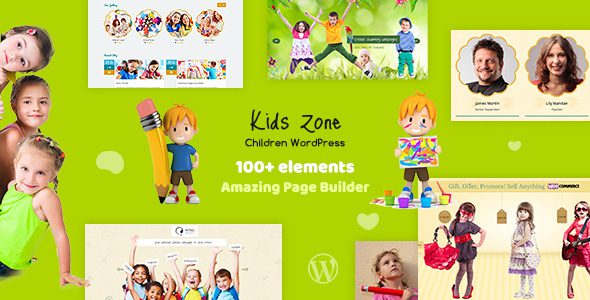
Kids Zone is a WordPress theme specifically designed for children's education and training, suitable for nurseries, kindergartens, preschools, childcare centers, elementary schools, nannies, and daycare facilities. With its friendly interface and rich features, it allows you to easily build a fun and vibrant official website. This article provides a comprehensive introduction to the Kids Zone theme's features, use cases, and installation methods to help you get started quickly.
Core Features and Highlights of the Kids Zone WordPress Theme
The Kids Zone theme is child-centric, offering a variety of page templates and visual editing tools. You can freely customize the homepage layout using the drag-and-drop builder without writing any code. The theme comes with built-in modules such as course showcases, teacher teams, event calendars, and photo galleries, perfectly matching the needs of educational institutions. Additionally, the responsive design ensures your website looks great on mobile phones and tablets.
Visual Design and User Experience of the Children's Education Theme
Bright colors and rich cartoon elements are the visual hallmarks of Kids Zone. The theme includes multiple color schemes and font options, with support for custom logos and backgrounds. The friendly navigation structure and clear call-to-action buttons effectively boost parent inquiry conversion rates. Furthermore, the theme is compatible with popular page builders like Elementor, making content editing more flexible.
Why Choose Kids Zone for Building a Children's Website
Compared to other WordPress themes, Kids Zone focuses specifically on the children's education sector, providing targeted features. It includes built-in course schedules, online registration forms, and payment integration, making it easy for parents to book trial classes directly. The theme also supports multiple languages, facilitating international promotion. More importantly, the theme code follows best practices, ensuring fast loading speeds and SEO-friendliness, which helps achieve good search engine rankings. If you need more WordPress theme recommendations, you can refer to related resources.
Installation and Configuration of the Kids Zone WordPress Theme
Installing the Kids Zone theme is very simple: in the WordPress admin panel, go to "Appearance" > "Themes" > "Add New Theme," upload the theme zip file, and activate it. Then, import the demo data to get a demo site identical to the official one. You can also customize colors, fonts, and layouts through the theme options panel. The official documentation provides detailed video tutorials, making it easy even for beginners to complete the setup.
Use Cases and Extensibility of the Kids Zone Theme
Whether you're creating a new kindergarten website or upgrading an early education center's site, Kids Zone can meet your needs. It is suitable for nurseries, preschools, children's interest classes, parent-child activity centers, and more. By installing third-party plugins, you can extend features such as online payments and membership systems. The theme is updated frequently, compatible with the latest WordPress versions, and supports popular security plugins.
Frequently Asked Questions
How do I install the Kids Zone theme?
In the WordPress admin dashboard, go to "Appearance" > "Themes" > "Add New Theme," click the "Upload Theme" button, select the downloaded Kids Zone zip file, and install it. After activation, it's recommended to import the demo data to quickly build your website.
What types of websites is the Kids Zone theme suitable for?
Kids Zone is specifically designed for children's educational institutions, making it suitable for nurseries, kindergartens, preschools, elementary schools, after-school care, and children's activity centers. Its lively design and course management features also work well for children's clubs or parenting blogs.
Is Kids Zone compatible with the latest version of WordPress?
According to official information, Kids Zone is regularly updated to remain compatible with the latest WordPress versions. It's recommended to back up your website before updating and check the theme's changelog. For specific compatibility details, please refer to the official documentation.
Does the theme support multiple languages?
Yes, Kids Zone supports multiple languages. You can install WPML or Polylang plugins to create a multilingual website. The theme code has been localized for easy translation.
How do I get technical support for the theme?
After purchasing the theme, you can contact the developer for technical support through the ThemeForest platform. Additionally, the official documentation and community forums offer a wealth of tutorials and solutions.


Comments (0)